



Slow, dragging animation when Animate HTML5 Canvas is played in full screen browser
Hello everyone,
I am creating an interactive children's program using Animate's HTML5 Canvas. My animate timeline is 6 frames long and each frame includes multiple nested movieclips with timeline animation. I have javascript on the main timeline, and also within many of the nested movieclips' timelines. I am using simple vector art for my characters and small animated objects, and bitmaps for my large backgrounds. My animation is done through Classic tweening on the timelines. I am using no filters. I have short sound effects called at various frames in my movieclips.
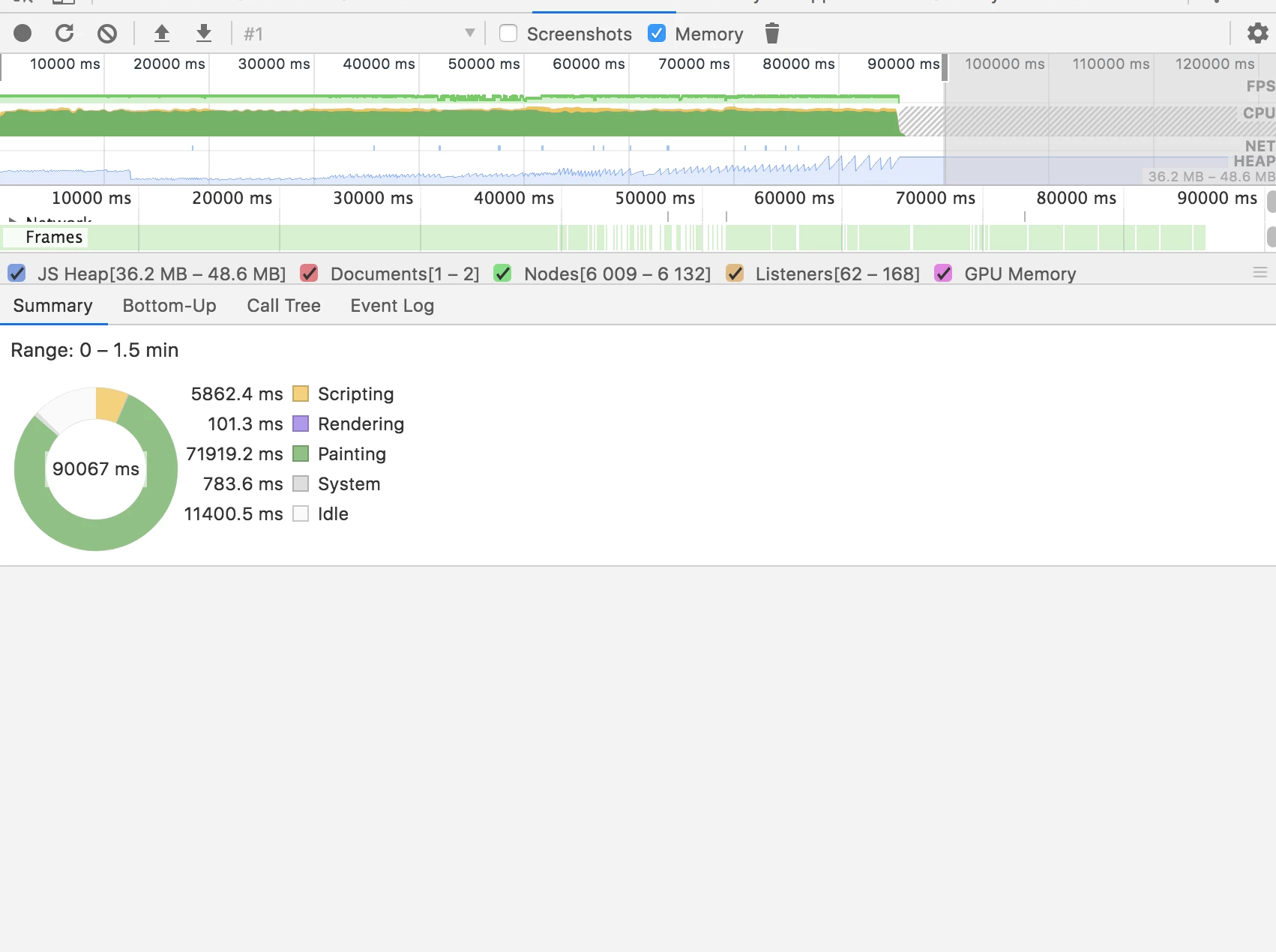
The issue I am having is that my program is playing with a very noticeable drag when the file is played on a browser in Full Screen mode (Chrome is the worst). I have done a lot of testing and problem-solving trying to figure out why this is. In my testing, I shortened my Animate file to only one frame on the maintimeline instead of 6, eliminated nearly 80% of nested movieclips, converted most my vector artwork to bitmap, and the program STILL ran super slow on the browser at full screen mode. This is the Chrome Performance summary I got of my trimmed down test file.
My program plays fine at normal browser window size, but when viewed in Full Screen Mode I experience the drag and it is quite problematic. Does anyone have any idea what I could be doing wrong with my animate file as far as artwork or optimized javascript? (The javascript I am using is mostly timeline controlling– .gotoAndPlay(), .gotoAndStop();– button events, drag and drop with hitTests.....but even when I cut out all this interactivity in my test file, the program STILL dragged when viewed at full screen mode in the browser...so I am thinking it is not an javascript optimization issue...although I am open to ALL suggestions!!) Thank you in advance!
 AdChoices