
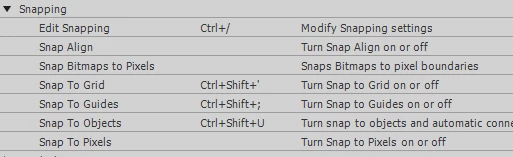
Snapping toggle hotkey needed
If I draw with the line tool, I very often want to snap one end of the line to a previously drawn line but not snap the other end. If I have snapping on the whole time, the end-point of my line often snaps to the wrong part of my drawing. If I have it off, I'll have to go back after I draw all the lines and stitch end points back together with the move tool. The best I can do currently is turn snapping on and zoom in close to my art all the time so I don't accidentally snap to everything else I've drawn.
Another time I need to switch frequently between snapping on and off, is when I relocate the end-points of lines while fine-tuning part of a drawing.
If the Move/Arrow tool and Line tool had a key on the keyboard that would turn snapping on while it was pressed, and off while it was unpressed, it would be so useful and speed up my work greatly.
Does a hotkey like this exist?
If not, can I get Adobe to implement this feature?
Thanks!


 AdChoices