Participant
May 27, 2017
Question

Soundwave Not Showing in Adobe Animate CC

  • May 27, 2017
  • 3 replies
  • 2429 views

Does Anyone Else Have This Problem? And How do I Fix it?

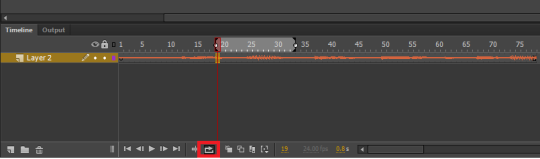
So, when you add sound to a project is Adobe Animate CC, it’s supposed to show a sound wave on your timeline, like this:
But when I add sound to any project, I get this:
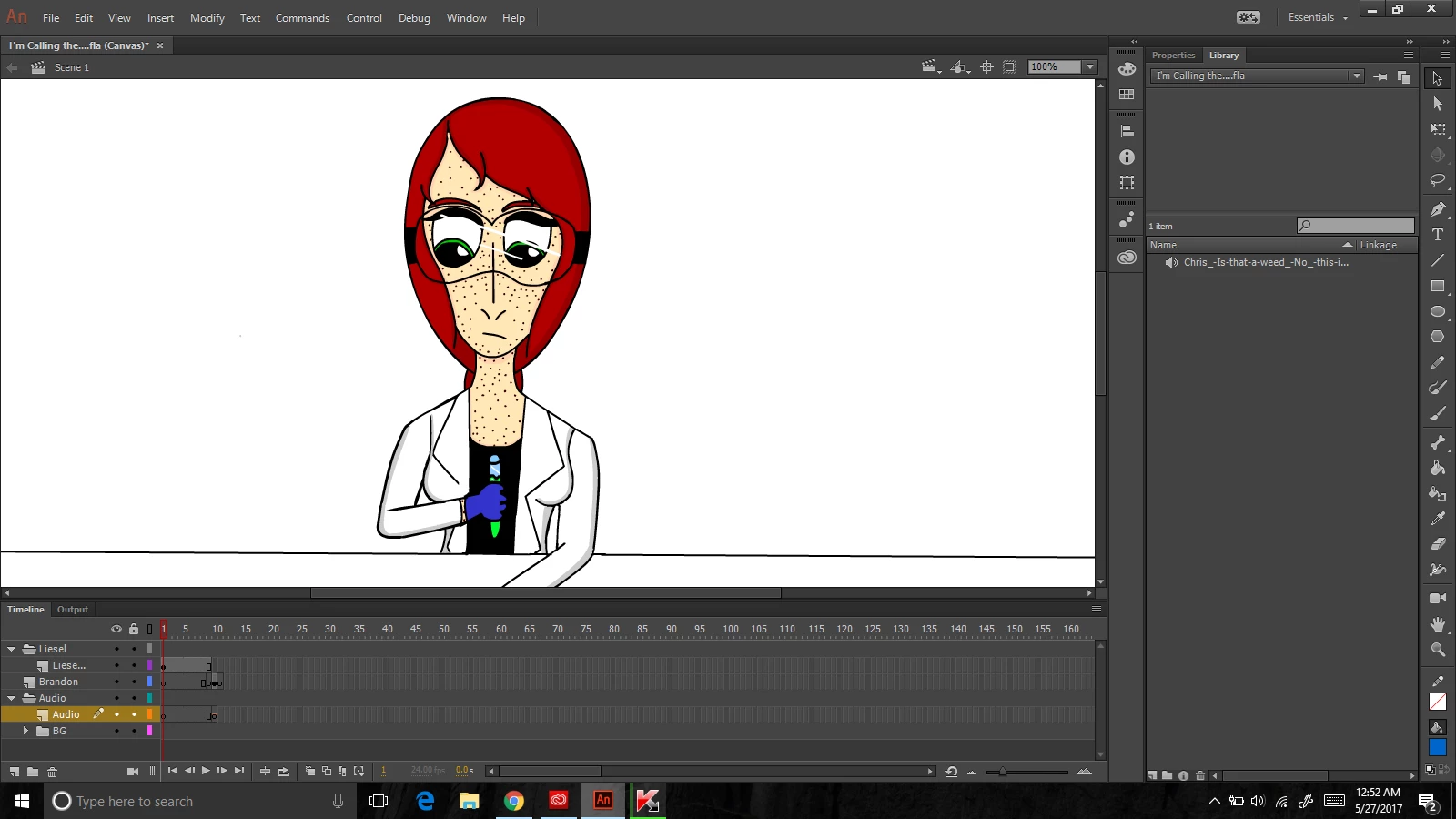
A tiny orange line above a single keyframe. And the line stays flat no matter how many frames or keyframes I add & no matter how many of those frames I add the audio to.

I tried uninstalling & re-installing the program, but that didn’t work. I also tried googling the error & searching the forums, but no matter how many times I tried, I couldn’t find anything about it or even remotely related to it. At first I thought it was because I was using the free trial version & that it might not have all the features. But when I actually bought the program, I still had the same problem.

I don’t want to add the audio in a second program, either, because that’s going to make lip-syncing a living nightmare.

Please. Does anyone know how to fix this?

This topic has been closed for replies.

3 replies

Community Expert
May 27, 2017

You need to click on the frame you want the audio on and add a bunch of frames using f5. Then click the properties menu. down in the sound menu, you will click the name drop-down menu to add your sound to the timeline. To hear the sound in the timeline you have to put it on stream. Also, make sure your sound you imported is an MP3. Hopefully, this solves your issue.

Legend
May 27, 2017

nickg28  wrote

Also, make sure your sound you imported is an MP3.

Why would you advise someone to import in a lossy format? I've always imported using PCM WAVs. You get the best publish quality that way.

Colin Holgate
Inspiring
May 27, 2017

He is using Canvas, and I've had problems with WAV  in Canvas. I would use MP3 in Canvas FLAs and WAV in AS3 FLAs. When Canvas publishes it makes a folder of MP3s. You can replace those with better quality sound files if you want.

kglad
Community Expert
Community Expert
May 27, 2017

it looks like your sound starts in frame 9, not frame 1.  show your properties panel in that screenshot to confirm.

robdillon
Participating Frequently
May 27, 2017

You will need to add frames to your timeline to see the full extent of the sound in the timeline. Here's the help file on working with frames and keyframes: Use frames and keyframes in Adobe Animate CC