
September 28, 2013
Answered

Starling Feathers Lee Brimelow tut

  • September 28, 2013
  • 1 reply
  • 1089 views

Hi guys

I'm working through the tut at http://www.leebrimelow.com/introduction-to-feathers-tutorial/ - I'm using Pro CS6

It's working, but the output looks like this:
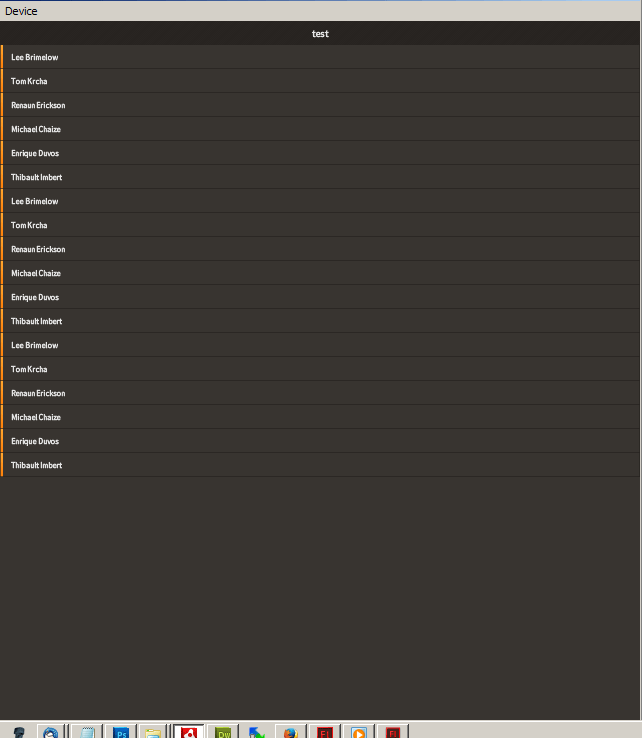
I have the code set up with:

[SWF(width="640", height="960", frameRate="60", backgroundColor="#ffffff")]

Any idea what I need to change to have it display properly?

Cheers

This topic has been closed for replies.
Correct answer Aaron Beall

I haven't watched the tutorial so I don't know if this has been mentioned in it already, but take a look at the red warning at the bottom of this page, which might the problem you are seeing:

http://wiki.starling-framework.org/feathers/flash-pro

Flash Professional's ability to properly simulate devices on AIR is limited compared to other development environments. Flash Professional's AIR simulator does not provide the correct screen DPI/PPI for the mobile device that it is simulating. The value of Capabilities.screenDPI is used by Feathers themes to scale skins to an appropriate physical size for each device. In order to use the DPI scaling capabilities of Feathers themes, you will need to run ADL from the AIR SDK on the command line or test on a real device. For more details, see Why do the Feathers component skins and font sizes appear very small? in the Feathers FAQ.


1 reply

Aaron BeallCorrect answer
Inspiring
September 28, 2013

I haven't watched the tutorial so I don't know if this has been mentioned in it already, but take a look at the red warning at the bottom of this page, which might the problem you are seeing:

http://wiki.starling-framework.org/feathers/flash-pro

Flash Professional's ability to properly simulate devices on AIR is limited compared to other development environments. Flash Professional's AIR simulator does not provide the correct screen DPI/PPI for the mobile device that it is simulating. The value of Capabilities.screenDPI is used by Feathers themes to scale skins to an appropriate physical size for each device. In order to use the DPI scaling capabilities of Feathers themes, you will need to run ADL from the AIR SDK on the command line or test on a real device. For more details, see Why do the Feathers component skins and font sizes appear very small? in the Feathers FAQ.


September 28, 2013

Thanks Aaron

I just published it to the iPhone, and although it's not working correctly (the list that appears when I compile in Flash isn't appearing, and it's too wide) the overall size seems to be correct.

So yes - that was the problem.

Cheers