

JoãoCésar17023019
Community Expert
Community Expert
August 22, 2025
Question

Stop Authortime Sharing

  • August 22, 2025
  • 1 reply
  • 263 views

Hello, everyone.


I'm working on a project using Flash CS6 and it seems there's no way to clear the path to the FLA in the IDE (same for Animate).
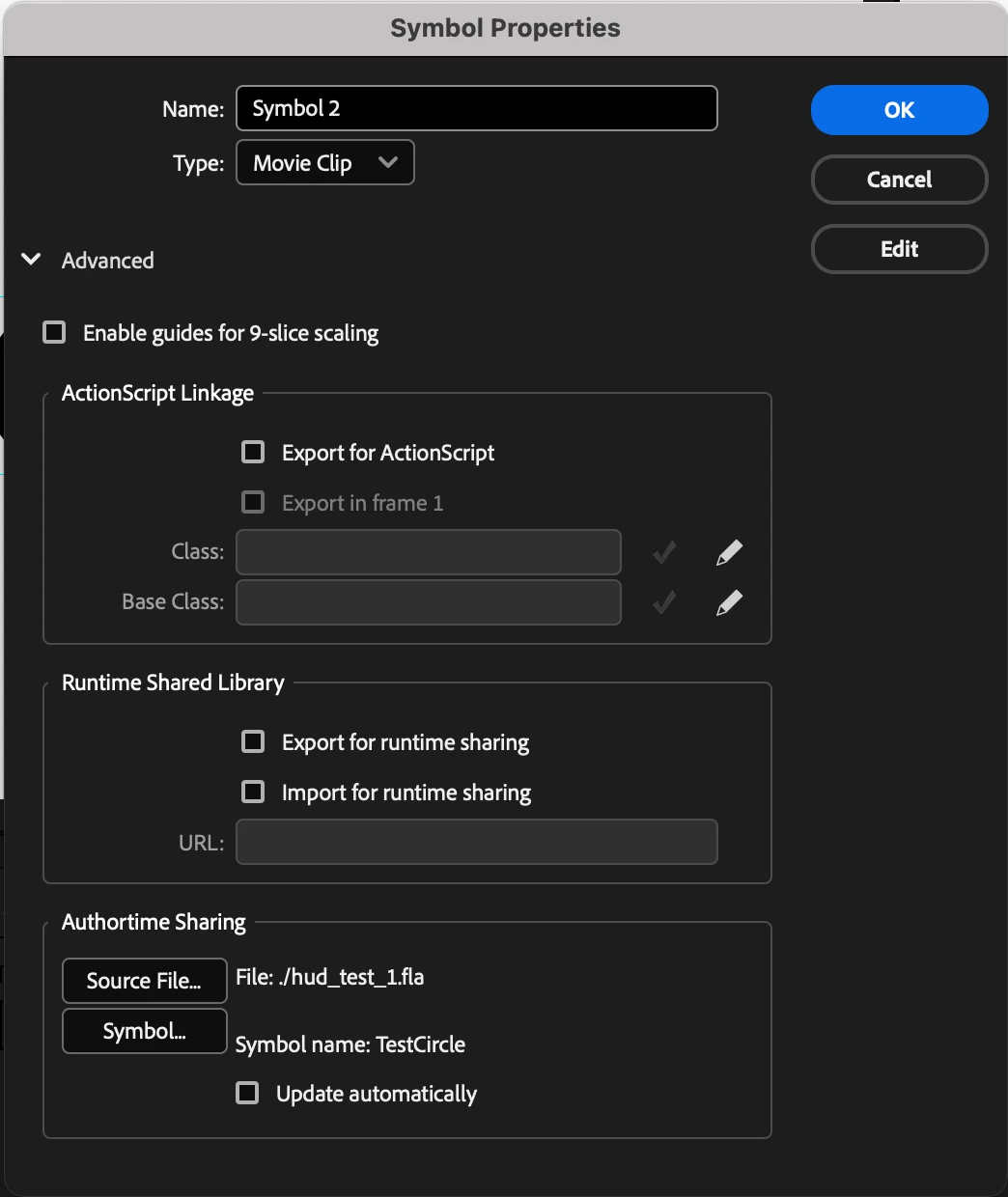
 

And using JSFL, when I try something like:

lib.setItemProperty("sourceFilePath", "file:///");


Or:

lib.setItemProperty("sourceFilePath", "");


I always get an invalid argument error.


JC

    1 reply

    JoãoCésar17023019
    Community Expert
    Community Expert
    August 22, 2025

    @Vladin M. Mitov  and @n. tilcheff , do you know?

    n. tilcheff
    Legend
    August 22, 2025

    Hi João,


    Yes, we've had to deal with this persistent and unwanted path several times.

    Here is one way of getting rid of it, which I have discovered through experimentation:


    1. Create a blank, new, unsaved document.

    2. Copy the symbol with the path and paste it in the new document.

    3. Enter the symbol and make a small change to its timeline: I extend it by one frame or add a blank new layer.

    4. Exit and copy this altered symbol.

    5. Paste it back into the original document, replacing the original Library item.

    6. Check for the path - it should be gone.

    7. Remove the unnecessary added frame/layer from symbol's timeline.


    Before:

    After:


    Hope this helps!


    Nick - Character Designer and Animator, Flash user since 1998 | Member of the Flanimate Power Tools team - extensions for character animation
    JoãoCésar17023019
    Community Expert
    Community Expert
    August 23, 2025

    Hello, Nick!


    It worked!


    Wish there was a less hacky way of accomplishing something so simple.

    I'm very surprised that this missing feature went unnoticed even in the golden era of Flash!

    Thanks a lot!