



Straight line appearing at beginning of brush strokes (not fixed by changing Windows Ink setting)
Hello. I am currently facing a similar problem as some others on this fourm have had, in which my rounded brushstrokes begin with a straight line. This occurs more often with bigger and faster brushstrokes.
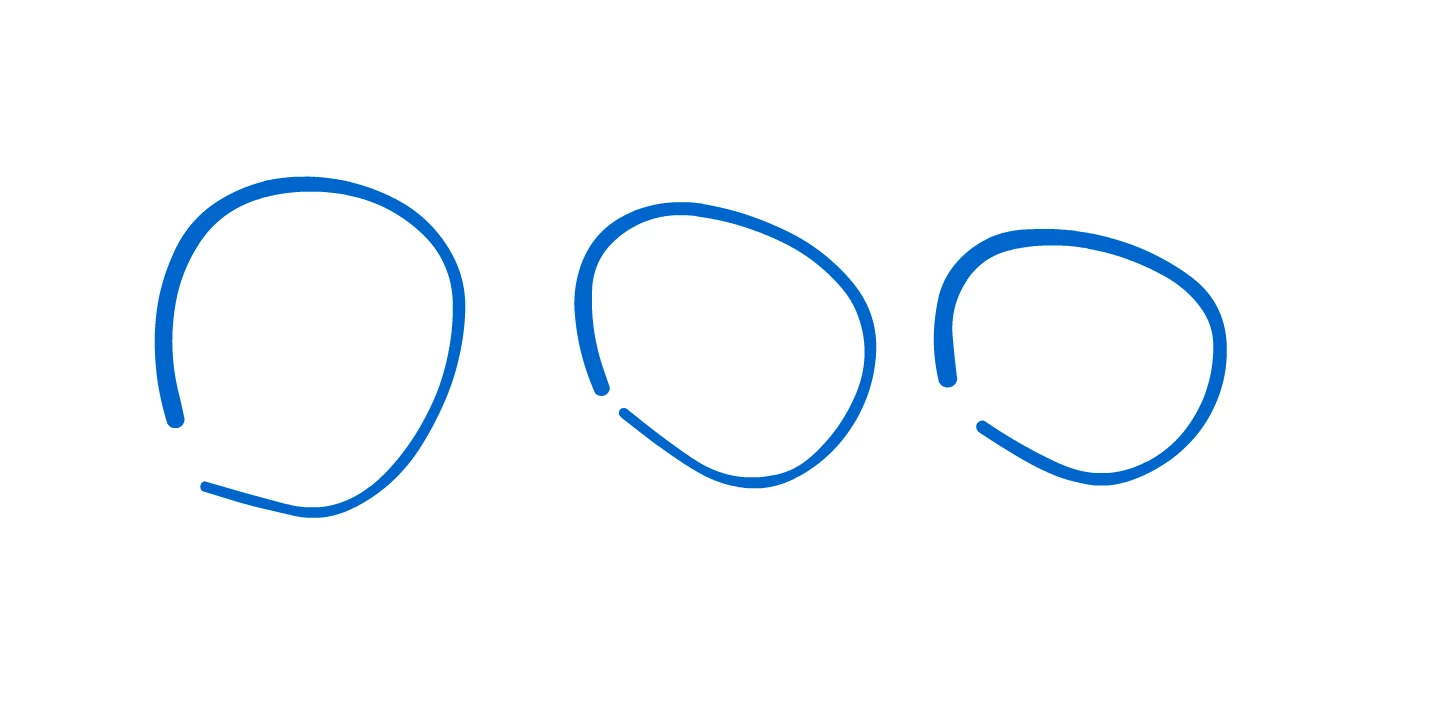
(this is less extreme example)
Many have reported solving this issue by changing the tablet input to Windows Ink, but this has not had any effect on the issue for me. I have tried both WinTab and Windows Ink settings in animate, enabled and disabled "Use Windows Ink" in Wacom Tablet Properties, and I have manually turned off and on Windows Ink with the Windows 10 Local Group Policy Editor (all showing no difference). I have uninstalled and reinstalled Animate, and restarted my computer as well.
Info:
Latest version of Animate
using a Cintiq 22HD (latest drivers)
Latest version of windows
10700k CPU
RTX 2070s GPU
16GB ram
Any help on this would be appreciated, thank you.
 AdChoices