

Strange Symbol Renaming from Opening CC project in CS6 professional
So I'm having some strange problems taking a project between Animate CC 2017 and Flash CS6 Professional. The crux of the problem is that some symbols are being duplicated when I open the project in CS6, and I can work on the duplicated versions perfectly fine, but when I send them back over to CC 2017 the duplicated symbols (that I've done work in) show up empty.
Some Background:
I've been doing some cleanup animation work for a friend who is using Animate CC 2017,but I'm still using Flash CS6 professional. The forward compatibility is awesome, but when he sent me the most recent shot to cleanup some of the symbols had been jumbled around.
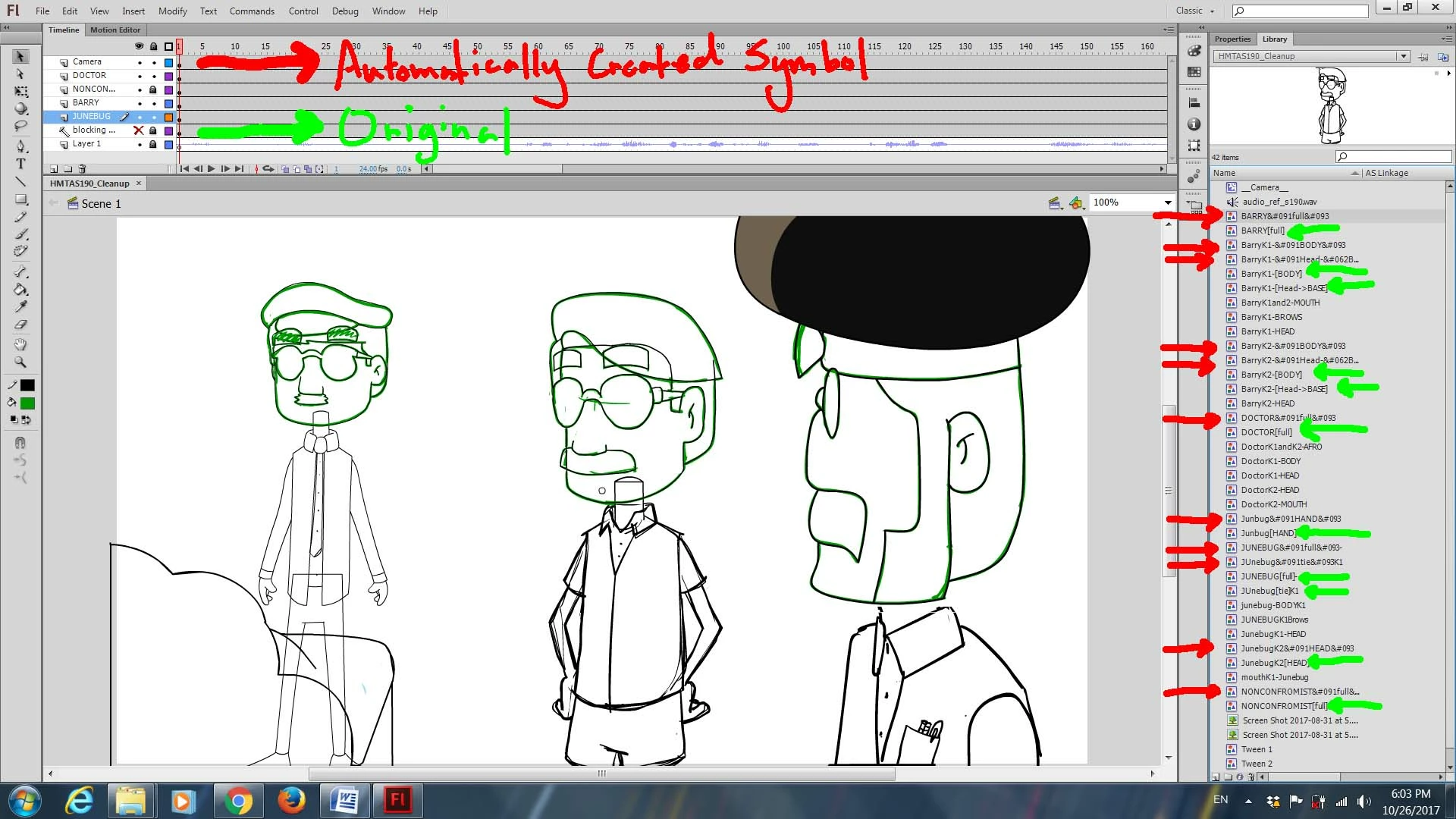
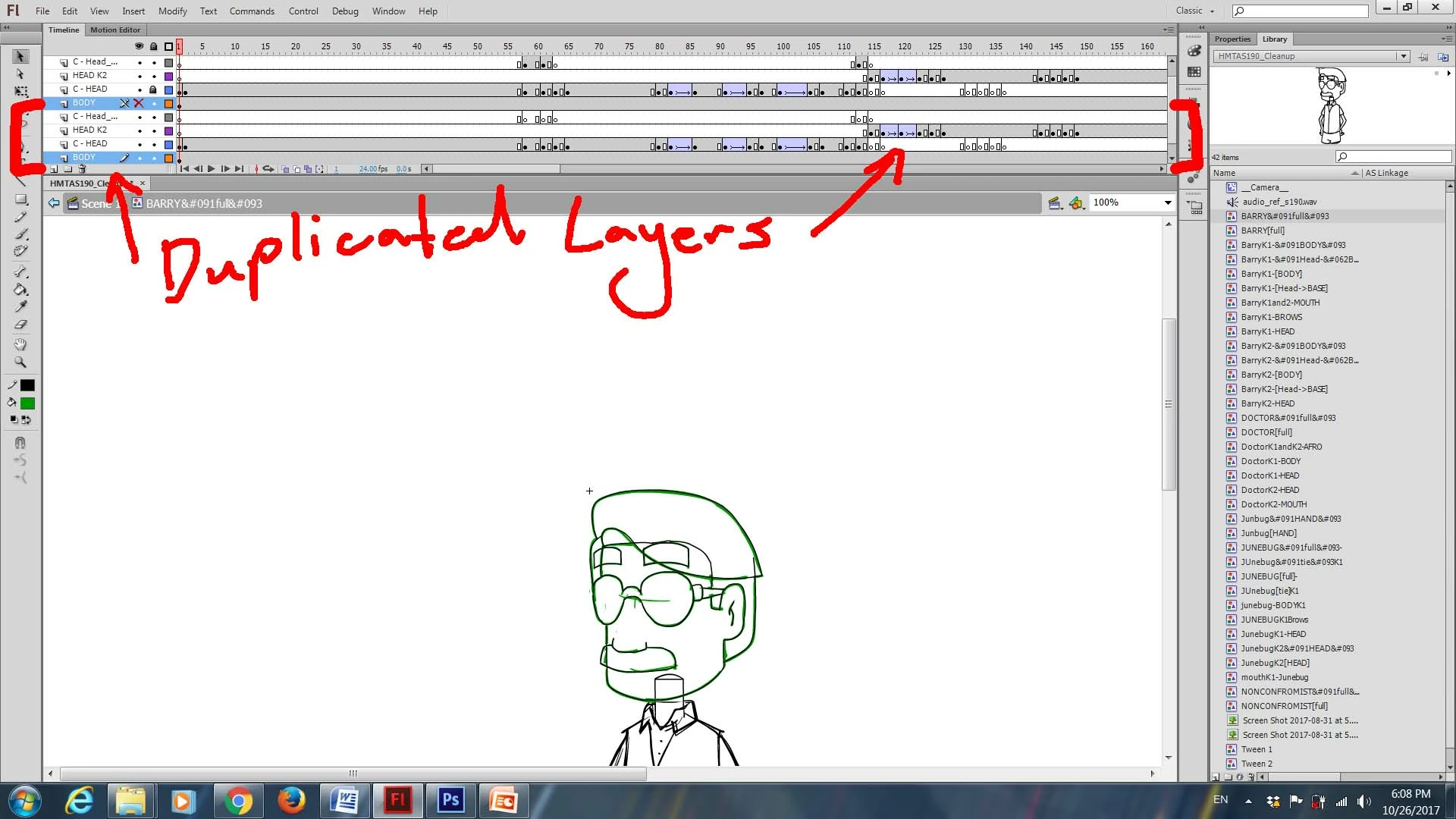
My friend organized different parts of the characters into different symbols with some of the symbols nested into the symbols named [full], [BODY], or so on. When he first sent it to me he sent along a list of what to work on and in which layers, but I noticed that every symbol that had [brackets] in the name had been duplicated and the name of the copy had been changed and the brackets replaced with [ and ]. So for example a symbol named Symbol[NAME] would be changed to Symbol[NAME]. The original symbol (Symbol[NAME]) would always show up blank but the Symbol[NAME] would show up fine, except for the fact that all the layers inside the symbol besides the reference audio (always on the top layer) seemed to duplicate every time I opened the symbol.
I was able to work in the duplicated symbols just fine so I figured it was just some weirdness from taking a CC 2017 back to CS6, and I carried on with the cleanup work. But when I sent the project file back to my friend the [ version of the symbol showed up blank.
Does anyone know why this happens or how to fix it?
Here are some screen shots of the situation if that makes it easier.
The renamed symbols problem.
The Duplicating Layers problem
 AdChoices