


Participant
April 15, 2020
Question

Surface Book 2 pen NOT working with Adobe Animate

  • April 15, 2020
  • 2 replies
  • 478 views

I have just installed Adobe Animate the other day and was excited to begin. But when i begun to draw using my Surface Book 2 and Surface Pen the line did not match where i was drawing. To describe it, when i placed my pen down on the screen and attempted to draw a line, it would create a line directly up from where i placed it down. I would then draw along the screen and the line would appear quite a way up from where i was actually drawing on the screen.
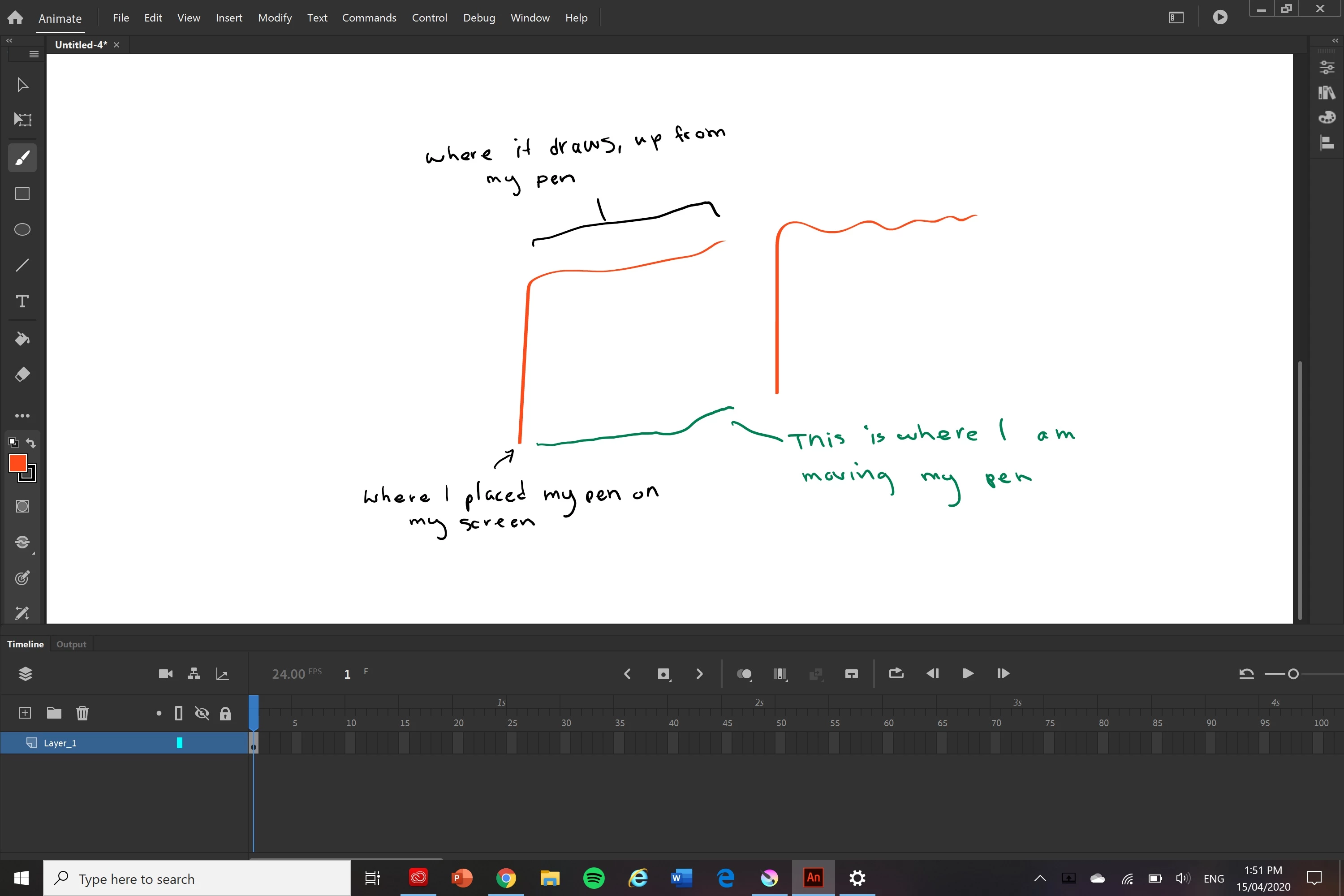


Here is a diagram since i explained it badly. I am new to the program so it could be a stupid mistake but i really need a way to fix it as i need to do a project.

    This topic has been closed for replies.

    2 replies

    Mohanaraj
    Adobe Employee
    Adobe Employee
    April 15, 2020

    Hi,

    Can you please try out the Windows Ink (Beta) as a Tablet Input option that is been introduced in 20.0.3 update of Animate and see if that helps?


    Edit > Preferences >  Edit Preferences...>Drawing > Tablet Input > Windows Ink (Beta). Please note that the change will be effective in the new document created there after or existing documents needs to be closed and reopened.


    Thanks!

    Mohan

    n. tilcheff
    Legend
    April 15, 2020

    They claim to have fixed it in their 20.0.3 update from yesterday, mate!


    Just browse the threads from a day ago and you'll see the claims.

    You can update to see if that works for you or you can downgrade to 19.2.1 to see if that older version performs better on the Surface.


    Nick - Character Designer and Animator, Flash user since 1998 | Member of the Flanimate Power Tools team - extensions for character animation