


surface device wintab pen error
Sorry if the subject's vague, I just didn't know how else to put it.
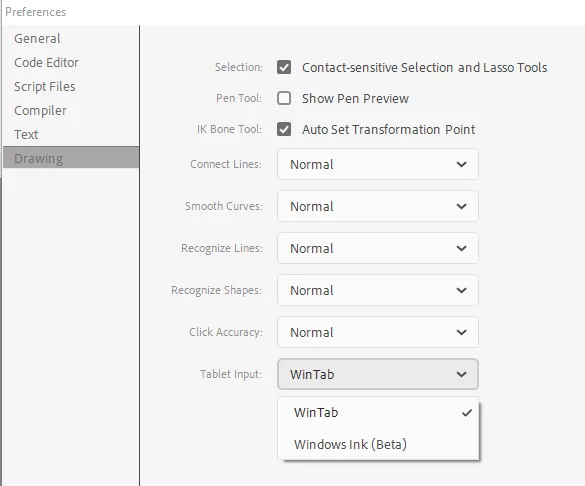
Basically, (this was two weeks ago) after a while of not using Animate, I opened it and upon selecting the brush tool noticed that the pressure sensitivity (and the tilt) option was gone. After doing some research, I discovered I needed to install a WinTab driver, so I did. After installing the drivers and restarting my computer, I opened Animate again and the pressure sensitivity was back. However, when I eagerly began to draw, something happened. Yes, the pressure was back, but now there was another issue.
Wherever I placed my pen on the screen, there would immediately be a long line directly up and then the brush would draw about an inch and a half above where my surface pen actually was on the screen. I've been looking for a solution for the past week and a half, and I can't seem to find anything. Today, I uninstalled the WinTab driver and the line issue is gone, but so is the pressure sensitivity.
Is there a permanent fix to this? Please help.
I also don't want to reinstall the WinTab drivers because it messes with Paint Tool Sai, and that's my main drawing application along with Photoshop.

 AdChoices