


Inspiring
Mar 29, 2025 8:25 AM UTC
Answered

SVG Files Not Loading Embedded Images from Resources Folder in Adobe Animate

I have a large number of SVG sequence files and have uploaded a sample here: 
https://easyupload.io/epuw45 


I want to convert these SVG sequences into a high-quality 4K video using Adobe Animate. However, when I import the SVG files into Adobe Animate, the embedded images are not loading from the internal resources folder of the SVG files. 
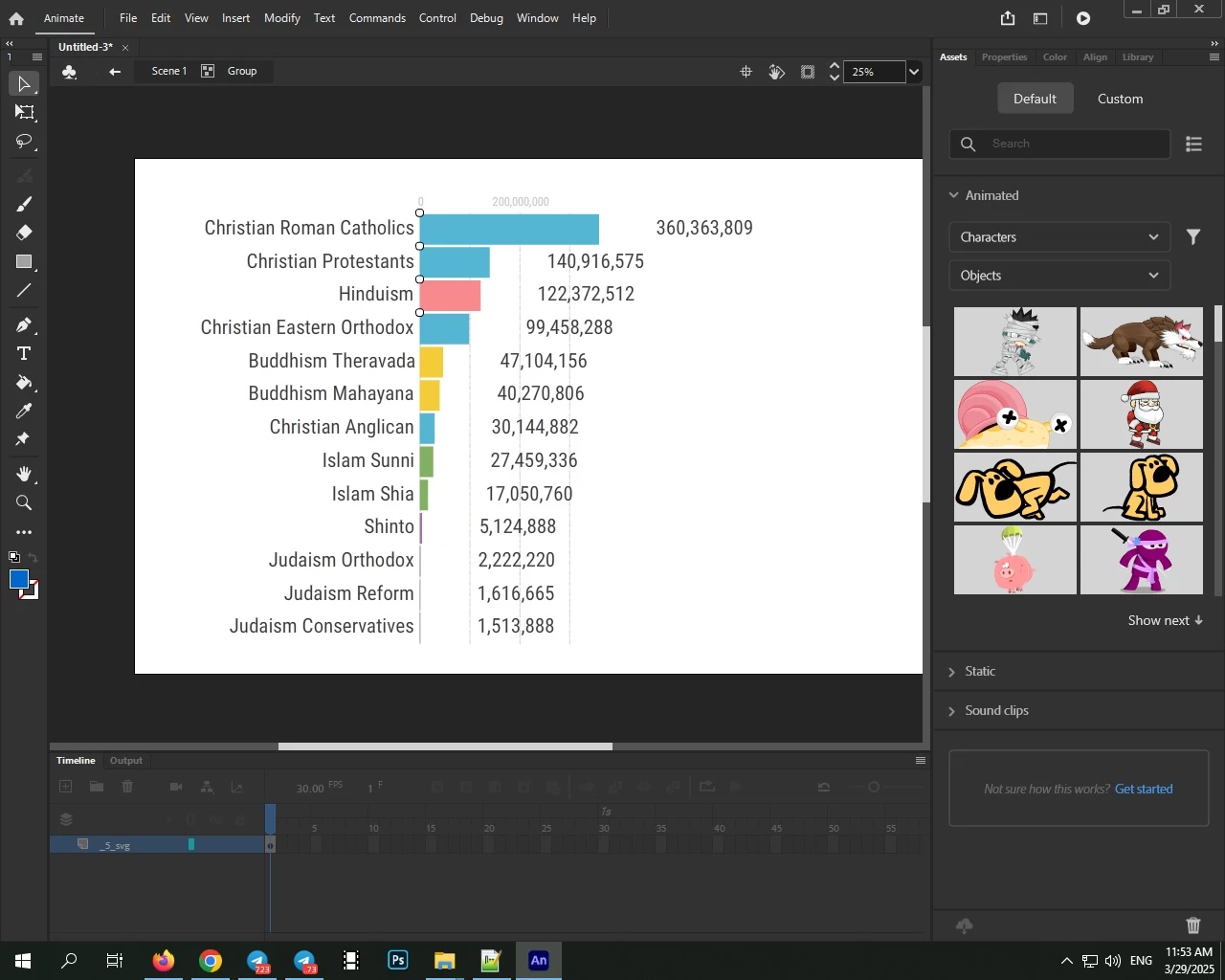


see following when i open svg file into chrome browser: 
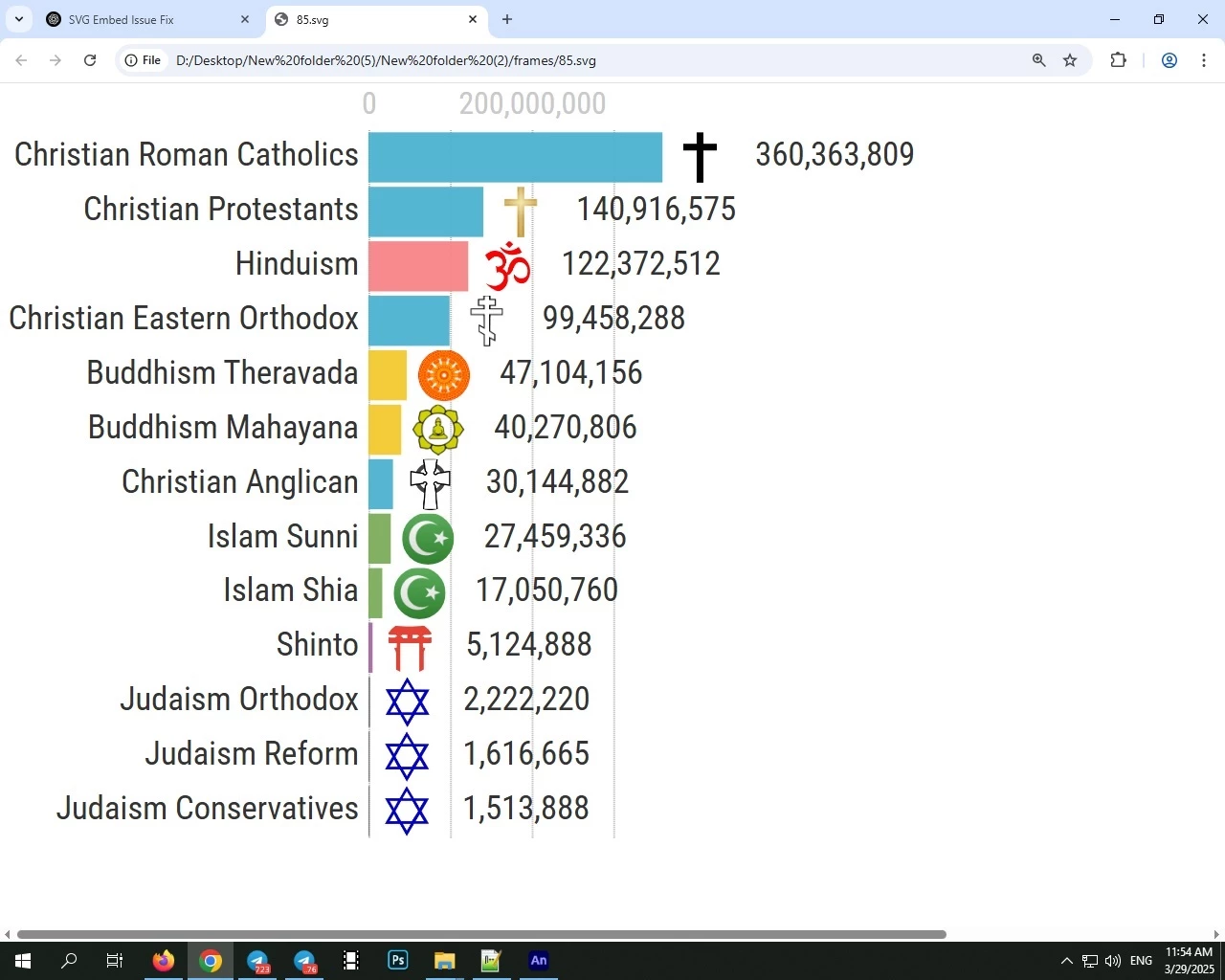
 

How can I fix this issue?

Mario_CR
Mario_CRCorrect answer
Community Expert
Mar 30, 2025 9:17 PM UTC

Linking all the images into a folder was the wrong choice, they should've been embedded on the files themselves. This is a common problem with SVGs, they have a lot of compatibility issues between apps so try to make them as simple as possible next time, without any type of linkage.


In this case it looks like not even Illustrator can open them correctly but Photoshop can. Follow this tutorial to import the SVGs as a sequence: https://www.youtube.com/watch?v=oLCy1JkYMFk


Then to export, go to File > Export > Render as video:

https://www.youtube.com/watch?v=AaYrcpvbqVA

7 replies

Mario_CR
Community Expert
Mario_CRCommunity ExpertCorrect answer
Community Expert
Mar 30, 2025 9:17 PM UTC

Linking all the images into a folder was the wrong choice, they should've been embedded on the files themselves. This is a common problem with SVGs, they have a lot of compatibility issues between apps so try to make them as simple as possible next time, without any type of linkage.


In this case it looks like not even Illustrator can open them correctly but Photoshop can. Follow this tutorial to import the SVGs as a sequence: https://www.youtube.com/watch?v=oLCy1JkYMFk


Then to export, go to File > Export > Render as video:

https://www.youtube.com/watch?v=AaYrcpvbqVA

Translate
Inspiring
Mar 31, 2025 5:05 AM UTC

This is a very good method, but it has two problems:

  1. Low DPI in Photoshop: SVG images do not have a good DPI in Photoshop. This means that when I zoom in on any part of my SVG file, it appears very blurry. I’m not sure if there is a way to fix this within the timeline or not.

  2. Slow Importing Speed: Importing images is extremely slow. For example, importing 30 SVG files takes around 5 to 7 minutes. This means that if I need to import 500 or 1,000 SVG files, it could take 5 to 6 hours! I even converted SVG embedded files into preserved (Base64) SVG files, but it did not improve the importing speed.

I am using Adobe Photoshop v21.0.3, but I don’t know if this affects the timeline importing speed or not.

Perhaps the only way to convert multiple SVG files into a single video is by using Photoshop's timeline feature, but I don’t know how to fix these problems.

Also, my PC has an old GPU (NVIDIA GeForce GTX 550 Ti), and I use my CPU for rendering. However, the CPU should only affect the rendering speed, not the importing speed of SVG files.

Translate
Inspiring
Mar 29, 2025 11:46 AM UTC

in library it show linked file and wrote it used 1 time in use count but in main project it still not show image icons! 
 

Translate
Inspiring
Mar 29, 2025 11:25 AM UTC

even I tried using base64 embed images in SVG files but adobe animate still not showing images!

Translate