
Participant
December 24, 2022
Question

symbol keyframe hide feature not working when exporting to mp4

  • December 24, 2022
  • 2 replies
  • 190 views

Hi 

I am very new to Animate and am having trouble with symbols that should be hidden (hide function on frame) appearing when I export.


Here are some screenshots to hopefully explain it better
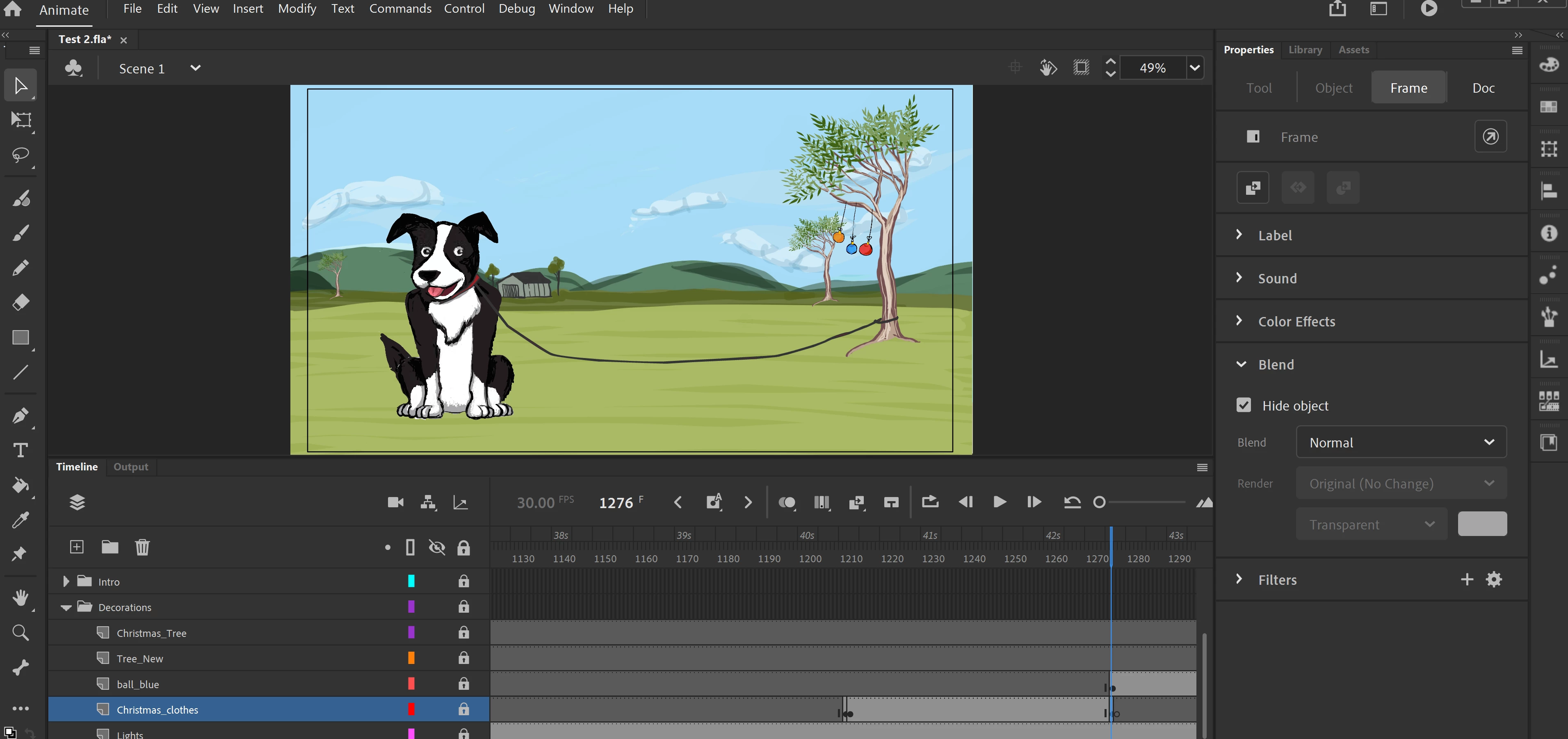
1. Christmas clothes symbol is set to hide under frame options. (which it is doing so )

 

2. this image shows the random objects appearing when they should be hidden. 

Am I doing something wrong by hiding and revealing the symbol in the timeline?

Each symbol has its own layer and I have inserted keyframes when and where I need the symbol to either appear or disappear.


I know the timing is very poor but I would love some advice on what I am doing wrong


Belinda


This topic has been closed for replies.

2 replies

kglad
Community Expert
Community Expert
December 24, 2022

and using frame properties can be sketchy in animate. i don't know if that applies to what you're trying to do, but hiding a layer and using the publish settings to prevent hidden layers from exporting does work.

kglad
Community Expert
Community Expert
December 24, 2022

there's no object in that layer at that (empty) keyframe.  ie, you already removed whatever was in the previous frame at that layer by having an empty keyframe.

Participant
December 24, 2022

yes - thats how it appears in animate - however when exported I see all the supposedly hidden symbols - hence my confusion. 

kglad
Community Expert
Community Expert
December 25, 2022

what's in the christmas clothes layer?


whatever that is it should disappear just after 42 seconds into your mp4 (unless you have some other problem). does it?