Inspiring
March 22, 2019
Answered

Test Movie In Browser not working when use web font

  • March 22, 2019
  • 2 replies
  • 1976 views

When I use Arial as a static font, I am able to Test Movie In Browser. When I change to Dynamic Web Font then try testing movie, nothing happens. I tried clearing my browser's cache. Working on Mac Mojave 10.14.3 with paid Adobe subscription. Any help would be greatly appreciated!

This topic has been closed for replies.
Correct answer andreag91293843

You are saying See screenshot. Well, there is no such image attached.

I tried in Animate to access Alfarn and it works.
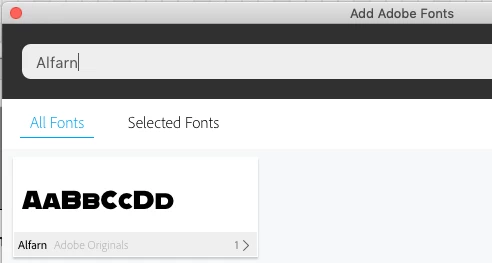
Now I have to say that I'm using a pre-release of Animate version 19.2 and things around Typekit (now Adobe Fonts) have changed in this upcoming version.

You Link does indeed not list Alfarn. Maybe, as it is a lot about Adobe Fonts (formerly Typekit), you put you issue froward to this more specilized forum: Adobe Fonts (formerly Typekit)

And of course send your screenshot here. We will be looking into that as well.

Klaus


Thank you, Klaus! I forgot to add the screen shot as you noted. I just opened the .fla document today and the fonts are now working. I'm not sure why but when I have trouble again I will post in the Adobe Fonts (formerly Typekit) forum. Thank you for directing me to that and all of your help on this issue.


2 replies

kdmemory
Inspiring
March 23, 2019

Hi Andreag..

You didn't reply to Joseph's suggestion. Does that mean you are sorted? Or not?

Maybe we can clarify a couple of things:

  • You are targeting the HTML5/Canvas platform, are you?
  • When you are saying "I use Arial as a static font", does that mean you use the Arial font, installed on your computer, in a static textfield?
  • And, opposite, when you are saying "I change to Dynamic Web Font" does that mean, you are using a web font in a dynamic textfield?
  • Are you using webfonts from Google or Typekit Adobe?
  • Did you try Joseph's suggestion, to uncheck Export document as texture in Publish Settings?

Please let us know, for sure then we can help you better.

Klaus

Inspiring
March 26, 2019

Thank you Joseph and Klaus. I was able to get it to work after I restarted

Animate. So maybe it was just a program glitch. However, now Animate isn¹t

recognizing the webfont whenever I close, then reopen, the document from my

desktop. See screenshot. Am I using Typekit incorrectly? When I go back to

this link https://fonts.adobe.com/typekit and type in ³Alfarn² to see if it

has been activated, I don¹t even see it as an option. Thank you

kdmemory
Inspiring
March 26, 2019

You are saying See screenshot. Well, there is no such image attached.

I tried in Animate to access Alfarn and it works.

Now I have to say that I'm using a pre-release of Animate version 19.2 and things around Typekit (now Adobe Fonts) have changed in this upcoming version.

You Link does indeed not list Alfarn. Maybe, as it is a lot about Adobe Fonts (formerly Typekit), you put you issue froward to this more specilized forum: Adobe Fonts (formerly Typekit)

And of course send your screenshot here. We will be looking into that as well.

Klaus

Joseph Labrecque
Community Expert
Community Expert
March 22, 2019

If using HTML5 Canvas, in publish settings, uncheck the option to export the entire document as texture and see if that fixes it.