
Participant
June 16, 2021
Question

"There is not enough memory to complete the operation."

  • June 16, 2021
  • 1 reply
  • 739 views

Hello,


I'm working on an Adobe Animate file. It's not very complex, but there are a ton of symbols. When I try to combine the symbols into a single layer, I keep getting this error message:
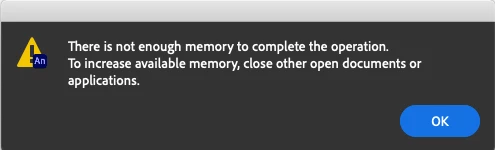


I tried updating to the latest version (I was on 2017, previously), trying the (previous) 2020 version, deleting preferences, uninstalling/installing, etc. I can't figure it out.


If I save the file at this stage and reopen it, I get this error message:



Please let me know if anyone else has had this problem! It's driving me nuts.

    This topic has been closed for replies.

    1 reply

    kglad
    Community Expert
    Community Expert
    June 17, 2021

    what do you mean by "combine symbols into a single layer"?

    Participant
    June 23, 2021

    Each symbol was drawn on a seperate layer, and I can't put all of those symbols onto a single layer without it crashing.

    kglad
    Community Expert
    Community Expert
    June 23, 2021

    create a new fla 

    in the problematic fla, select all the symbols on stage 

    copy them

    paste them to the stage of the new fla