



andrewdonley
Participant
June 24, 2020
Question

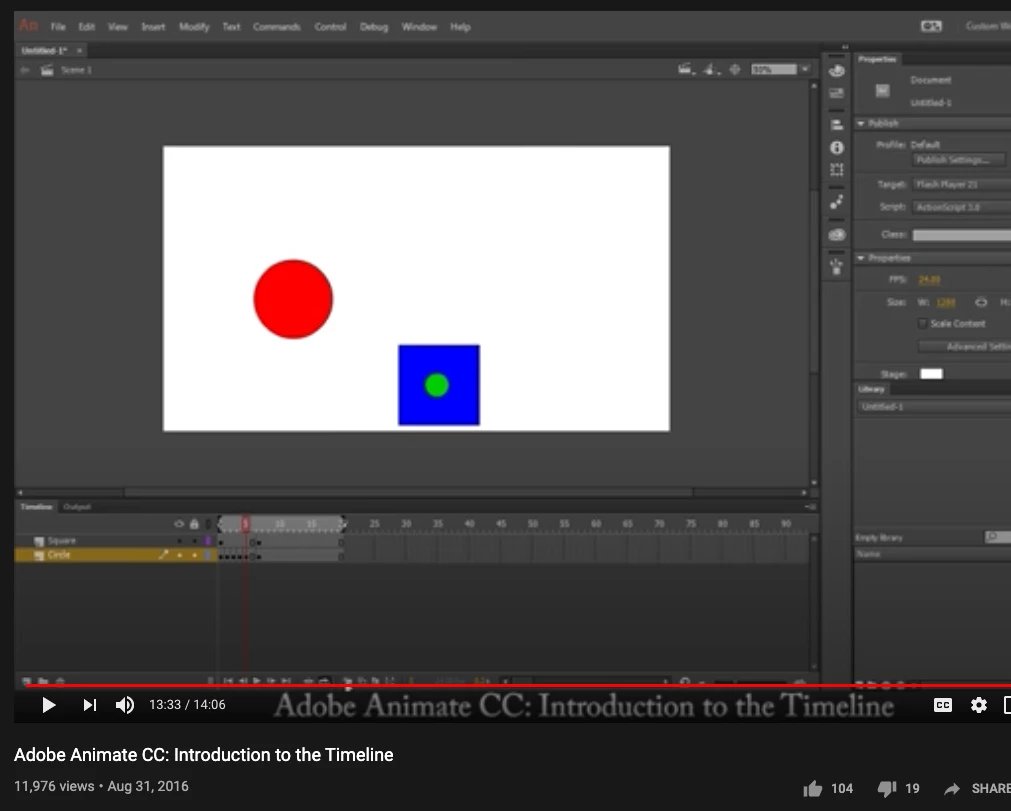
Timeline view, how to make denser keyframe view like in pic attached

  • June 24, 2020
  • 1 reply
  • 269 views

How to adjust the timeline so that the keyframes are dense, like on Flash, and shown in this Animate tutorial video on youtube? My view after sliding the view bar only shows like 32 frames, way too big. Thanks for any help!
 

This topic has been closed for replies.

1 reply

n. tilcheff
Legend
June 24, 2020

Hi mate,


From Edit > Preferences choose Expert

From Timeline hamburger choose Short

Nick - Character Designer and Animator, Flash user since 1998 | Member of the Flanimate Power Tools team - extensions for character animation
andrewdonley
Participant
June 29, 2020

Thanks Nick! Found it, it's been a while since Flash lol. On my screen "expert preferences" is in... Animate > Preferences > Expert Preferences.


They really should put these things in a standard preferences pop up panel, like photoshop. Amiright?