
Inspiring
January 30, 2025
Answered

Tiny cursor on stage

  • January 30, 2025
  • 2 replies
  • 807 views

Hi,

my mouse cursor is super tiny on stage. Its normal sized everywhere else (panels, timeline, menu bar).


My screen is 3840 x 2160 px and set to 200%. 300% is recommended from windows.

When I set it to 100% EVERYTHING is tiny inlcuding the cursor and I can't read anything. 

When its set to 300% the cursor is still tiny on stage, changing the scale doesnt affect the cursor on stage at all.
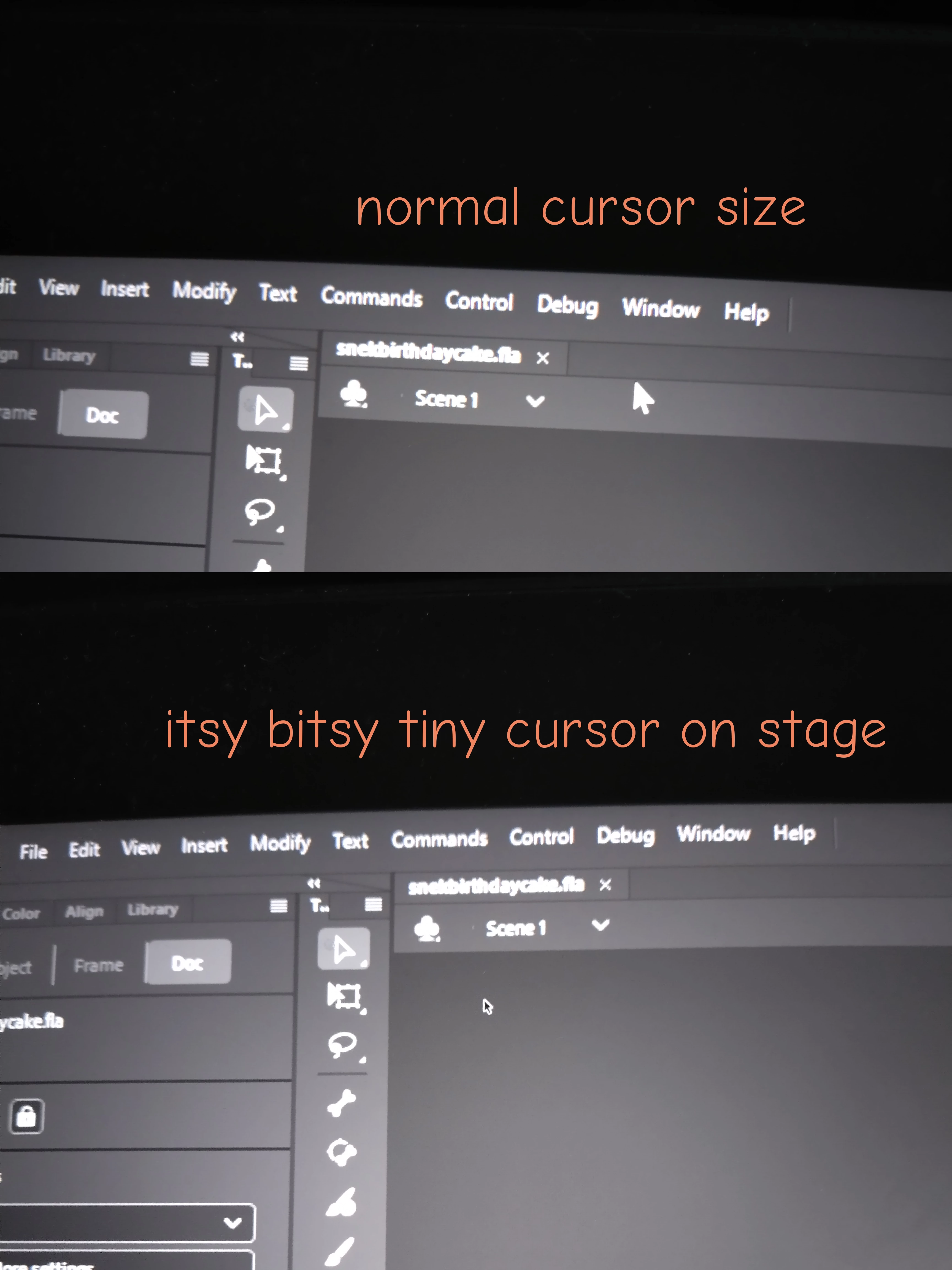
The cursor makes working really hard, since working with vector points requires you to see cursors changes... its super annoying and my eyes hurt after working too long in the programm.

Any fixes or work arounds?

Correct answer Faulwetter35873951vwrp

FOUND THE FIX! Thank you bye.. just kidding, here is what I found out:

Apparently I should have mentioned I'm using a triple monitor setup, two are on 100% (2560 x 1440 px and 1680 x 1050 px).

However, if the 200% one is the only monitor connected ot the pc my cursor works fine in animate. But that's not a proper solution, because I need the other monitors. Neither is lowering resolution and crippling my hardwere.

However, making the 200 % monitor the main display solves the problem!

2 replies

Faulwetter35873951vwrpAuthorCorrect answer
Inspiring
February 2, 2025

FOUND THE FIX! Thank you bye.. just kidding, here is what I found out:

Apparently I should have mentioned I'm using a triple monitor setup, two are on 100% (2560 x 1440 px and 1680 x 1050 px).

However, if the 200% one is the only monitor connected ot the pc my cursor works fine in animate. But that's not a proper solution, because I need the other monitors. Neither is lowering resolution and crippling my hardwere.

However, making the 200 % monitor the main display solves the problem!

Inspiring
February 2, 2025

And yes, now I have a huge cursor on stage on the two other monitors, but I can deal with that. Better too big thant too small.

kglad
Community Expert
Community Expert
February 2, 2025

got it.

Inspiring
January 30, 2025

Windows 11 and I'm using Animate CC

kglad
Community Expert
Community Expert
January 30, 2025

i have the same screen size but win 10 and see no problem. 


try running animate in compatibility mode (win 10, if you have that option).

Inspiring
January 30, 2025

Seems like there is no option to run Animate in compatibility mode. Right click > properties doesnt show compatibility as a tab.