
Question
Toggling between vector outline preview and transparent object preview when moving objects
I am working with two separate files. When moving an object in Animate, the preview of the moved object before clicking will instead show the outlines of the vector instead of a transparent preview of it. For reference, this is what I mean:
When holding the mouse button and moving an object in the first file, the preview shows hollow vector lines.
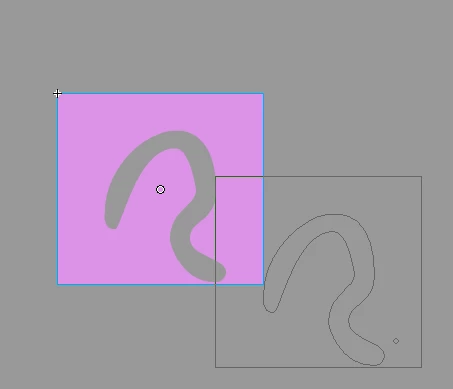
However, the same object in the second file does not show the vector outline preview when moving; instead, it will show a solid fill preview when holding click, whereas the starting position will be previewed as transparent.
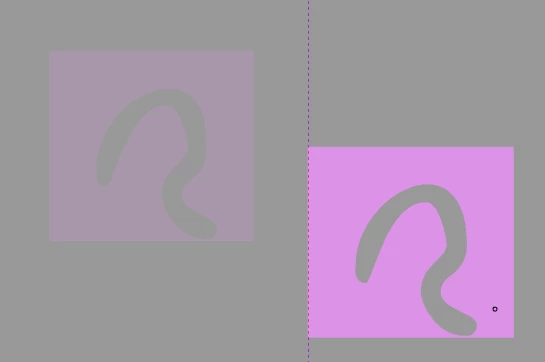
How do you toggle between the vector outline selection preview and the transparent/solid selection preview?


 AdChoices