
Participating Frequently
May 1, 2025
Question

Transitions Jumble When Exporting

  • May 1, 2025
  • 2 replies
  • 617 views

Hello, 


Any help would be amazing. Adobe support ignored me for a week and a half then told me they didn't know what was wrong. 


When I export the video from animate, the transitions jumble. What I mean by this is that timings become delayed/off, things flash back into frame after disappearing, and sometimes after flashing back in they stay. When played inside animate/the file, all the transitions are fine & Adobe support said it was the same for them. They suggested pasting the layers into a new file, which I have, and it does not solve the issue. 


I have pasted a picture of the settings below. Please keep in mind I am VERY new to this program. 
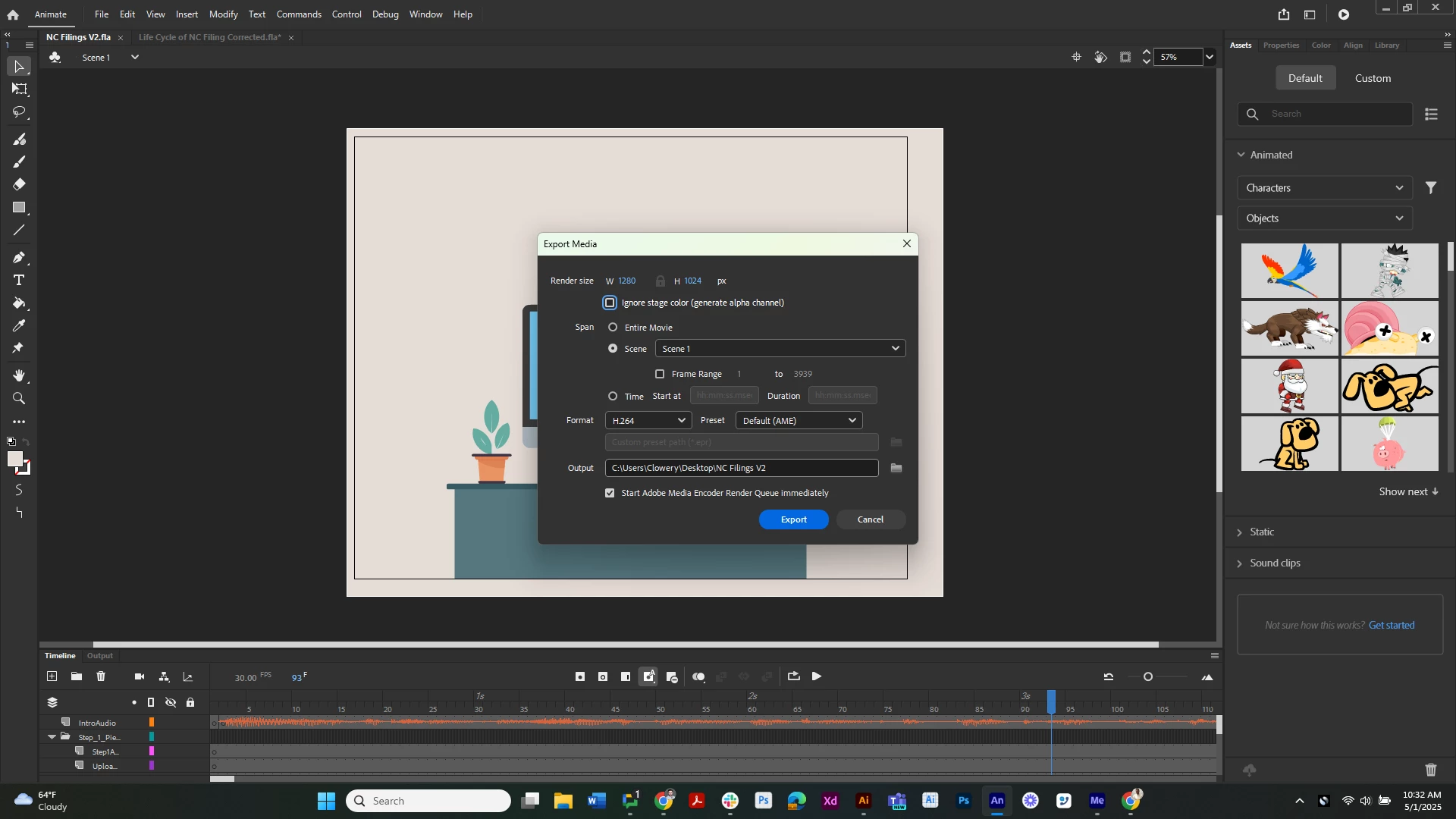
    2 replies

    n. tilcheff
    Legend
    May 1, 2025

    If all looks OK in the program and your goal is to get your video out and move on with life, you can try to export a PNG sequence and render that into MP4 in a video application.

    Details here: https://community.adobe.com/t5/animate-discussions/export-issue-stops-mid-export/m-p/10424361#M192739


    Since you are a beginner and know very little about what you are doing, finding the causes of the issue will be difficult. Animate is riddled with hundreds of bugs.


    Nick - Character Designer and Animator, Flash user since 1998 | Member of the Flanimate Power Tools team - extensions for character animation
    Participating Frequently
    May 2, 2025

    I read through that link you provided and am a tad confused. Are you using Media encoder or premier to stitch the images together?

    n. tilcheff
    Legend
    May 2, 2025

    Premiere,  but any video editing program will do.


    Nick - Character Designer and Animator, Flash user since 1998 | Member of the Flanimate Power Tools team - extensions for character animation
    kglad
    Community Expert
    Community Expert
    May 1, 2025

    support used your fla and could not duplicate the problem?

    Participating Frequently
    May 1, 2025

    They said when they exported from the fla file that they ran into the same issue, but it was "fixed" once they pasted the layers into a new file. I tried this and it did not work. 

    kglad
    Community Expert
    Community Expert
    May 1, 2025

    create a new directory.

    create a new fla and save to that directory.

    then copy/paste the layers from the problematic fla to the new fla and test.