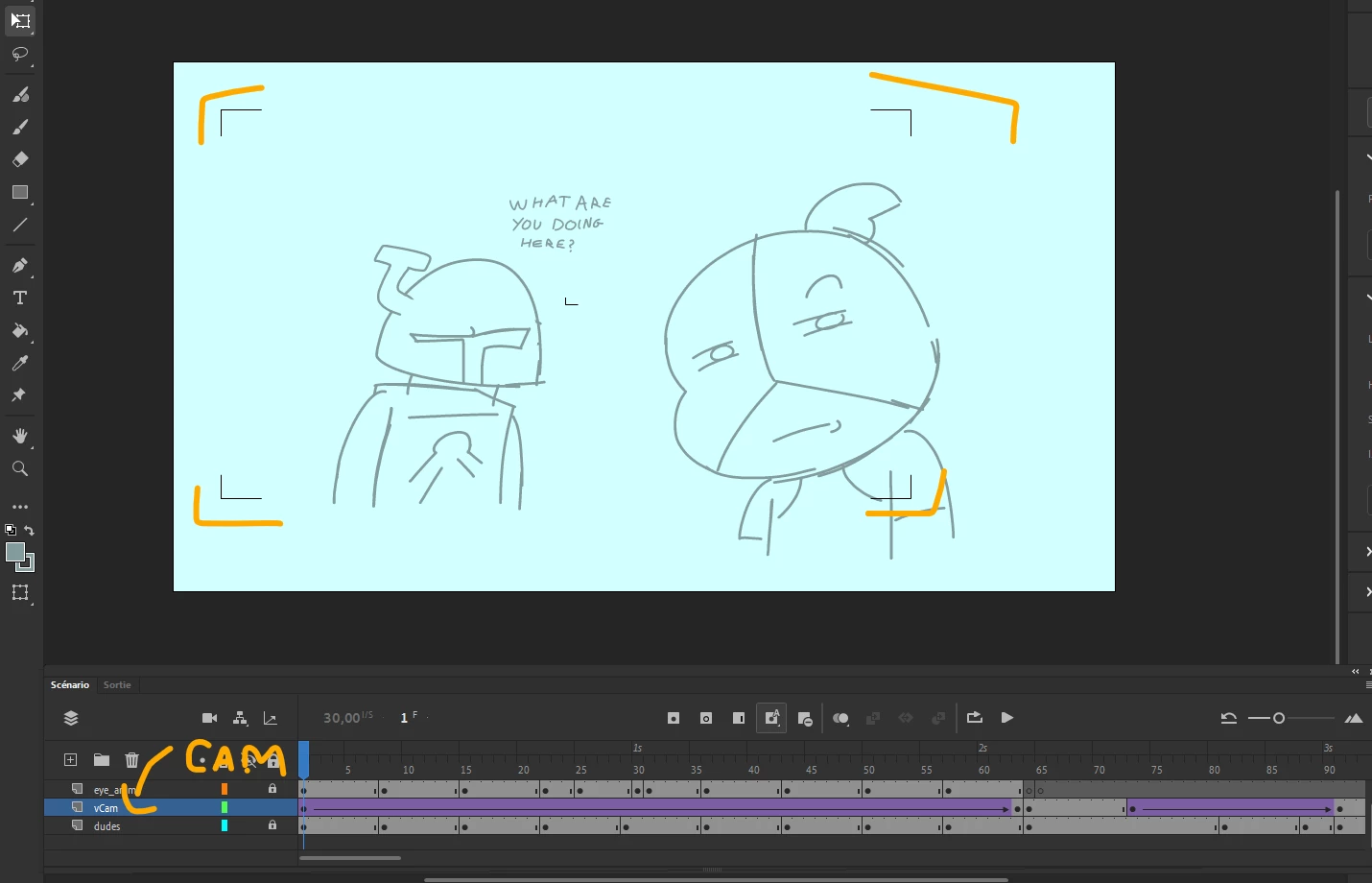
I've been having trouble with exporting my animation, in earlier exports, the virtual camera (not the adobe animate built-in one) worked fine, but after animating some more, the camera refuses to work when exporting. I find it a little weird because the cam layer is still there, and it seems pretty much untouched. Maybe i messed up something ? I am using Swivel in order to export it (hence why i'm using a virtual camera instead).
If the virtual camera worked in earlier exports but suddenly stopped, I'd first check whether any layers were accidentally moved outside the camera hierarchy or whether the camera symbols were modified during later edits. Since you're exporting through Swivel, it's also worth testing an older backup of the project to see exactly when the issue started. Sometimes re-importing the camera asset or recreating the camera layer can fix strange export behavior, especially if the timeline or symbol references became corrupted.
If not using the native camera - can you link to what you are using? I’d imagine anything non-native is going to make it more difficult to get people with experience commenting here but a direct reference may help.
I don’t remember exactly where i found them, but i’ve been using cameras named “DWJ_Vcams”. There are three cameras in the files but i believe i’ve been using VCAM_AS2_CS3.fla linked below.
Also, i think i figured part of the problem, it seems Swivel refuses to include the camera in the video export when any alpha filtered keyframe is present. While i can simply delete them to restore the camera, i can’t do the fade-in i was planning to do without alpha keyframes.
Also, i think i figured part of the problem, it seems Swivel refuses to include the camera in the video export when any alpha filtered keyframe is present.
V-Cams won’t work if you use ‘Advanced Layer’ features like frame filters on the main timeline. This changes how layers are referenced in Actionscript which causes the camera script to stop working on export.
To fix it, nest the layer with the applied filter inside a Graphic symbol then try exporting again.




 AdChoices