
ghettoglenn
Participant
October 22, 2021
Question

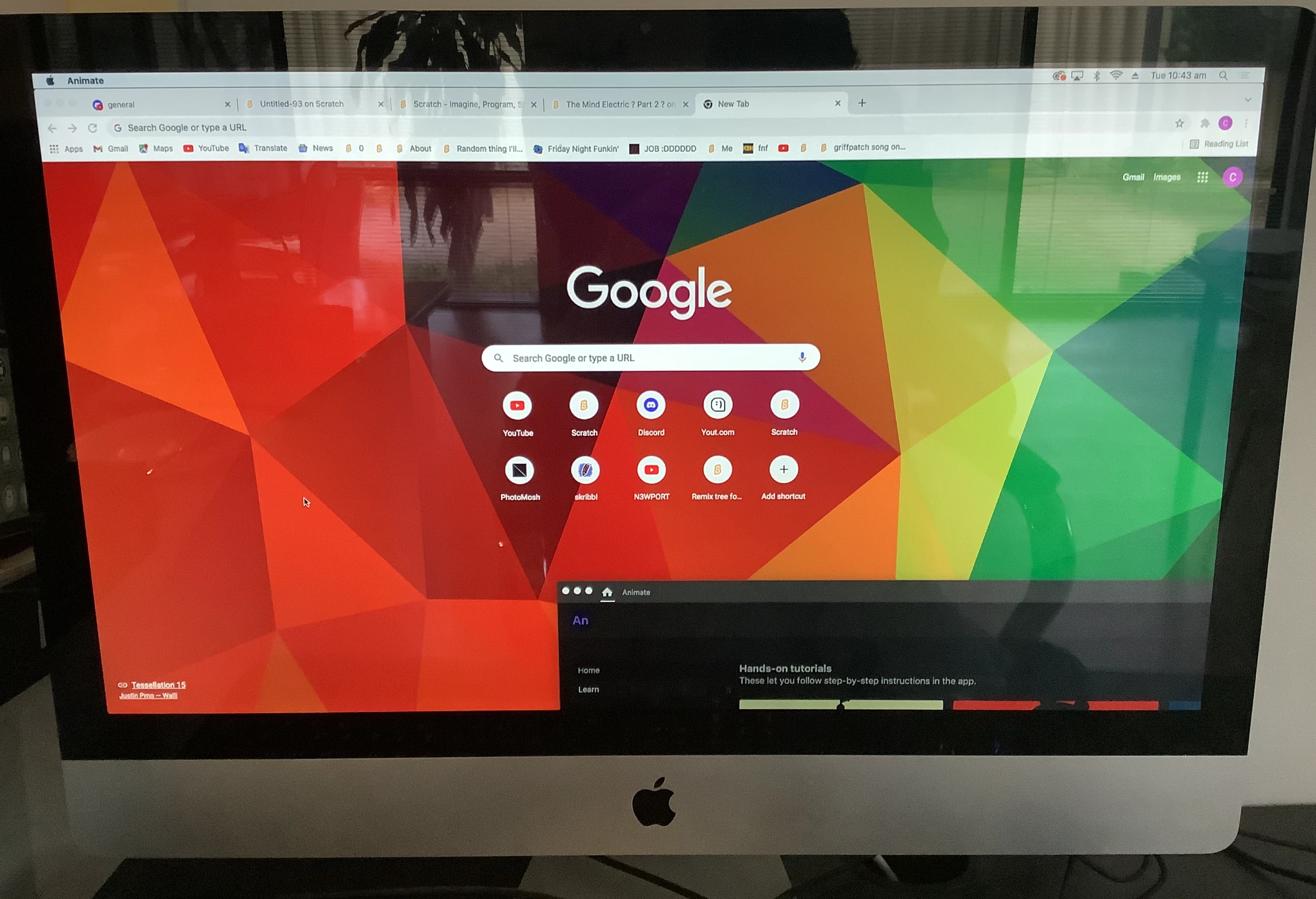
Tutorial startup box stuck off screen

  • October 22, 2021
  • 1 reply
  • 302 views

Hi, I'm on an iMac running iOS 10.13.

I installed Animate but when it launches the application window is stuck off screen. I can't access the link or button to get rid of the 'Hand-on tutorials' box which I think is blocking the ability to move/maximize the application window. Using a mouse I cannot click green 'maximize' circle to maximize window to screen or move the window at all. Any ideas on how to resolve this? Thanks
 

    This topic has been closed for replies.

    1 reply

    kglad
    Community Expert
    Community Expert
    October 22, 2021

    you need an older version of animate or update your os, Adobe Animate system requirements

    ghettoglenn
    Participant
    October 25, 2021

    Thanks @kglad but I dont think that is the problem. I was actually running an older version of Animate (20.5) which was working fine for the last couple of months until I created a new Adobe CC account and logged in with that instead. Ever since it's been stuck with the window locked off screen. I'm happy to try downloading an older version like 20.0.3 although I can't find how to do this through Creative Cloud - when I select 'previous versions' my only option is 20.5. Any other ideas? Thanks

    kglad
    Community Expert
    Community Expert
    October 25, 2021

    why don't you try 20.5?