Participant
March 20, 2021
Answered

two objects become dark in coilor when overlapped. pls help me out.

  • March 20, 2021
  • 2 replies
  • 433 views

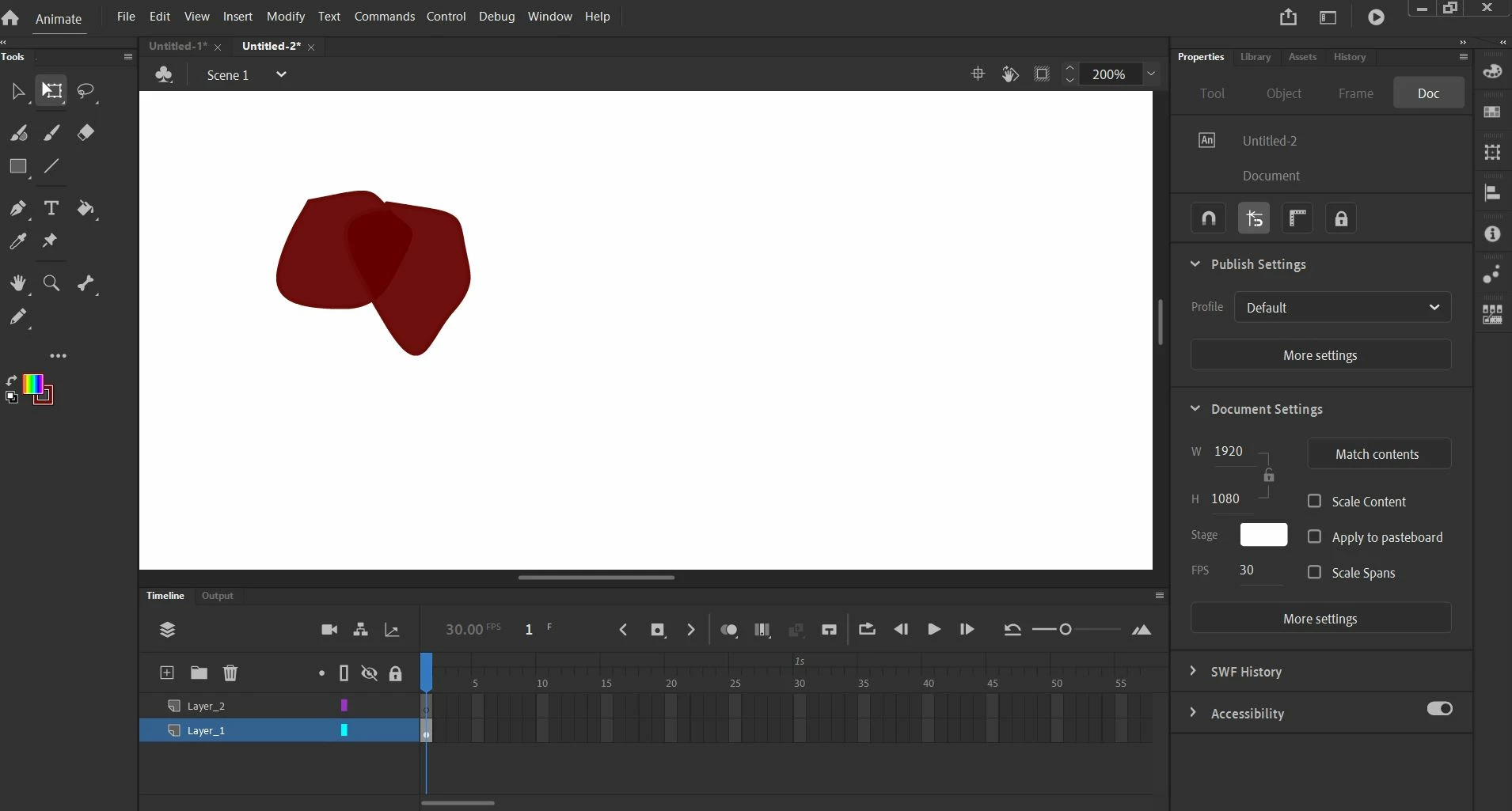
I am using animate 21 . When I overlap two objects of same colour . the common par becomes dark. I want the colour to reamin same . Where am I missing ? 

Please friends , help me out.
This topic has been closed for replies.
Correct answer _keyframer

Make sure the color fill you chose doesn't have any transparency. Looks like it does to me.

2 replies

_keyframer
Community Expert
_keyframerCommunity ExpertCorrect answer
Community Expert
March 20, 2021

Make sure the color fill you chose doesn't have any transparency. Looks like it does to me.

Animator and content creator for Animate CC
Participant
March 21, 2021

Thank you . you save my time otherwise I had given up the hope. I set the transparency  of both the objects at 100% and the same colour was there in both. Thank a lot 

Vladin M. Mitov
Inspiring
March 20, 2021

Hi,

Check the blending mode of both instances. Maybe they are set to 'multiple' or something other than 'normal'?


- Vlad: UX and graphic design, Flash user since 1998Member of Flanimate Power Tools team - extensions for character animation