



jdeben
Participant
Oct 15, 2018 8:17 PM UTC
Question

UI Scaling Option Missing

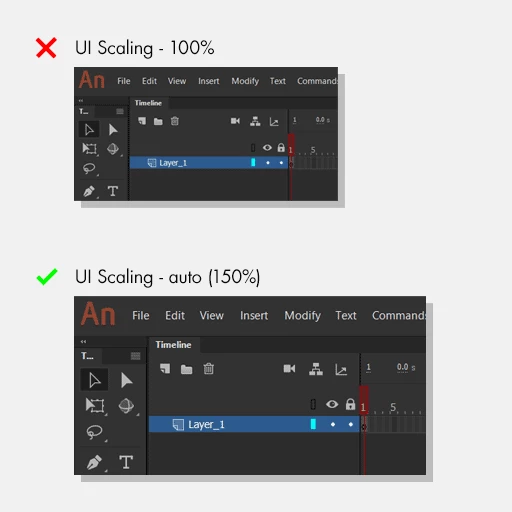
The UI scaling appears to force 100% on my Surface Go (1800x1200), causing the UI and text to appear incredibly small.

Is there a way to set the UI Scaling to 'Auto' just like Photoshop and Illustrator CC (2019)? Shouldn't the "Spectrum" framework released today (Oct. 15, 2018) resolve this ancient issue?
This topic is closed to new replies. Start a new post to keep the conversation going.

3 replies

jdeben
jdebenAuthor
Participant
Oct 15, 2018 10:37 PM UTC

Feel free to comment about any fixes you guys have. These tiny icons are not working for me.

Translate
Perndoe
Known Participant
Jun 1, 2023 4:34 PM UTC

I want to make mine smaller but there is no option to do so


Translate
kglad
Community Expert
Community Expert
Jun 1, 2023 7:50 PM UTC

animate scaling has long been a problem for some users. because these are user-to-user forums you might want ot make a suggestion to adobe (or vote this up because it already exists).


for applicable apps, you can make (some) suggestions to adobe here, https://helpx.adobe.com/ie/x-productkb/global/how-to-user-voice.html


for others, use https://www.adobe.com/products/wishform.html

Translate