November 30, 2025
Answered

Unable to fill shape

  • November 30, 2025
  • 2 replies
  • 795 views

Hello everyone,

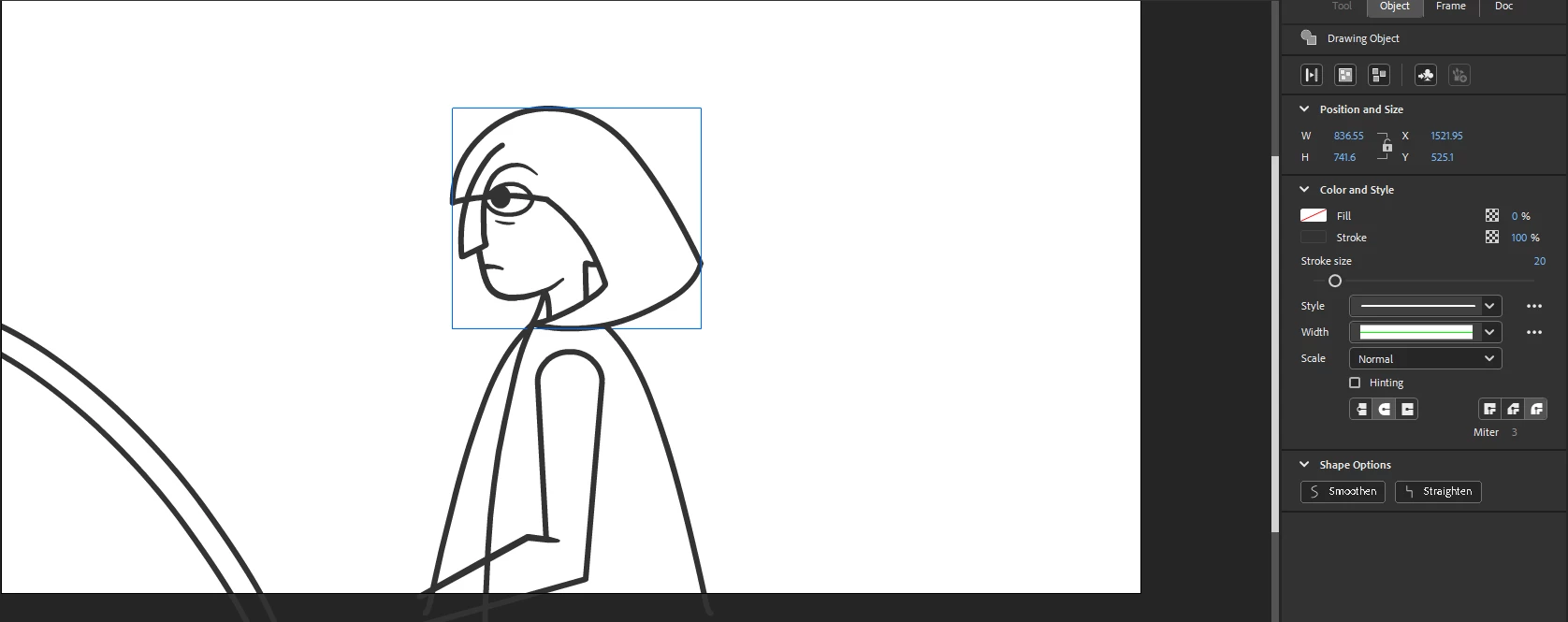
I have been trying to fill this shape for a while now. All shapes have been joined via union, there are no gaps, and I can alter the stroke properties just fine, but I cannot change the fill. I select a color, and it resets to empty. I raise opacity to 100%, and it resets to 0%. I want full control of my stroke so I would really rather not convert stroke to fill.

 

RedditFillQuestion.PNG

Correct answer n. tilcheff

As people on reddit suggested to you, switch to outlines to check if your shape is closed.

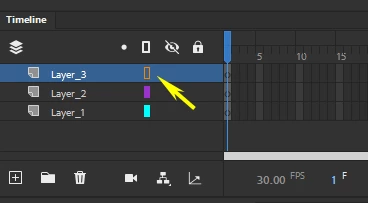
To do so, click on the color rectangle next to the layer name in the timeline:

ntilcheff_0-1764548199904.png

When in outline mode, zoom in to inspect your stroke for gaps.


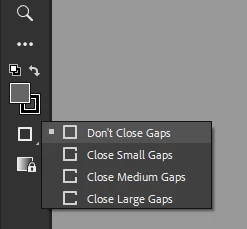
The Paint Bucket tool has some additional settings which may be useful or not:

ntilcheff_1-1764548334437.png


2 replies

n. tilcheff
n. tilcheffCorrect answer
Legend
December 1, 2025

As people on reddit suggested to you, switch to outlines to check if your shape is closed.

To do so, click on the color rectangle next to the layer name in the timeline:

ntilcheff_0-1764548199904.png

When in outline mode, zoom in to inspect your stroke for gaps.


The Paint Bucket tool has some additional settings which may be useful or not:

ntilcheff_1-1764548334437.png


Nick - Character Designer and Animator, Flash user since 1998 | Member of the Flanimate Power Tools team - extensions for character animation
December 1, 2025

Thank you for the visual, that is really hepful! I will try this.

kglad
Community Expert
Community Expert
November 30, 2025

double click it and then fill

December 1, 2025

When I double click/ in isolation mode, the lines are all broken apart. Is there a better way to join shapes besides with union?

kglad
Community Expert
Community Expert
December 1, 2025

not necessarily.  but it looks like you have on object.