
Known Participant
June 18, 2018
Answered

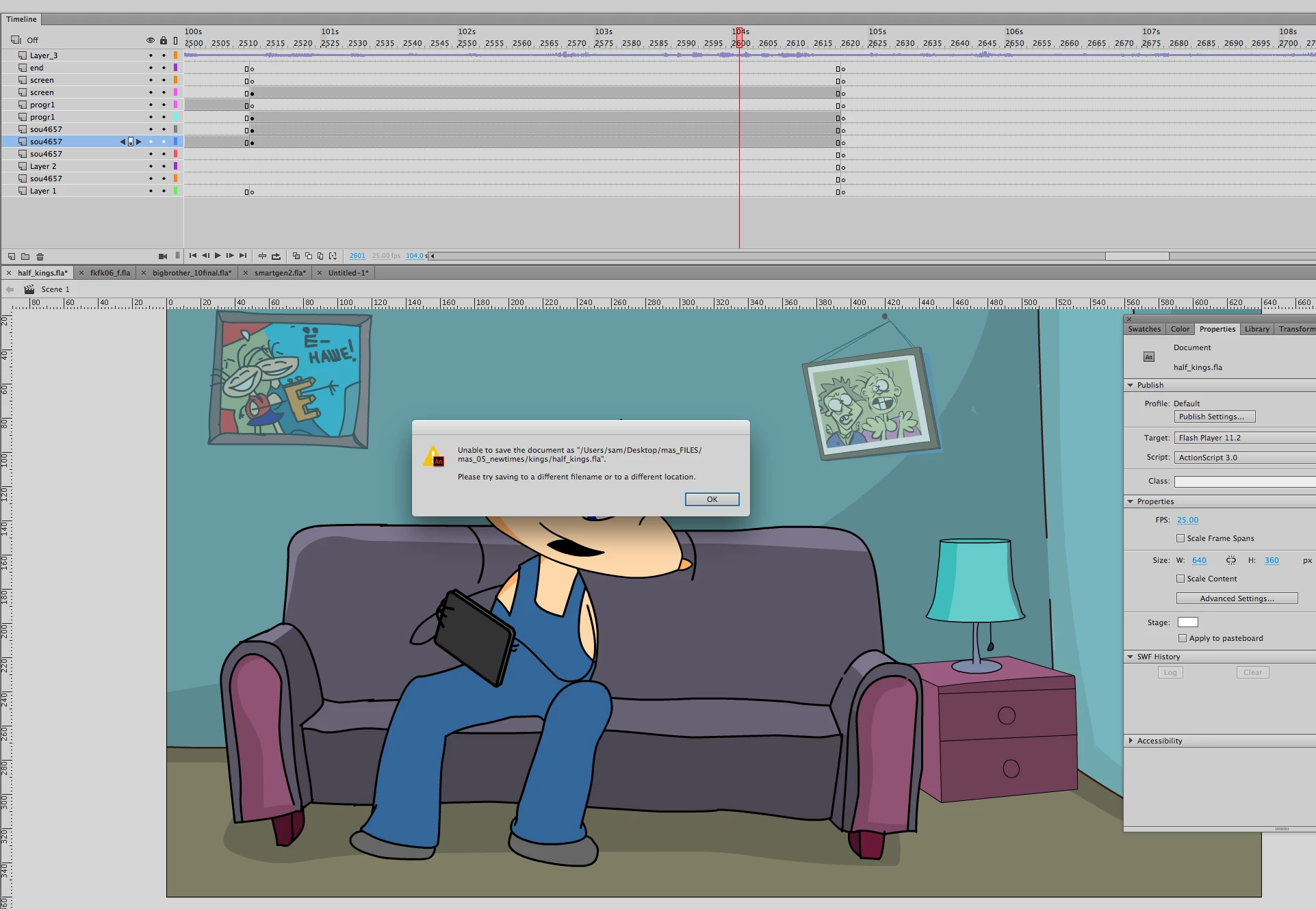
Unable to save the document as…

  • June 18, 2018
  • 5 replies
  • 5931 views

Hey Everyone

This has become a constant problem over the last few weeks. In the midst of working, my Animate file refuses to save, and then the last-saved version of this very file will also not open anymore, saying "An error occurred opening file…". The only way to recover my work is to go back with time machine and pray that the latest version was automatically saved with the last update, which isn't always the case. I'm not sure whether this is a problem with the software or maybe something connected to the new google drive system we installed at work a few weeks ago; could be a coincidence. Any advice would be hugely appreciated!

Thanks so much

incubo

Running macOS High Sierra 10.13.3

Adobe Animate Creative Cloud (latest update installed)
This topic has been closed for replies.
Correct answer Samoleg

Yep. This is real problem and obviously  a new bug!
It happens one a week (in my case) with no reasons at all. Just happens
It has solution:
1. Just save your work as .XFL file (there is a choice in "Save as" dialog)
It works
2. Restart Animate
3. Open it and save again as a new FLA

Voila!


But its certainly has to be fixed!

5 replies

Participant
March 10, 2021

I have tried saving it as XFL but it still doesnt work. not even saving it as a .FLA file.

My version of adobe animate is adobe animate 2019.

and my operating system is windows 10.

Participant
October 28, 2018

I also encounter this issue after upgrading to CC 2019 from CC 2017.  Tried Samoleg's answer but doesn't help. I can't save as FLA or publish as html. The only way to save the file is as XFL.

Auto-save also prompt the error.

I can't believe a simple function like this could be so troublesome and requires workaround by user.

macOS High Sierra version 10.13.4

MacBook Pro (15-inch, 2016)

2.7 GHz Intel Core i7

16 GB 2133 MHz LPDDR3

Radeon Pro 460 4096 MB

Intel HD Graphics 530 1536 MB

JoãoCésar17023019
Community Expert
Community Expert
October 29, 2018

Hi.

Are you trying to save your FLAs locally or on some server/network?

SamolegCorrect answer
Inspiring
July 8, 2018

Yep. This is real problem and obviously  a new bug!
It happens one a week (in my case) with no reasons at all. Just happens
It has solution:
1. Just save your work as .XFL file (there is a choice in "Save as" dialog)
It works
2. Restart Animate
3. Open it and save again as a new FLA

Voila!


But its certainly has to be fixed!

incubo1Author
Known Participant
July 9, 2018

Great, can't wait to try this out! Thank you for your advice!

Update: Already got a chance to test this and it works beautifully. Thank you so much for saving all that work I keep losing!

incubo1Author
Known Participant
June 29, 2018

Unfortunately the same thing happened to a document within drive just now, and because it wasn't saved on the computer I couldn't use time machine to retrieve it, which is really not great. This one too had JPGs in its library. I will keep an eye on that, but clearly it has nothing to do with where the document is being saved and the timing of this problem was a coincidence.

_keyframer
Community Expert
Community Expert
June 18, 2018

Hmmmm, "google drive system" sounds like the culprit. Based on your screen shot tho, it looks like you are saving to a local folder correct?

Animator and content creator for Animate CC
incubo1Author
Known Participant
June 19, 2018

Yes, that's why I added the screenshot - it doesn't look like it is being saved there - I'm just placing the files into a folder on the desktop - but I nevertheless wonder if it might not have some effect on my files. I'll try saving directly in google drive and see if the problems stop.

_keyframer
Community Expert
Community Expert
June 19, 2018

When you say "placing" the files there, what do you mean? "Placing" sounds like you are dragging to the folder to move or copy them there.

I've never had an issue saving files locally and seeing that error. If you save to an external drive and that drive becomes unavailable for reasons related to connectivity issues, then that error would make sense. But if it's a local folder you have permissions to then you should be okay. Do you have admin rights as a user of this machine?

Animator and content creator for Animate CC