
reynag83150798
Participant
March 20, 2019
Answered

Unable to See Anything Present on Stage in Animate

  • March 20, 2019
  • 3 replies
  • 2516 views

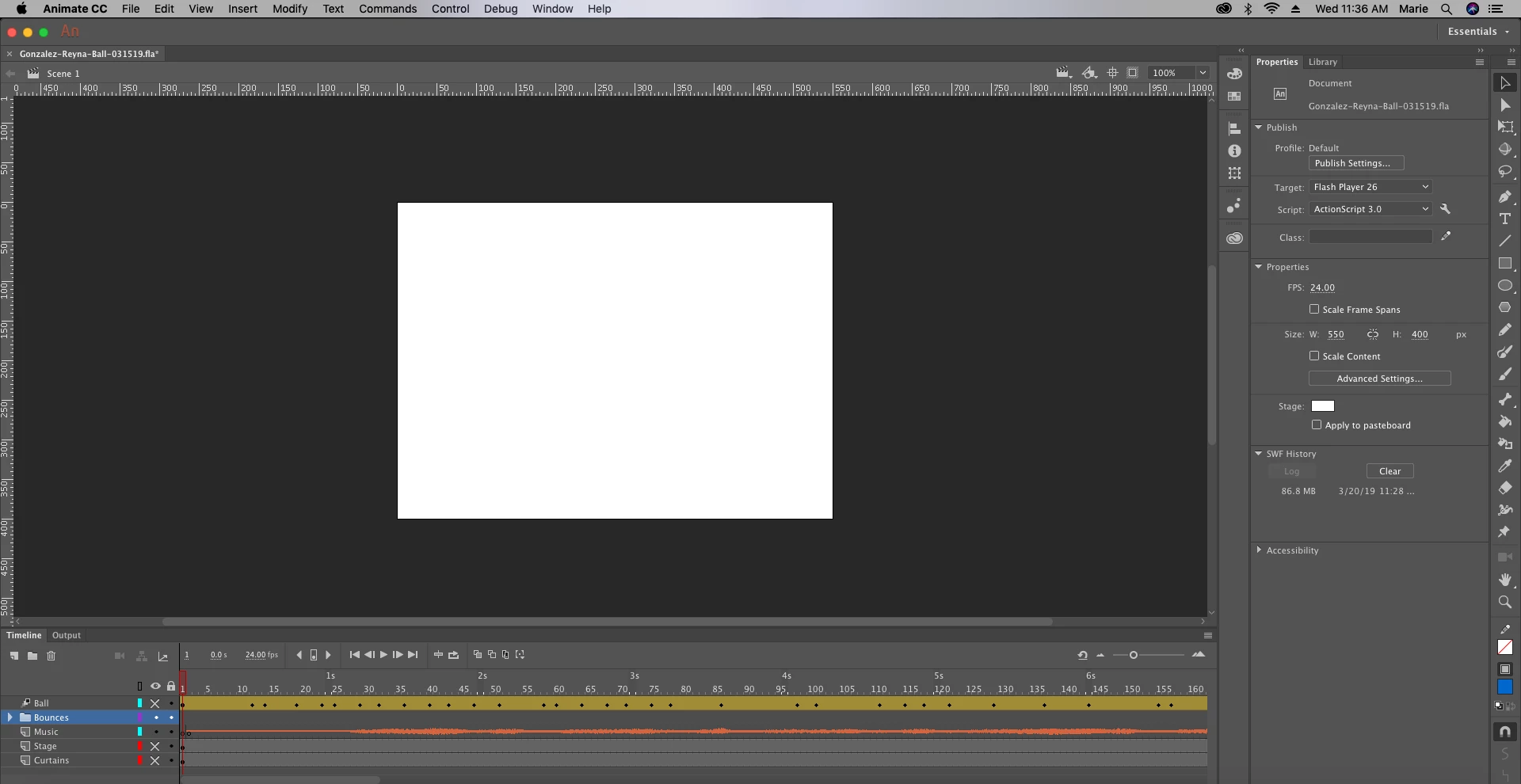
I was working on a project in Adobe Animate and I have no idea what I might have clicked or what happened. I can't see any of my objects or symbols in the stage or offstage and none of the layers are hidden. When I download it as a .swf file I'm able to see the full animation but I can't see anything in my workspace. I know it's a long-shot to see how I can fix this with so little information, but I have provided a screenshot of my full workspace so hopefully someone can find out why this may have happened and how I can fix it. Thank you!
This topic has been closed for replies.
Correct answer GoryGreg

Hi,

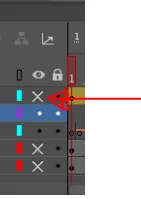
it looks liked you have turned off viewing certain layers here...

Click on those 3 Xs to be able to view the layers again.

3 replies

Participant
October 9, 2023

I can't see any of my objects which i draw in the stage and none of the layers are hidden. but i can find them later .. kindly answer .. no layers are hidden. . even the stage alpha is also normal. i tried arrange -> send to back also.. nothing works.. while using brush tool also same problem exists

kglad
Community Expert
Community Expert
October 9, 2023

@devilakshmi32796195sank 


upload your fla to a file server and post a link here.

default1ma3jpiyanal
Participant
December 16, 2020

I can't see anything  in after effects and all I see is just the background 

GoryGregCorrect answer
Inspiring
March 20, 2019

Hi,

it looks liked you have turned off viewing certain layers here...

Click on those 3 Xs to be able to view the layers again.

reynag83150798
Participant
March 20, 2019

Thank you so much! If you can't tell, this is my first time using Animate - that fix was so obvious! Thanks again!!

Inspiring
March 20, 2019

No worries and glad I could help. We all have to start somewhere. Hope you enjoy your learning curve with Animate CC