
Participant
July 28, 2025
Answered
URGENT!!! - Audio sounds awful after being put through media encoder
- July 28, 2025
- 7 replies
- 358 views
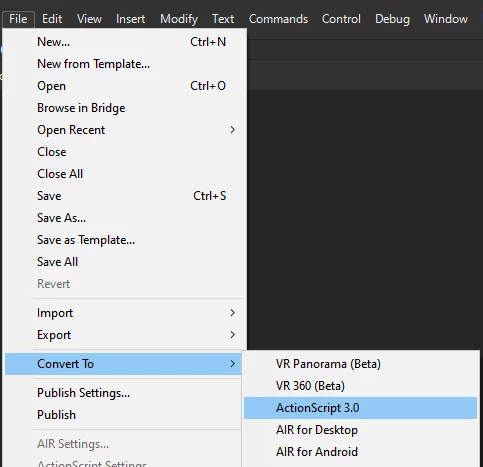
URGENT!!! - I'm working on an animation, and there's very good audio quality when I'm editing and am playing it in Adobe Animate. However, once I put it through Media Encoder, it has this weird reverb-type effect, and it sounds really fuzzy. My sync is set to stream, and I've looked through other posts to see if they can help. Most say to adjust the settings by clicking File and going to Publish Settings, but I can't seem to find a way to change the sound settings. I think it might be because I have a different version, but I need some way to aid with this in the version I currently have. I have to get this done before August 25, please help.


 AdChoices