
chenjil43641795
Legend
September 8, 2018
Answered

Use (stage ScaleX;) in a movie clip is invalid.

  • September 8, 2018
  • 1 reply
  • 999 views

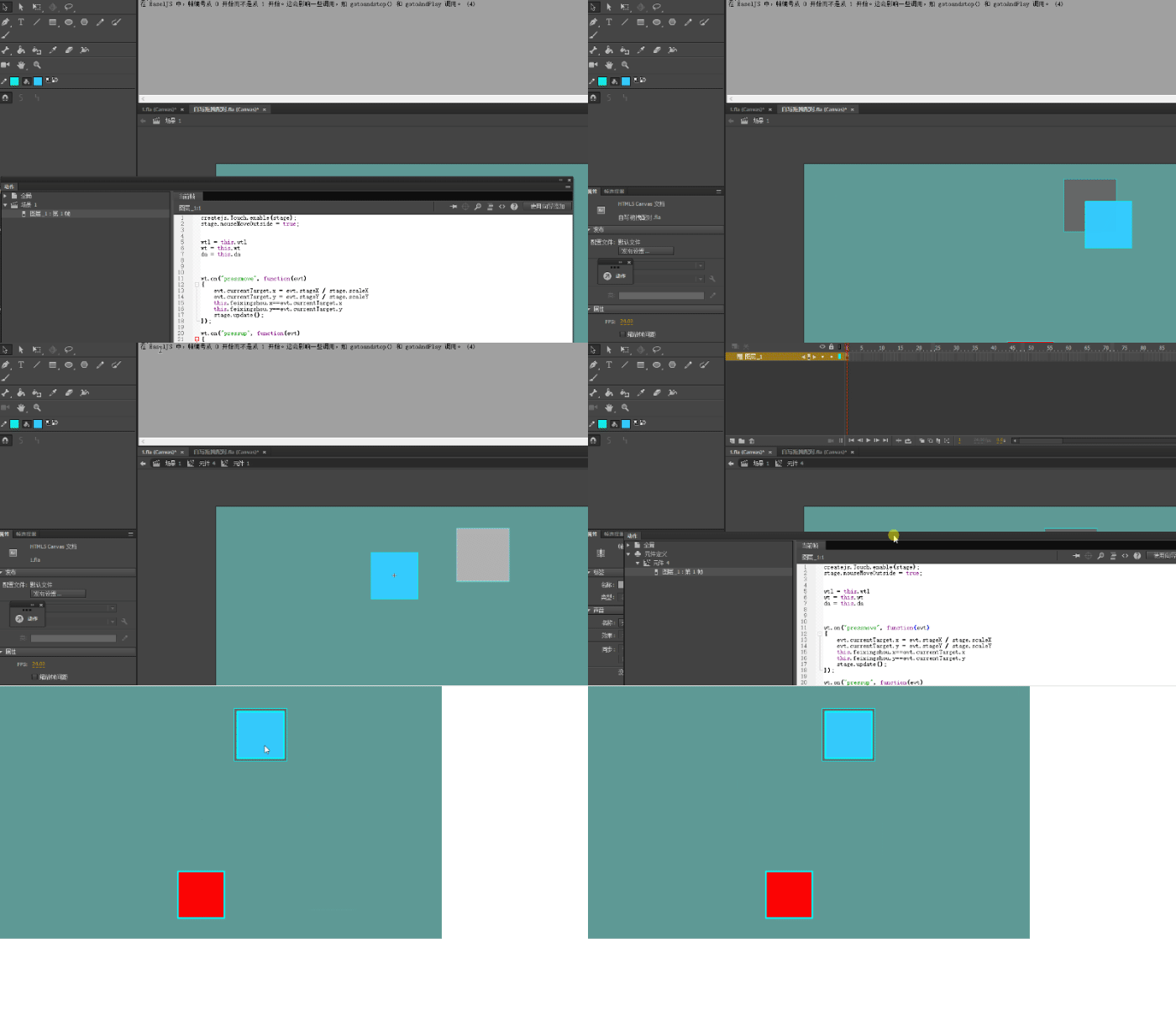
I use it in the scene (evt stagex/stage ScaleX;) to get the right position.

But when I use it in a movie clip, I can't find the right place.

wt.on("pressmove", function(evt)

{

evt.currentTarget.x = evt.stageX /stage.scaleX;

evt.currentTarget.y = evt.stageY /stage.scaleY;

stage.update();

});
    This topic has been closed for replies.
    Correct answer kglad

    Writing in a movie clip Button1 away from the position of the mouse.

    The main scene is right.

    This code is used for movie clips and an error occurs

    createjs.Touch.enable(stage);
    stage.mouseMoveOutside = true;


    wtl = this.wtl
    wt = this.wt
    da = this.da

    wt.on("pressmove", function(evt)
    {
    evt.currentTarget.x = evt.stageX / stage.scaleX
    evt.currentTarget.y = evt.stageY / stage.scaleY
        this.feixingshou.x==evt.currentTarget.x
    this.feixingshou.y==evt.currentTarget.y
    stage.update();
    });

    wt.on("pressup", function(evt)
    {

    if(wt.x > da.x - 50 && wt.x < da.x + 50 && wt.y > da.y - 50 && wt.y < da.y + 50)
    {
      wt.x = da.x;
      wt.y = da.y
    }
    else
    {
      wt.x = wtl.x;
      wt.y = wtl.y
    }
    })


    that looks like a registration point problem.

    1 reply

    kglad
    Community Expert
    Community Expert
    September 8, 2018

    that should be:

    this.wt.on(...

    chenjil43641795
    Legend
    September 8, 2018

    Defining variables I didn't copy it.

    var wt=this.Button1;

    Now the problem is to use this code in the movie clip, and the component will be away from the mouse position.

    Stage. ScaleX failed.

    Not used (stage. ScaleX) The same deviation.

    If you're not in a movie clip, that's fine.

    kglad
    Community Expert
    Community Expert
    September 8, 2018

    what's the problem with the message 1 code?