Participant
February 26, 2022
Question

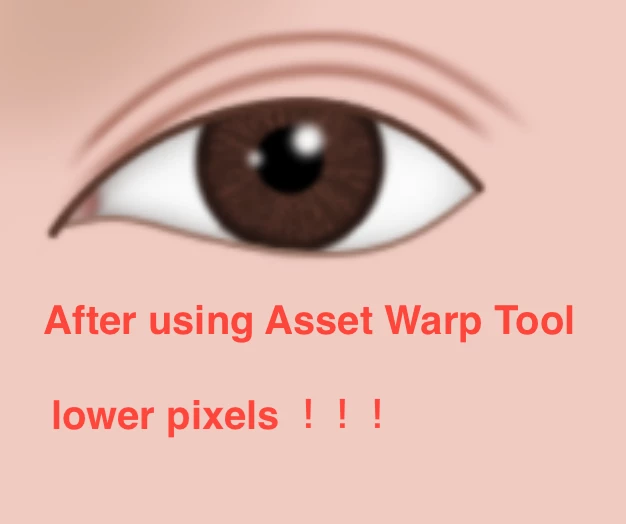
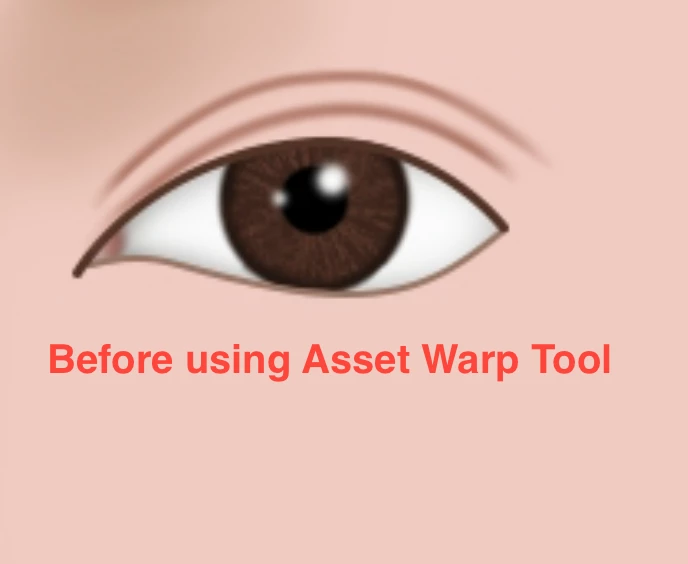
Using Asset warp tools on png files, why the pixels will become low, how can I solve this problem?

  • February 26, 2022
  • 2 replies
  • 383 views

    This topic has been closed for replies.

    2 replies

    Adobe Employee
    February 28, 2022

    @0909125CEA 


    For Bitmap object:


    We will look into this issue you are facing. 


    For Vector objects:


    Asset Warp tool by default automatically converts Vector to Bitmap while adding joints. If you are using Vector you can disable "Auto convert vector to bitmap for better warping and tweening" option under Edit Preferences --> Drawing tab.


    Please let us know if you have more queries . Thanks!
    Participant
    February 28, 2022

    My file is a bitmap, how to solve the problem of low pixels?

    kglad
    Community Expert
    Community Expert
    February 28, 2022

    again, 

    eg, convert to a vector > publish an svg > open in illustrator > warp > save > import to animate


    or use photoshop on the bitmap etc

    kglad
    Community Expert
    Community Expert
    February 27, 2022

    animate in not the best tool for that,so if you don't want the lower res, don't use the warp tool in animate.


    eg, convert to a vector > publish an svg > open in illustrator > warp > save > import to animate


    or use photoshop on the bitmap etc