
Using Multiple Actions in Flash CC
Hello. I am new to Flash CC. I am trying my hand at a simple dress up doll game. I have made a doll base, with different skin types in their respective frames, and next and previous buttons to move from skin color to skin color. This is the code I am using for the next and previous buttons:
stop()
btn1prev.addEventListener(MouseEvent.CLICK, backward);
btn2next.addEventListener(MouseEvent.CLICK, forward);
function forward(event:MouseEvent) {
if (this.currentFrame == this.totalFrames) {
gotoAndStop(1);
}
else {
nextFrame();
}
}
function backward(event:MouseEvent) {
if (this.currentFrame == 1) {
gotoAndStop(this.totalFrames);
}
else
{
prevFrame();
}
}
Then I added 3 new layers, each with a different eye color on them (brown, blue, and green). I want these to be dragged and dropped onto the doll. I started with the brown and added this action to the layer:
browneyes.addEventListener(MouseEvent.MOUSE_DOWN, dragbrowneyes);
function dragbrowneyes(eyt:MouseEvent):void{
addChild(MovieClip(evt.currentTarget));//to place above other content
evt.currentTarget.startDrag();
stage.addEventListener(MouseEvent.MOUSE_UP, dropbrowneyes);
}
function dropbrowneyes(evt:MouseEvent):void{
stopDrag();
stage.removeEventListener(MouseEvent.MOUSE_UP, dropbrowneyes);
}
When I try each of these codes on their own, they work fine. But when I try to use them both in the same file, none of them work. The eyes I cannot move and the skin types flash by instead of moving when I press the buttons.
Here is a video of me adding the drag and drop action then pressing Ctrl+Enter to play the game (so that you can see how the dragndrop does not work and neither do the buttons, skin types flash by) :
This shows up in the Compiled Errors : 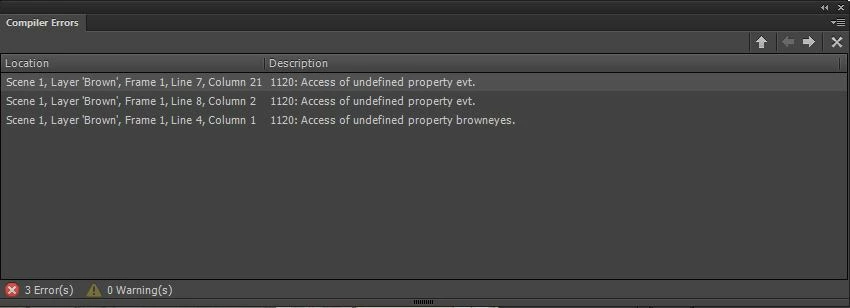
Again, I'm new, so I don't really understand these actions. I just found them online.
Any and all help would be mucho appreciated. I am using Flash through the Creative Cloud on a PC (windows 7), it is updated, and I am using Action Script 3.
I will try to attach screen shots. Hopefully they show up 
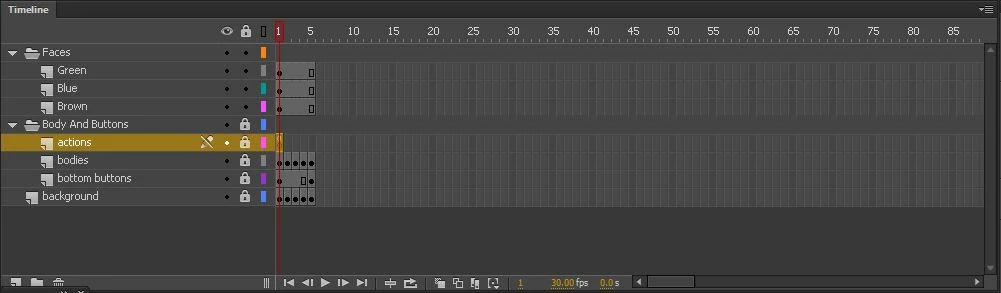 My Timeline : showing my layers and frames
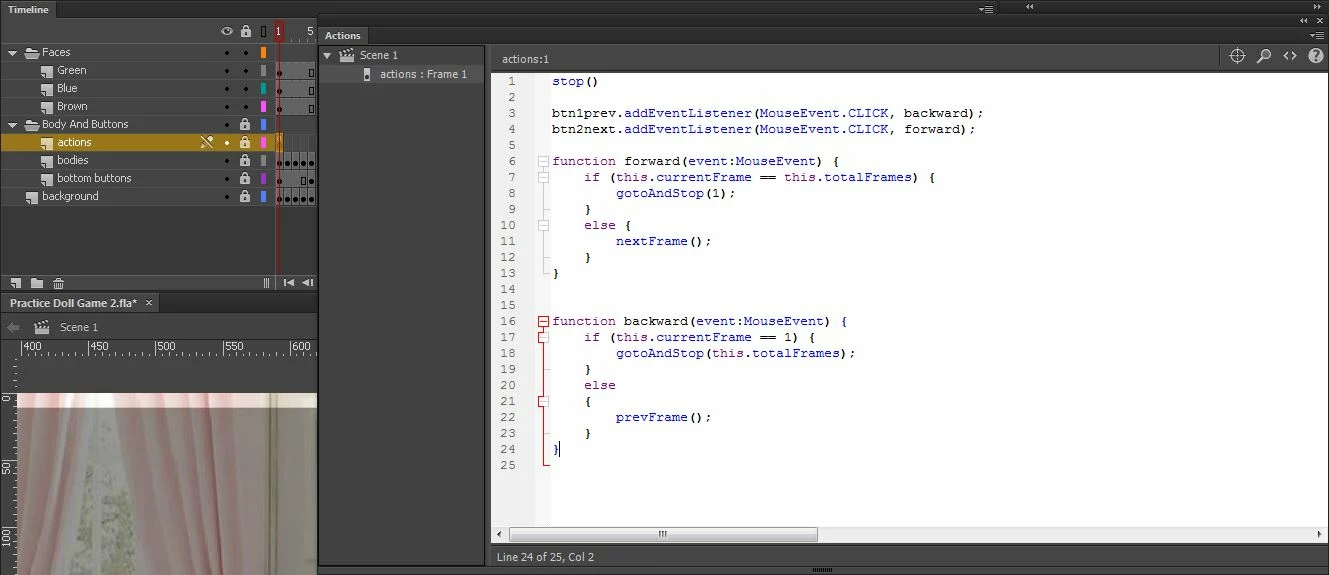 My actions for the next and previous buttons
 My whole screen : The actions window is minimized
*I also plan on adding multiple items of clothing later on that I would like to move to it's place whne clicked on. help for that would be appreciated as well


 AdChoices