Participant
July 2, 2021
Question

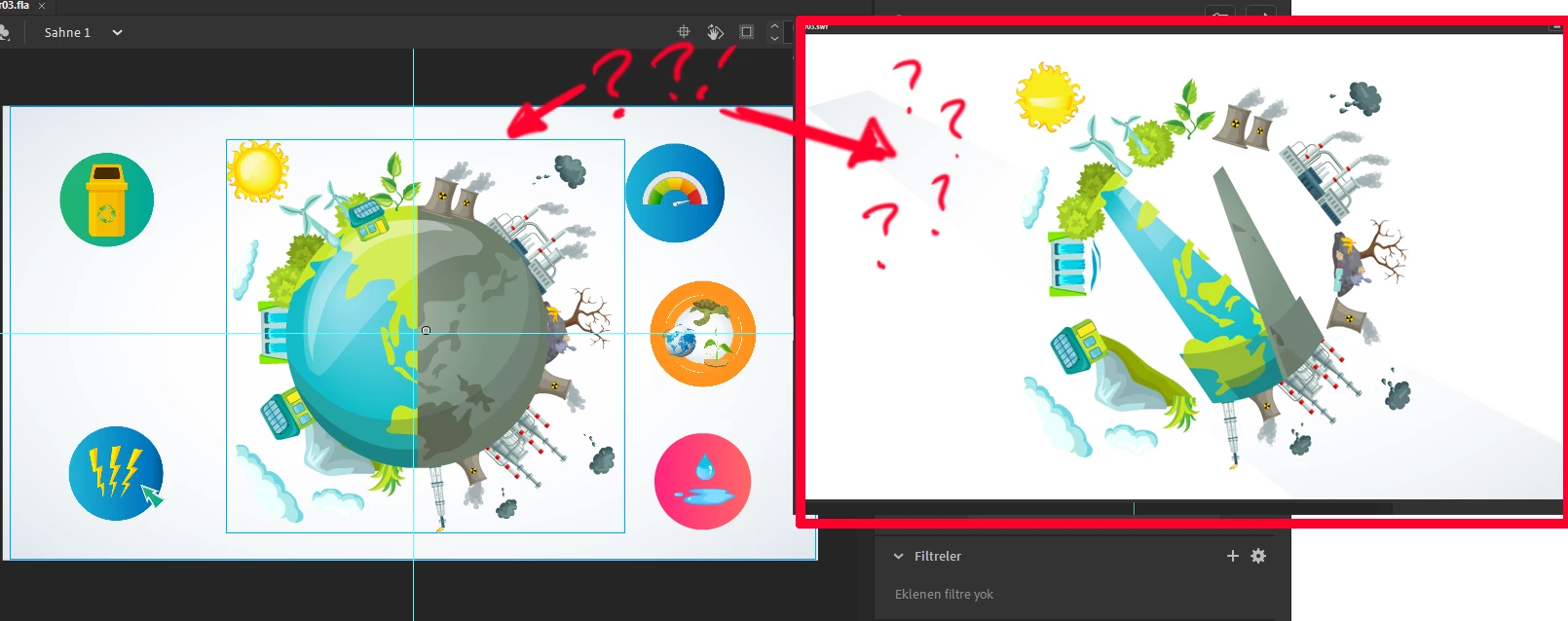
vectors get corrupted when i export

  • July 2, 2021
  • 2 replies
  • 395 views

when i export the video i can't export it as it appears on the screen, all the hours i spent on a video wasted, it's a two minute video and no vectors are showing

    This topic has been closed for replies.

    2 replies

    Mario_CR
    Community Expert
    Community Expert
    July 2, 2021

    Are these imported vectors or drawn with Animate? Sometimes imported vectors are grouped or have masks, strokes and gradients not fully compatible with Animate. Could you share the FLA with a file sharing service like Google Drive or WeTransfer to check more in detail?

    Participant
    July 9, 2021
    Mario_CR
    Community Expert
    Community Expert
    July 10, 2021

    Found the issue, it's a camera bug.


    Ok first off your work is amazing, as far as explainer videos go this is top tier. I can tell you spent a lot of effort making this and it shows.


    So how to fix this? Just delete the camera layer and every shape and symbol will render properly, luckily you have no keyframes there so it should have zero effect on your animation.

    If you have the time please report the bug here, the current built-in camera causes more problems than it solves; Adobe should take a real deep look into it and test the feature properly: https://www.adobe.com/products/wishform.html

    Participant
    July 2, 2021

    I logged in with a wrong account, this is my correct account, is there a solution to this problem? it only fixes when i png the vectors