Inspiring
February 12, 2019
Question

View HTML5 on phone

  • February 12, 2019
  • 1 reply
  • 241 views

Hi

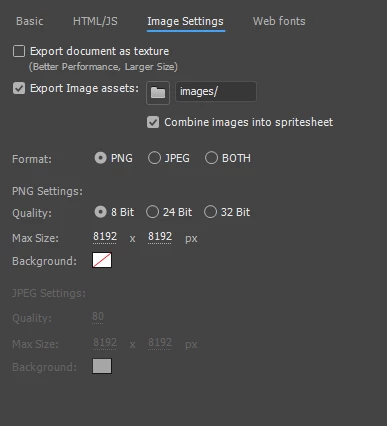
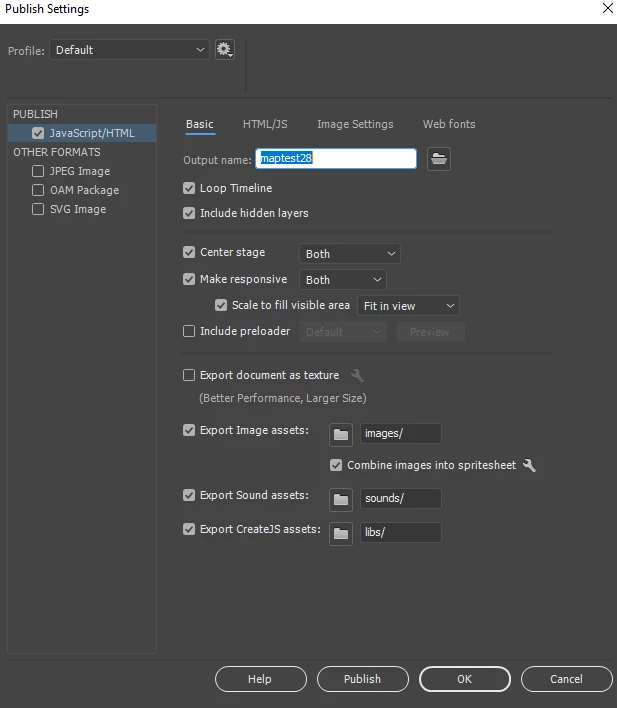
I have created a sample interactive movie which works fine on desktop PC. It publishes as below settings. How do I view my project using a browser such as goole chrome on my Android phone? I want to test it works in terms of resolution / rtesponsiveness etc. I assume it isnt seeing the images folder, so how do I make sure that it loads on phone. Ive tried downloading the images folder and html on phone and also giving access via creative cloud to those files but it still wont work. Thanks for your help.
This topic has been closed for replies.

1 reply

kdmemory
Inspiring
February 12, 2019

Hi Charlie

Have you uploaded your project directory to a web server? You should upload everything apart from your FLA files.

  • HTML
  • Javascript (js) - with your settings you won't have this because of Include javascript in HTML...  which you've activated
  • images/ folder (if any contents here)
  • sounds/ folder (if any contents here)
  • libs/ folder (if any contents here)

Then enter the URL in your browser on Android phone and it should work. It will find all associated files the same way as the desktop browser does.

If you want to test locally (without uploading to external server) you would need a local server installed like

On MacOS with Xcode installed you have a Simulator.App. With that one you can simulate an iOS device and access your files from your local server.

Something similar should be avail for Android as well? Maybe others know.

Klaus