pete142
Known Participant
March 22, 2022
Question

Visemes won't appear for Lip Sync. Please help

  • March 22, 2022
  • 2 replies
  • 2286 views

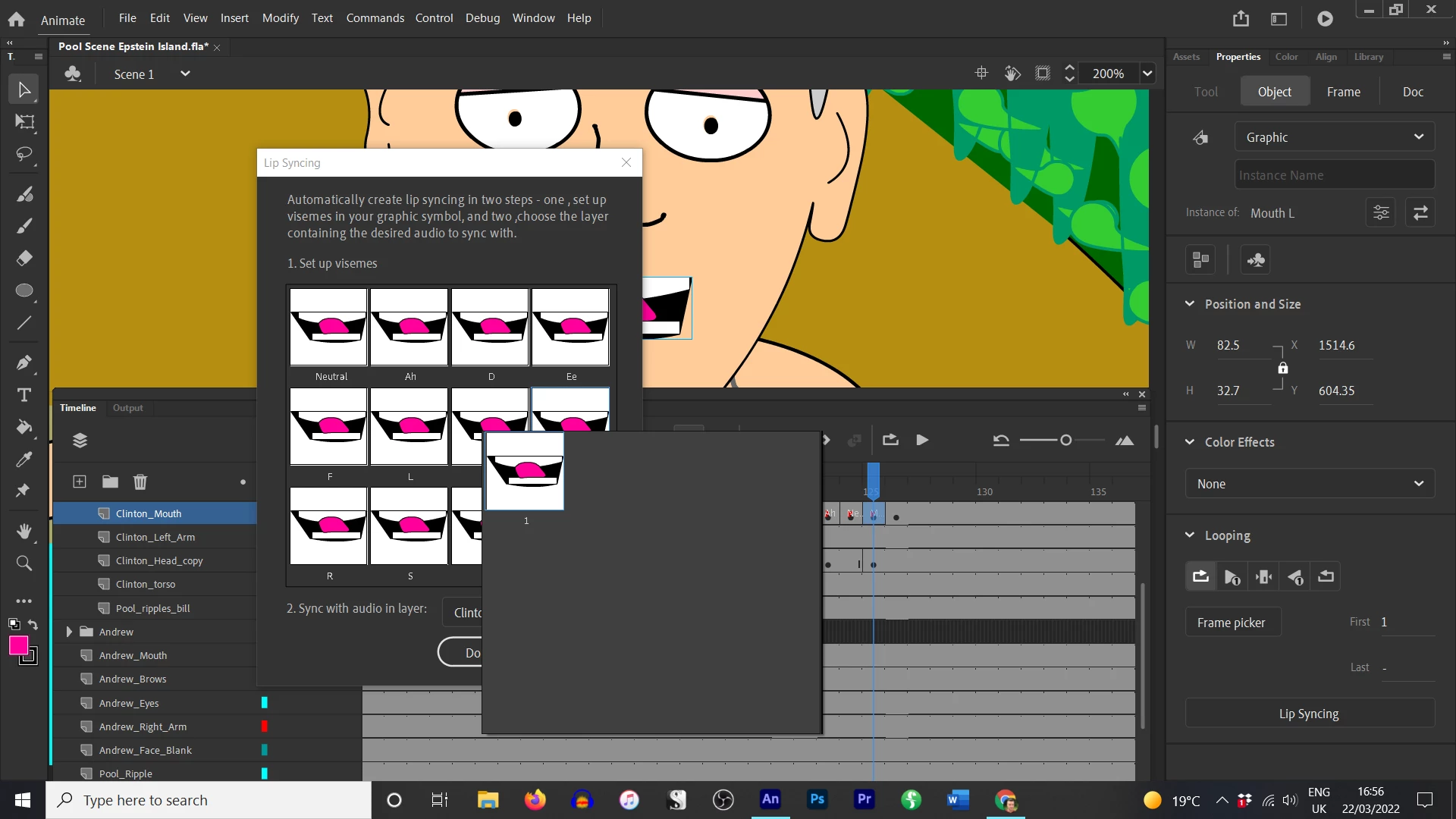
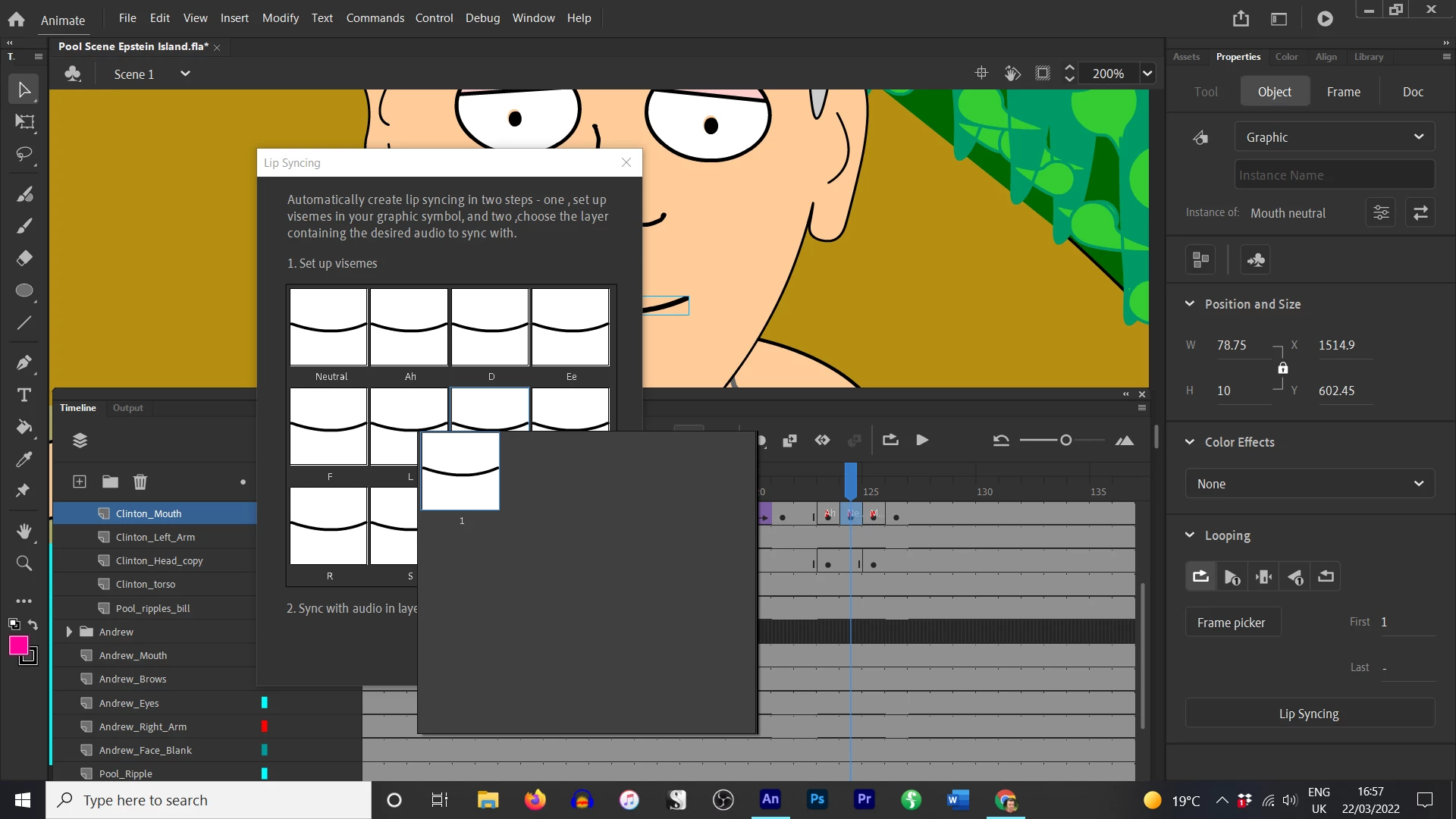
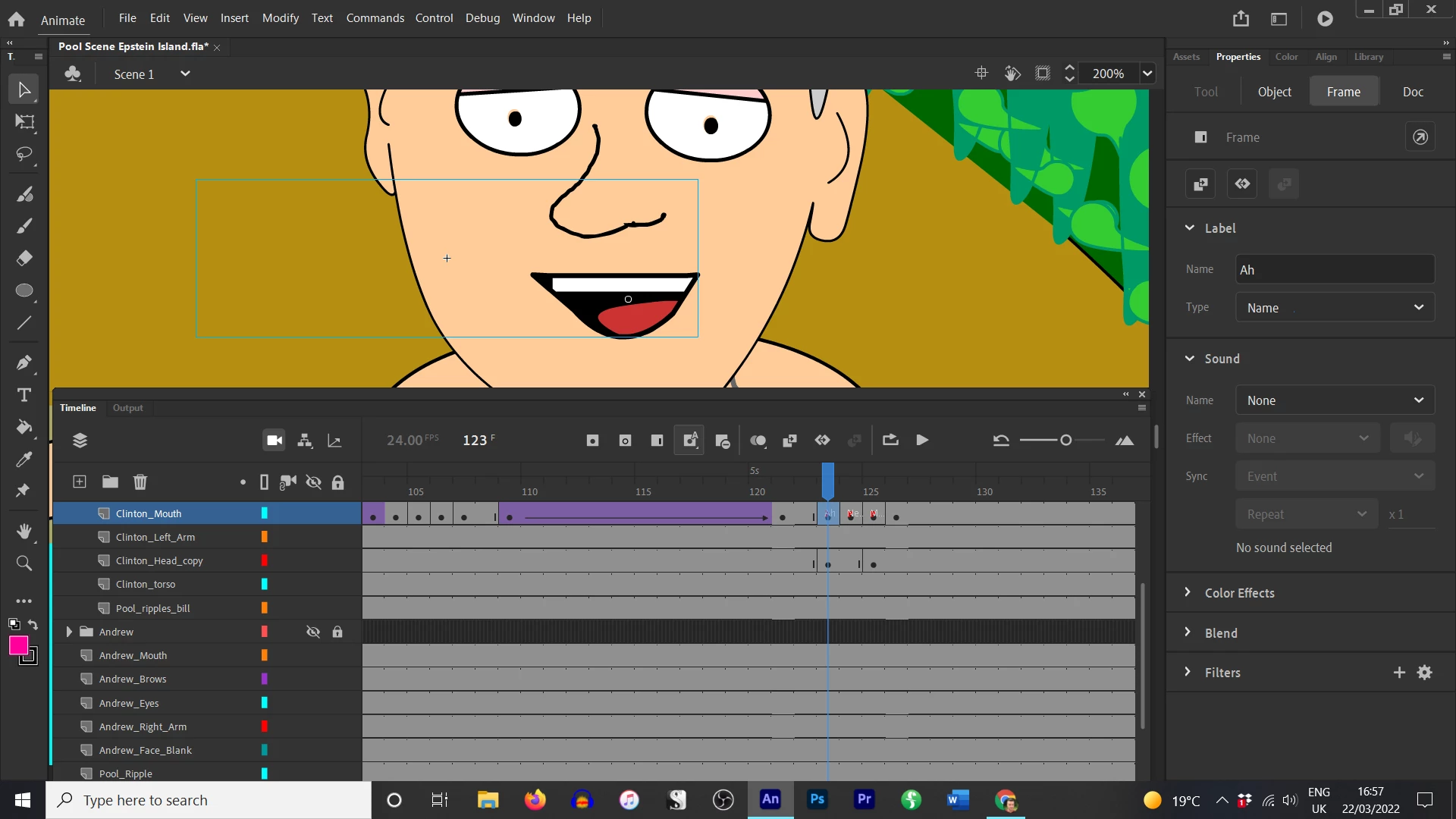
I am new to this program and have encountered a few issues. But I was surprised by this. I create new key frames for each viseme, then convert them to a symbol, then try to lip sync. When I go to my visemes there is only one image as an option, the rest do not appear. I have attached screenshots for you to see what I mean. I don't understand why they're not appearing or what I need to do to make a library of potential visemes. Thank you!
    This topic has been closed for replies.

    2 replies

    _keyframer
    Community Expert
    Community Expert
    March 22, 2022

    You want to have every viseme in a graphic symbol and inside that graphic symbol, each mouth viseme in its own keyframe. Also, the screenshot showing his mouth open but the bounding box is MUCH wider than the art is a little concerning - make sure there isn't an arbistrary object far off to the left of the viseme. Not that it will break anything, but it might cause some kind of rotational issue depending on the center point location.

    Animator and content creator for Animate CC
    pete142
    pete142Author
    Known Participant
    March 22, 2022
    So you save the viseme in a 12 frame graphic? Not one by one? Ok got it
    I’ll try that next, thank you!
    _keyframer
    Community Expert
    Community Expert
    March 22, 2022

    Correct. Create a "mouth" symbol (graphic behavior) then edit it by placing each viseme in its own keyframe. During the lip syncing, this will be the symbol to point to. It's how most animators control what mouth is displayed when. Same technique is used to control eye blinks, hands, feet, anything that needs multiple frame and views. I have a current rig that uses a 3rd party extension that has multiple frames (or states) in every symbol for arms, torso, pelvis, head, etc.
    In many cases, each of these symbols for each body parts has several layers and frames that are fully animated that I then control on the parent timeline.

    Animator and content creator for Animate CC
    pete142
    pete142Author
    Known Participant
    March 22, 2022

    I am running Animate 22.0.5. The latest version.