Participant
January 18, 2024
Answered

warped tool

  • January 18, 2024
  • 3 replies
  • 524 views

In older version ,We can edit warped image after animation .but now we can't see the vector drawing that will converting to a bitmap image .we can't edit it.please check it.

    This topic has been closed for replies.
    Correct answer Mario_CR

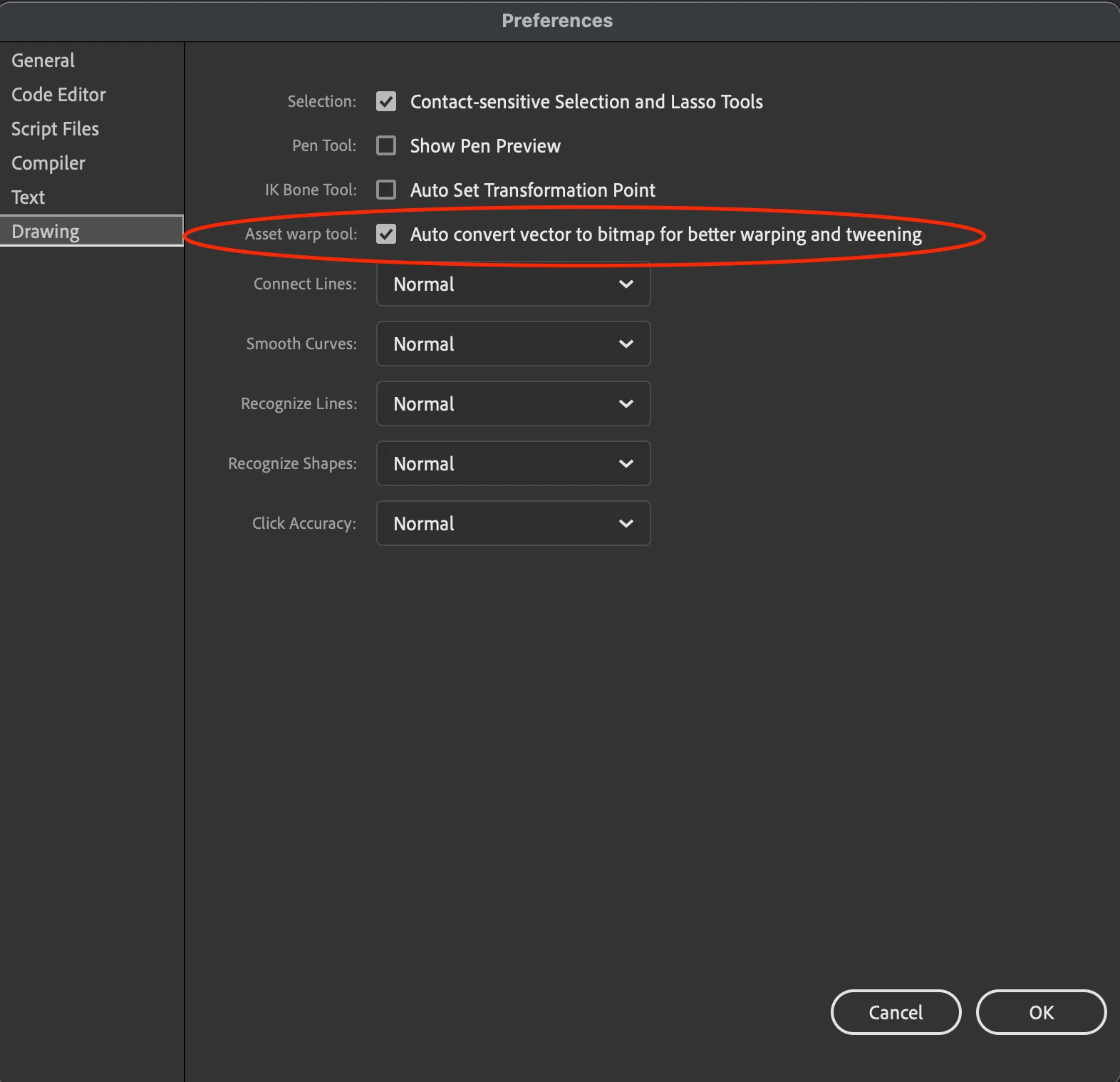
    Since version 22 the asset warp tool converts vector shapes to bitmaps by default. You can turn this off by going to Edit > Preferences > Drawing
     

    3 replies

    jane-e
    Community Expert
    Community Expert
    January 19, 2024

    I've unmarked my reply as Correct, because it is not.


    Jane


    Mario_CR
    Community Expert
    Mario_CRCommunity ExpertCorrect answer
    Community Expert
    January 18, 2024

    Since version 22 the asset warp tool converts vector shapes to bitmaps by default. You can turn this off by going to Edit > Preferences > Drawing


    Participant
    January 19, 2024

    thank you for your valuable feedback.

    jane-e
    Community Expert
    Community Expert
    January 18, 2024

    @Akhil34869288az8t 


    Can you tell us which Adobe application you are using?


    Jane

    Participant
    January 18, 2024
    Animate 24.0
    jane-e
    Community Expert
    Community Expert
    January 18, 2024

    Animate 24.0

    By @Akhil34869288az8t


    Thank you, Akhil! I've moved your post from Using the Community (for forum questions) to the Adobe Animate forum for you.


    Jane