Participant
August 25, 2022
Question

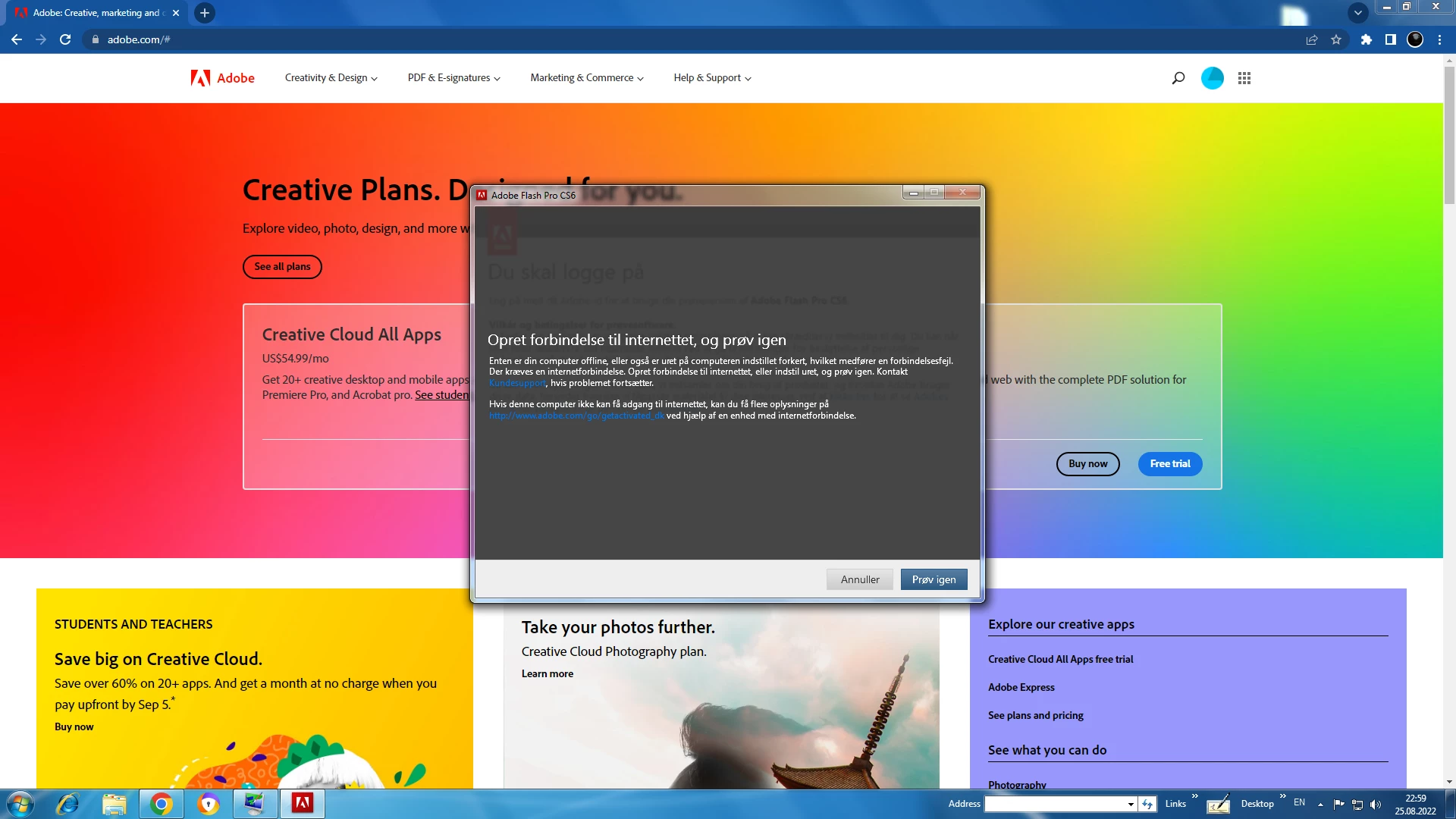
what does this mean?

  • August 25, 2022
  • 1 reply
  • 189 views

    This topic has been closed for replies.

    1 reply

    kglad
    Community Expert
    Community Expert
    August 25, 2022

    your default browser must support tls 1.2, https://helpx.adobe.com/x-productkb/multi/eol-tls-support.html


    to test your default browser's tls you can use , https://clienttest.ssllabs.com:8443/ssltest/viewMyClient.html

    if that's not the issue:


    if you have a non-current os, https://helpx.adobe.com/x-productkb/multi/eol-tls-support.html#sa_src=web-messaging000


    otherwise, confirm that you can connect to the secure adobe servers by reading, http://helpx.adobe.com/x-productkb/policy-pricing/activation-network-issues.html


    do you see both logos? if you can and still see a connection error try these steps, https://helpx.adobe.com/download-install/kb/common-network-connectivity-issues.html


    if those all fail, white list the adobe network endpoints, https://helpx.adobe.com/enterprise/kb/network-endpoints.html

    Participant
    August 25, 2022

    how do i do the last one?


    kglad
    Community Expert
    Community Expert
    August 26, 2022

    using a browser that allows popups and cookies, contact adobe support by clicking here, https://helpx.adobe.com/contact.html?rghtup=autoOpen
    in the chat field (lower right), type AGENT
    be patient, it can take quite a while to reach a human

    p.s. if you're contacted by anyone (via email or private message), it's much more likely to be a scammer than an adobe representative. ie, double check for an employee badge if contacted in the forums and look for an adobe.com domain in the email address if you click reply to an email. then check again and be very suspicious. any other method of contacting (or offering to contact you) is almost certainly a scam, https://community.adobe.com/t5/using-the-community-discussions/staying-safe-in-the-adobe-support-community/td-p/12919684/redirect_from_archived_page/true.

    p.p.s you can also use phone (but chat is usually quicker), https://helpx.adobe.com/contact/phone.html