Participant
June 12, 2018
Answered

What to do next when animation is finished using Animate?

  • June 12, 2018
  • 2 replies
  • 282 views

Hi!

I have finished an animation, but I don't know how I can get it to be ready for online use, e.g. YouTube, etc.

Do I need a separate program for this?

Any information will be much appreciated, thanks!

Elsbeth
This topic has been closed for replies.
Correct answer _keyframer

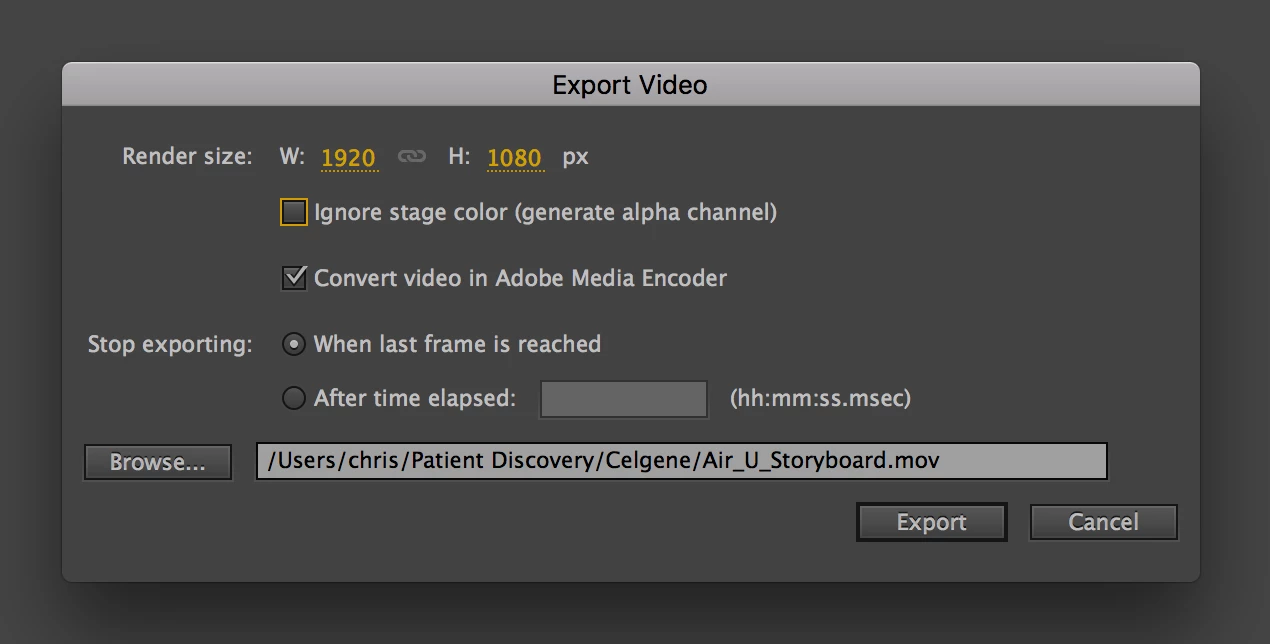
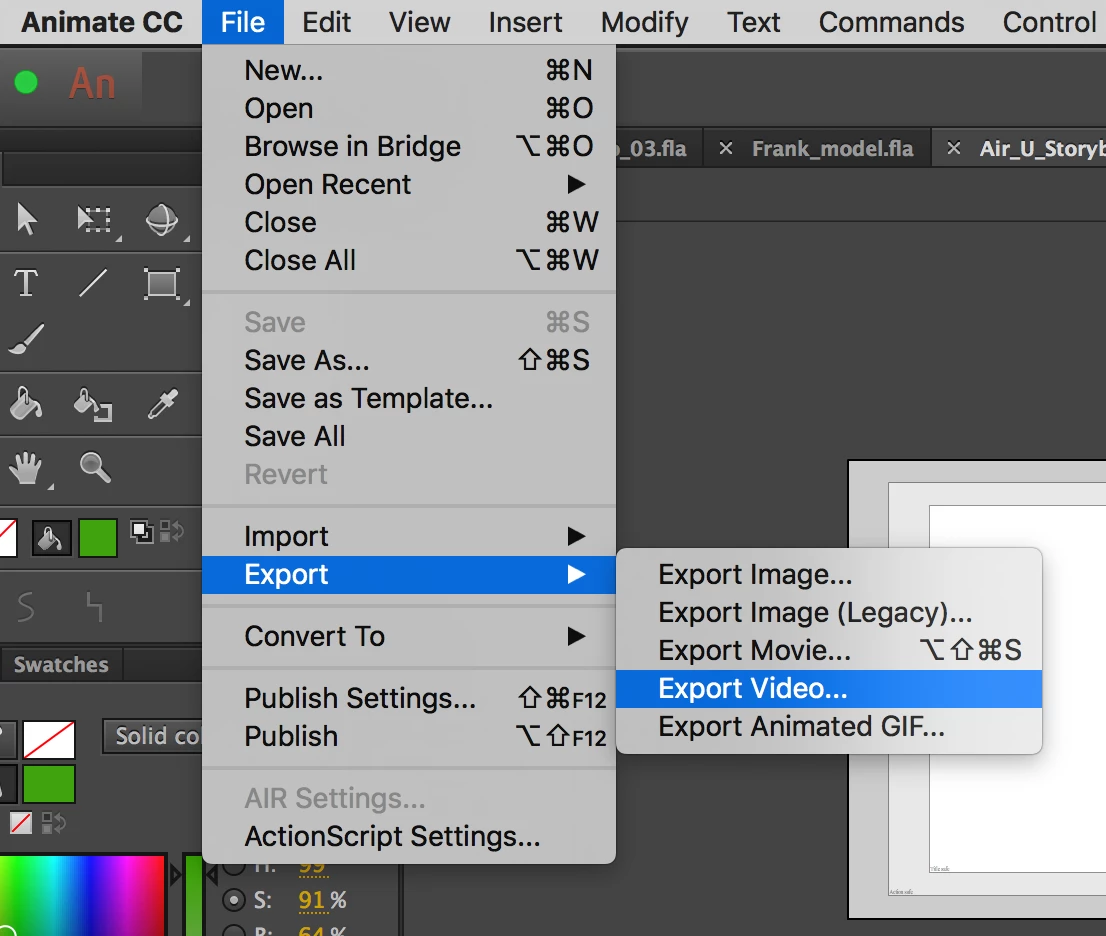
In addition to KGLAD's answer, I export video from Animate for use on YouTube often. File > Export Video...and in the Export Video popup, make sure Convert video in Adobe Media Encoder is checked. The export will render a very large (uncompressed) MOV file that will/should auto-open in Adobe Media Encoder (if installed). From there select the H.264 codec. This will produce an MP4 file which is what YouTube and other video platforms prefer (Vimeo).

2 replies

_keyframer
Community Expert
_keyframerCommunity ExpertCorrect answer
Community Expert
June 12, 2018

In addition to KGLAD's answer, I export video from Animate for use on YouTube often. File > Export Video...and in the Export Video popup, make sure Convert video in Adobe Media Encoder is checked. The export will render a very large (uncompressed) MOV file that will/should auto-open in Adobe Media Encoder (if installed). From there select the H.264 codec. This will produce an MP4 file which is what YouTube and other video platforms prefer (Vimeo).

Animator and content creator for Animate CC
kglad
Community Expert
Community Expert
June 12, 2018

use file > export > export video.

google how to upload videos to youtube.

[moved from Adobe Creative Cloud to Adobe Animate CC - General]