
Participant
February 3, 2018
Answered

When dragging a line endpoint with selection tool, the endpoint doesn't stay under cursor

  • February 3, 2018
  • 2 replies
  • 192 views

Hey,

When I'm dragging a line endpoint with the selection tool, the endpoints of certain lines don't stay under my cursor, but instead shift a bit to south-east from my cursor. They don't snap to other lines like they normally would either.
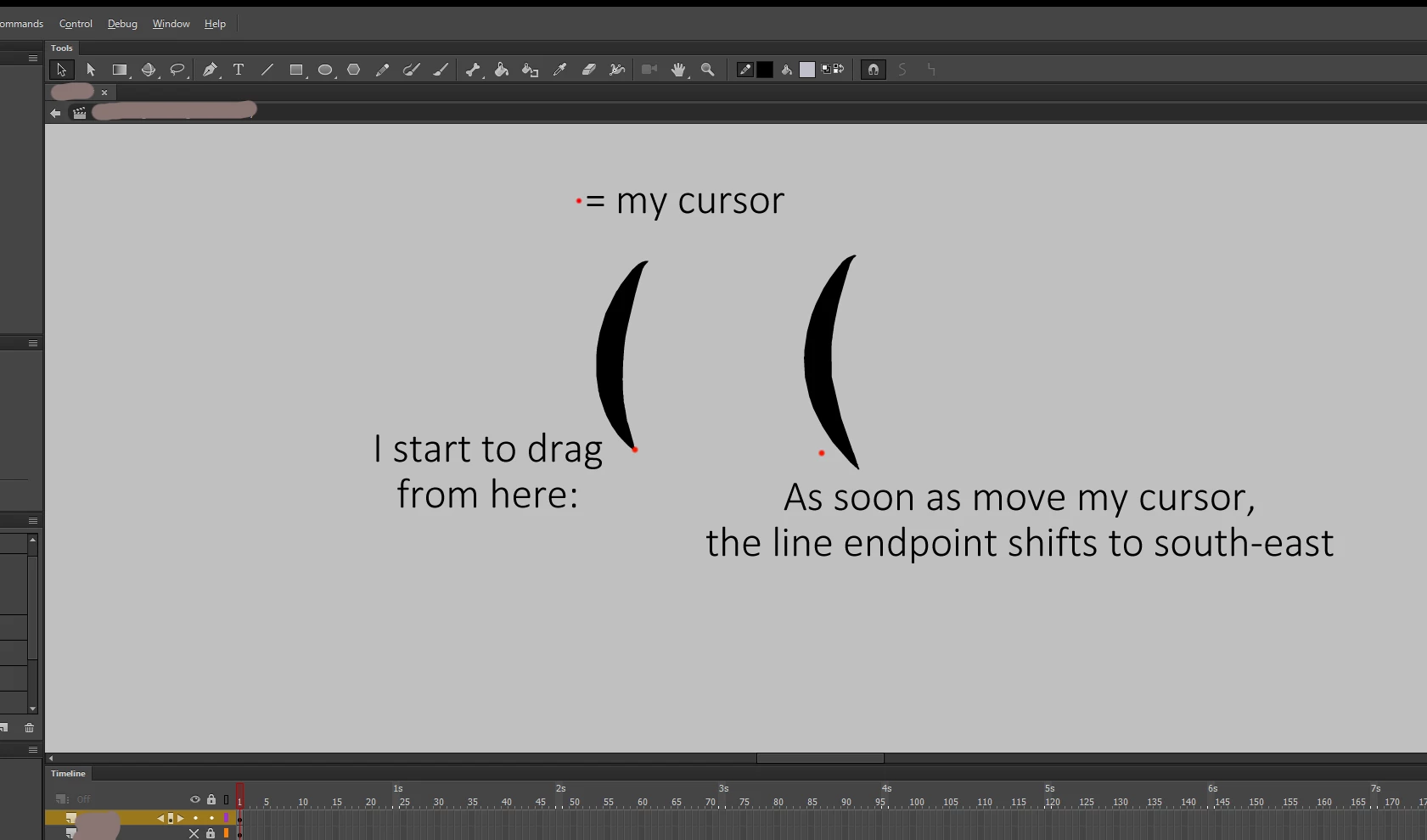
About half of the lines on my project currently have this problem. The rest obey dragging normally.

This topic has been closed for replies.
Correct answer taunoa63590517

Thanks for quick reply!

Yes, I'm using a tablet, and I may have used pressure sensitivity when originally drawing the line. I'm using the default display scaling (100%) and changing that to other values didn't help.

I actually did find a workaround after a while: If I select the line and then click Create Object, that line is fixed.

I'm willing to go with this for now, thanks!

2 replies

Colin Holgate
Inspiring
February 3, 2018

I see that you have a recent version of Animate. Are you using a tablet, and is that a variable width line you're dragging?

In any case, check your display scaling value (right-click on desktop, Display Properties). Is the scale set to the default value? If it isn't, does the problem go away when you set the scaling to the default?

taunoa63590517AuthorCorrect answer
Participant
February 3, 2018

Thanks for quick reply!

Yes, I'm using a tablet, and I may have used pressure sensitivity when originally drawing the line. I'm using the default display scaling (100%) and changing that to other values didn't help.

I actually did find a workaround after a while: If I select the line and then click Create Object, that line is fixed.

I'm willing to go with this for now, thanks!