


photo pen
Participant
February 4, 2026
Answered

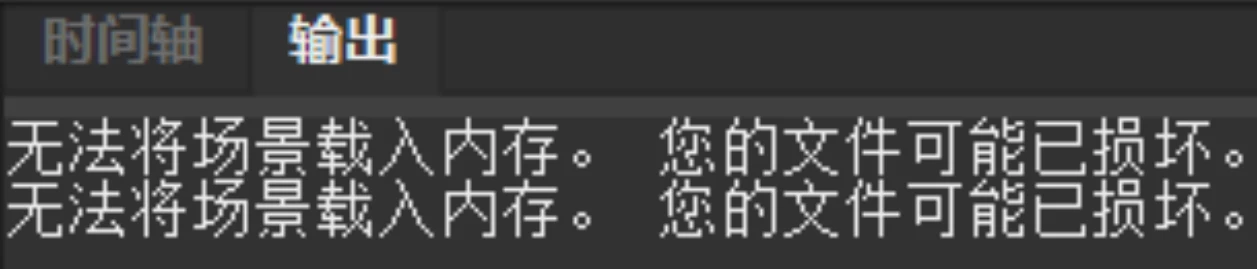
When I open the FLA file again, the timeline displays: "Unable to load scene into memory"

  • February 4, 2026
  • 2 replies
  • 61 views

When I open the FLA file again, the timeline displays: "Unable to load scene into memory"So, why did my file become corrupted for no apparent reason?

    Correct answer kglad

    using the winrar repair function is the best bet (after anticipating this and saving requently with increasing version number appended to the file name).

    2 replies

    Firewood:D
    Inspiring
    February 5, 2026

    The bitmap is missing because you broke it using Ctrl+B and then renamed it. This happens after opening it multiple times.

    Therefore, please check and re-import the broken bitmap. If you broke the bitmap, do not change its library name.

    The characteristic of a bitmap file displaying this error is that it's entirely red; find the object that's turned red.

    kglad
    Community Expert
    Community Expert
    February 4, 2026

    why?  i don’t think it’s possible to say definitively.

    photo pen
    photo penAuthor
    Participant
    February 4, 2026

    It happened very suddenly,and since the cause is unclear, do you have any other official tips or tools for FLA recovery beyond WinRAR and auto-recover? Appreciate your help!

    kglad
    Community Expert
    kgladCommunity ExpertCorrect answer
    Community Expert
    February 4, 2026

    using the winrar repair function is the best bet (after anticipating this and saving requently with increasing version number appended to the file name).
