


When mask ends, underlying objects repeat.
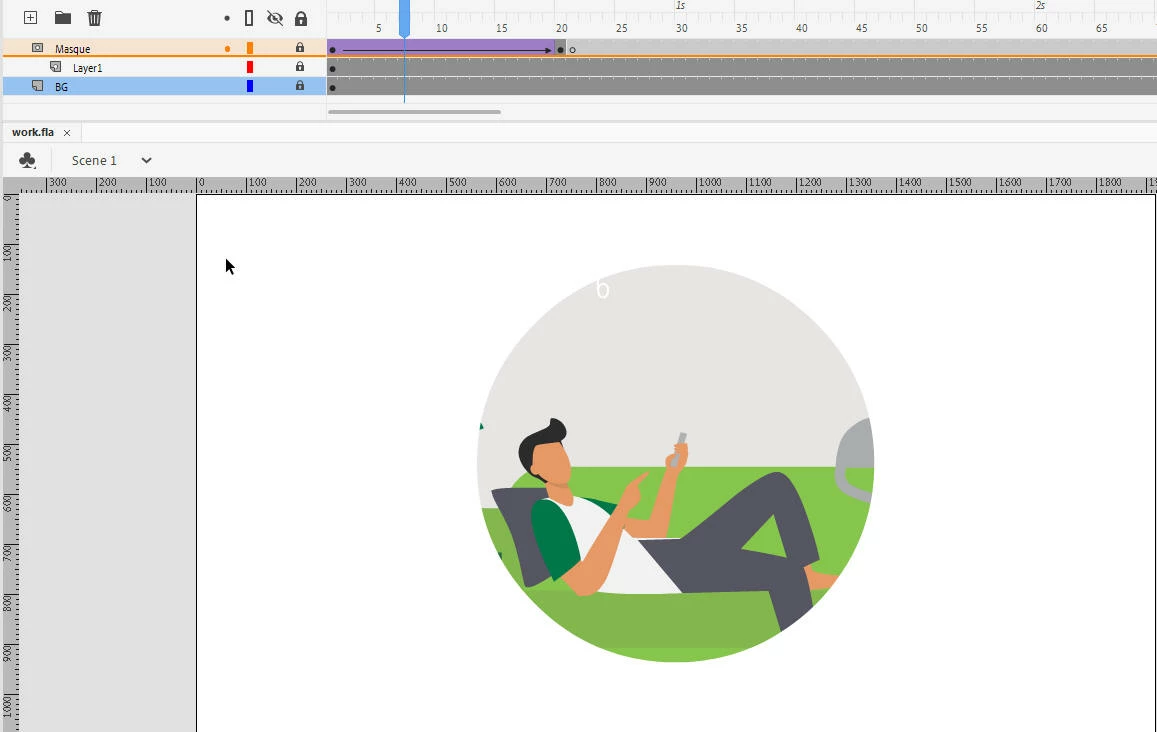
I've discovered a new weirdness in Animate 2020, involving something I've done ... forever. Here's an example. I have an animated graphic object which is masked. The mask itself is animated to hide or reveal the graphic over time. In the screenshot below, the mask is a circle which grows from small to large to create an Iris effect.
What I have frequently done in the past is to eliminate the mask once its job is done. If the mask layer is empty, then there is no masking and the entire layer(s) below are visible. I have done that in the screenshot below. Once the circle almost fills the entire screen, I just put in a blank keyframe in the mask layer, which reveals the entire layer below.
And that still works, except ... when the mask is deleted - when the blank keyframe appears on the mask layer - the graphic on the underlying layer repeats from the beginning. It doesn't do this when I scrub the timeline. It doesn't do this when I play the animation within Animate (by hitting Enter). Within Animate, everything is fine. But. When I export a SWF file (Control | Test; or Control | Test Movie | In Animate) the playback of the animated Graphic restarts as soon as the mask ends.
The same is true if I export a video (File | Export Video/Media) as, say, a .MOV file. The masked graphic jumps back to Frame 1 as soon as the mask ends.
If the animation should be 1 2 3 4 5 6 7 8 9, instead I get 1 2 3 1 2 3 4 5 6 7 8 9.
 AdChoices