

S_ A
Inspiring
October 5, 2024
Answered

where is the stroke

  • October 5, 2024
  • 1 reply
  • 612 views

Hi,

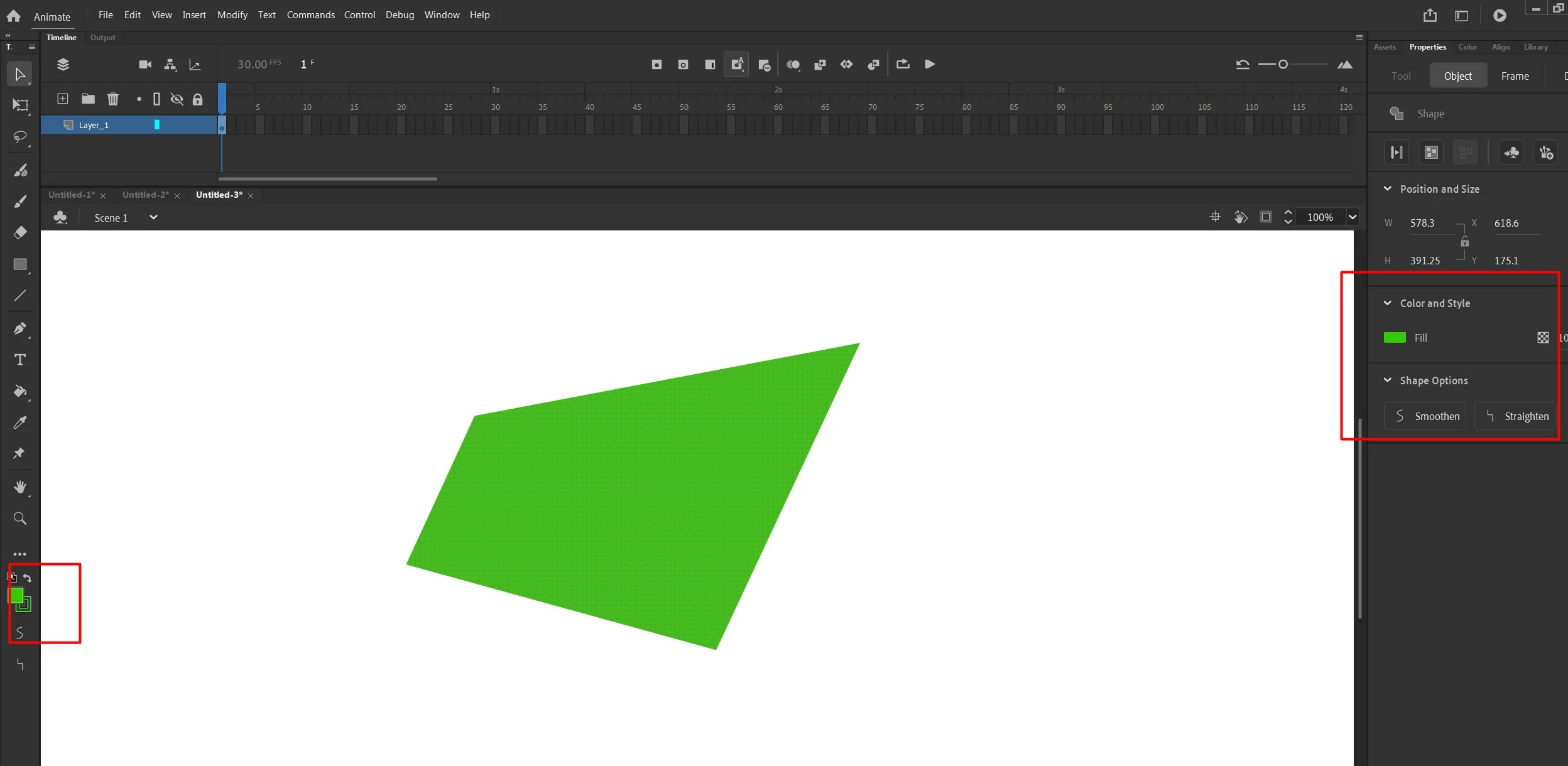
I am a beginner. My first day today with adobe animate. I am in a probelm. I can't see the stoke. It's not showing under color and style. I googled but no one is showing how can I bring it into the 'color and style' panel.


please I need some guidance. Thank you.
 

This topic has been closed for replies.
Correct answer JoãoCésar17023019

Hi.


Glad that you solved it.


In case anyone else drops here with the same doubt, the Ink Bottle Tool (S) is needed to add a stroke to a shape and both the fill and stroke of the shape must be selected in order for them to appear in the Properties panel.

As for the post deletion, only Adobe employees can do this.

Regards,
JC

1 reply

S_ A
S_ AAuthor
Inspiring
October 5, 2024

I solved it. I wish I can delete this question. 

JoãoCésar17023019
Community Expert
JoãoCésar17023019Community ExpertCorrect answer
Community Expert
October 5, 2024

Hi.


Glad that you solved it.


In case anyone else drops here with the same doubt, the Ink Bottle Tool (S) is needed to add a stroke to a shape and both the fill and stroke of the shape must be selected in order for them to appear in the Properties panel.

As for the post deletion, only Adobe employees can do this.

Regards,
JC

kglad
Community Expert
Community Expert
October 5, 2024

@JoãoCésar17023019 


we can delete it by moving to the holding room, but this shouldn't be moved because it may be helpful to someone else.