


patricka92731453
Participating Frequently
November 7, 2019
Answered

Why Adobe Animate Open Any File As White Blank Canvas

  • November 7, 2019
  • 4 replies
  • 2857 views

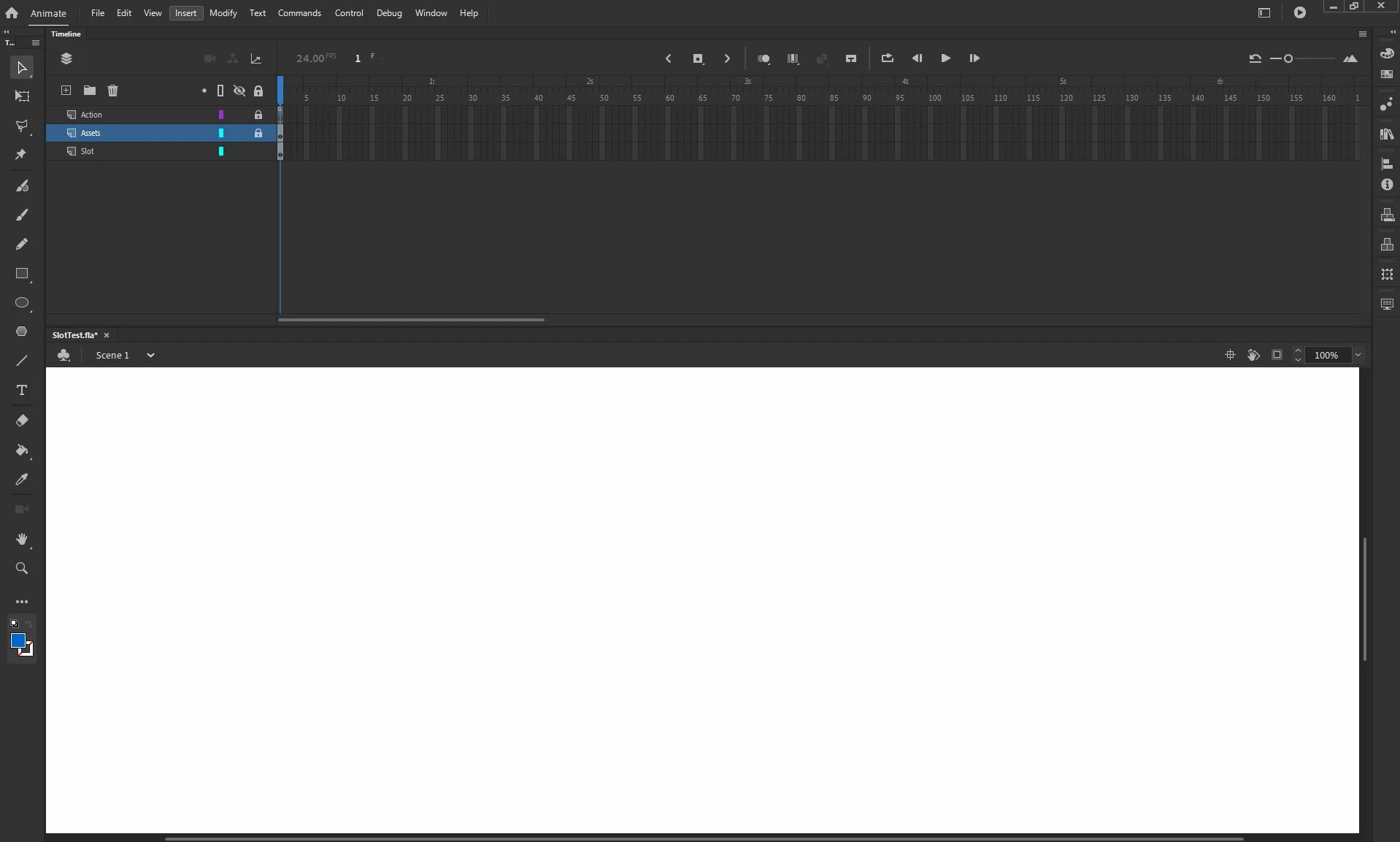
No matter what project i try to open with animate i always get a white blank canvas.
Any clue? I am stuck!! 😞

 
This topic has been closed for replies.
Correct answer MrcMsnr

Thats unfortunately not working for me. Uninstalled and reainstalled several times. Same issue.

I only have this problem on Win10 version 1607. On another system running Win10 version 1903 everything is working fine - so it may have something to do with the windows version. 


Edited: You need at least Win10 1803 for Animate 2020: https://helpx.adobe.com/animate/system-requirements.html 

Unfortunately, the Creative Cloud Client told me it was compatible with my system. Now downgraded to 2019...

4 replies

Participant
October 9, 2020

My white screen problem last few days has been when creating a new file.

Old files are OK so far.

One work around - so far - is to open an old prior to problem animate document

rename 

clear all symbols - script - layers 

you can resize stage etc

Community Expert
November 7, 2019

I had that issue too. I just turned animate off and started it back up and it was fine.

If that doesn't work, then try to uninstall and reinstall. 

MrcMsnr
MrcMsnrCorrect answer
Inspiring
November 8, 2019

Thats unfortunately not working for me. Uninstalled and reainstalled several times. Same issue.

I only have this problem on Win10 version 1607. On another system running Win10 version 1903 everything is working fine - so it may have something to do with the windows version. 


Edited: You need at least Win10 1803 for Animate 2020: https://helpx.adobe.com/animate/system-requirements.html 

Unfortunately, the Creative Cloud Client told me it was compatible with my system. Now downgraded to 2019...

Participant
January 20, 2020

thank you very much
MrcMsnr

MrcMsnr
Inspiring
November 7, 2019

Hi - I have exactly the same problem since the update to Animate 2020. I'm curious if there's any solution to this. Also on Win10 Enterprise 2016 LTSB 64bit (1607). Reinstalled after clearing all appdata folders - without success. 


Mohanaraj
Adobe Employee
Adobe Employee
November 7, 2019

Hi - Can you please post your OS details? Also can you pls attach the fla file here for a quick check? Can you check Turning ON advance layers in Modify > Document make any difference?


Thanks!

Mohan

patricka92731453
Participating Frequently
November 7, 2019

Hi Mohan
Thanks for your response.
Attached are my OS details.
I updated animate today and since the update all my files appears as blank so i don't think the problem is in the file....perhaps the

previous version used?
The advance layers in Modify didn't helped unfortunately.
Thanks

Mohanaraj
Adobe Employee
Adobe Employee
November 7, 2019

Thanks for your quick response. Are you able to see when you draw stuff on stage in a new document? Does it happen with any file saved in previous version? Any simple file that you can share with which you are facing this issue would be helpful for investigation. Thanks!