
murkf81204167
Known Participant
January 25, 2020
Answered

Why can't I create gradients??? (solved)

  • January 25, 2020
  • 1 reply
  • 1870 views

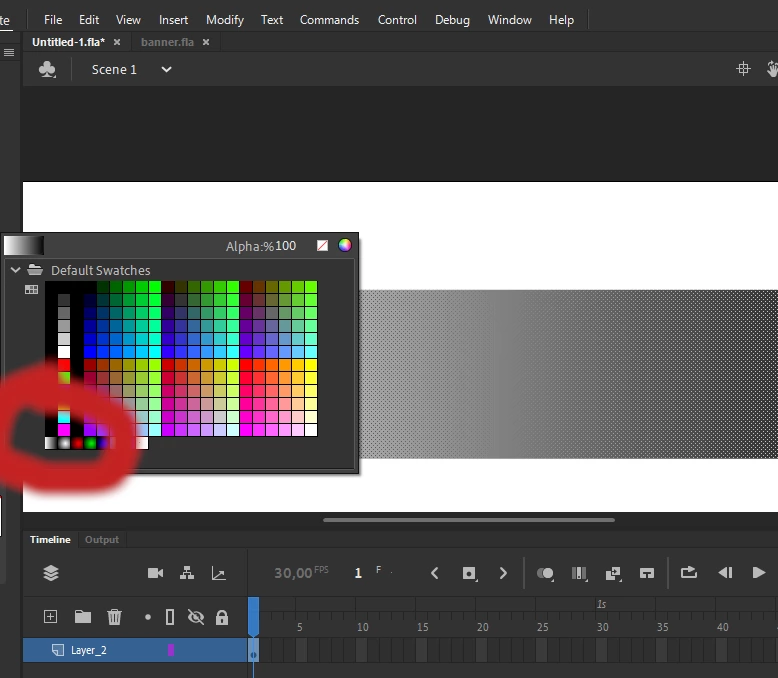
I'm used to being able to create gradients by selecting the tiny gradient square at the bottom left corner of my fill selector.


But despite this, and my rectangle turning into a black-to-white gradient, I see no option on how to control these colors. All I see is the color picker no matter what I do.


Has things changed in the latest Adobe Animate or am I missing something obvious?
 

This topic has been closed for replies.
Correct answer smallhaggis

I've always adjusted gradient colours on the Color palette (Window > Color) and that's still the case in Animate 2020.  You can also create your own gradient swatches (also in the Color palette), then they will appear alongside the black and white swatch you selected.  The Gradient tool on the toolbar allows for adjustment of other features.


No idea if there was previously another way to do it, but that's how I've always done it!

1 reply

smallhaggisCorrect answer
Inspiring
January 26, 2020

I've always adjusted gradient colours on the Color palette (Window > Color) and that's still the case in Animate 2020.  You can also create your own gradient swatches (also in the Color palette), then they will appear alongside the black and white swatch you selected.  The Gradient tool on the toolbar allows for adjustment of other features.


No idea if there was previously another way to do it, but that's how I've always done it!

murkf81204167
Known Participant
January 26, 2020

My bad I'm so sorry I completely forgot about that color window! Thanks a lot for chipping in!