



christineavatar
Legend
May 18, 2020
Answered

Why doe the sound change when I import it?

  • May 18, 2020
  • 5 replies
  • 3123 views

I have done everything I can think of to get around this issue. I took the sound into Audition and lowered the volume. I then took it into Animate. The volume is correct in Audition, in the file on the computer, but, when I take it into Animate to put it in my project the volume is the original sound - way too loud to use. What is causing that and how do I correct it?

    This topic has been closed for replies.
    Correct answer Colin Holgate

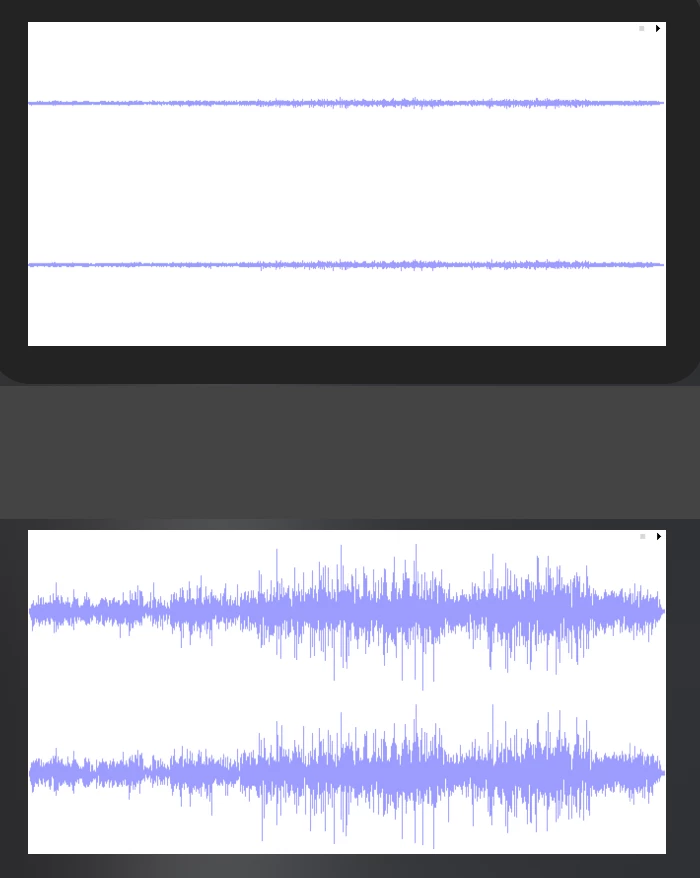
    I did a test when I lowered the amplitude of a sound in Audition, then took a saved copy of that, and the original sound, into Animate. Here's how the two look.


    Is there anything unusual about the sound? It will want to be 16 bit and 44.1 kHz. If it's 24 or 32 bit that could lead to various problems.

    5 replies

    christineavatar
    Legend
    May 18, 2020

    Here are the two forms of the recording the first is in Animate the second is in Audition. They are the SAME recording

    Colin Holgate
    Colin HolgateCorrect answer
    Inspiring
    May 18, 2020

    I did a test when I lowered the amplitude of a sound in Audition, then took a saved copy of that, and the original sound, into Animate. Here's how the two look.


    Is there anything unusual about the sound? It will want to be 16 bit and 44.1 kHz. If it's 24 or 32 bit that could lead to various problems.

    christineavatar
    Legend
    May 19, 2020

    Thank you Colin, you've saved me again! I had taken it from an Australian firm, ZapSplat, and it had never occured to me that there would be any problem with it. Thanks to your feedback I checked it out and 96 kHz and 32 bit. I corrected that and it works fine now. Here's hoping that I've learned my lesson and will check those two before I try to use what I've downloaded!

    christineavatar
    Legend
    May 18, 2020

    The bit is a mono recording of a voice. .7 seconds long. It doesn't make sense to me!

    christineavatar
    Legend
    May 18, 2020

    I used the Amplitude and Compression>Fade Envolope and lowered the entire volume

    christineavatar
    Legend
    May 18, 2020

    I tested it a moment before I broght it in. Broght it in and the sound was at the original volume


    christineavatar
    Legend
    May 18, 2020

    I promise on my mother's grave I am!

    kglad
    Community Expert
    Community Expert
    May 18, 2020

    you're not importing the same sound file that you saved after editing in audition.