
Participant
March 19, 2020
Answered

Why is my brush like this?

  • March 19, 2020
  • 2 replies
  • 1654 views

I am new to Adobe Animate and was trying to see how it works. When I started to draw something it was a weird purple outline rather than just plain black. Is this supposed to happen? How do I make it so the brush is a plain black line?
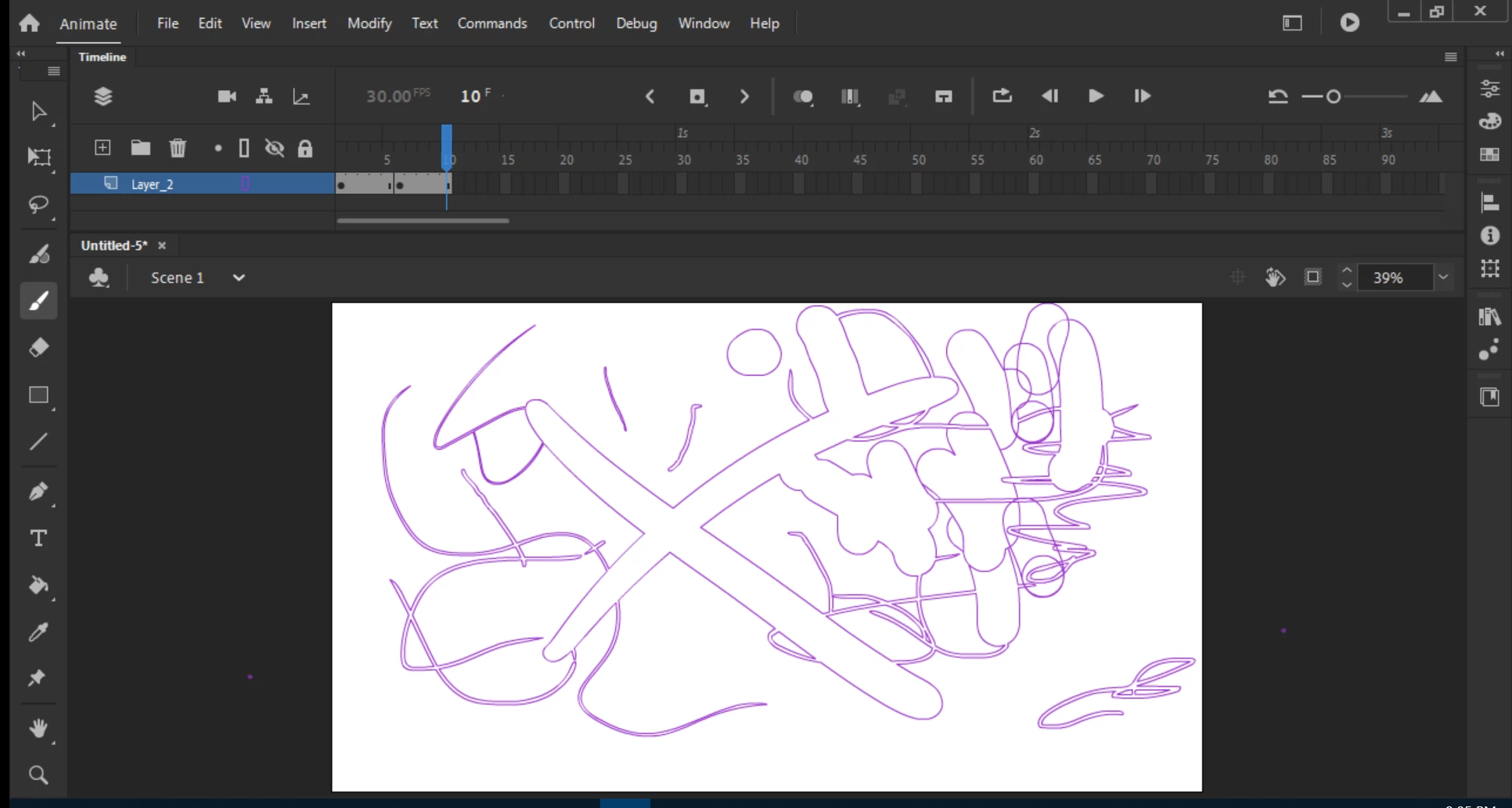
 

Thank you,

Marshall
This topic has been closed for replies.
Correct answer n. tilcheff

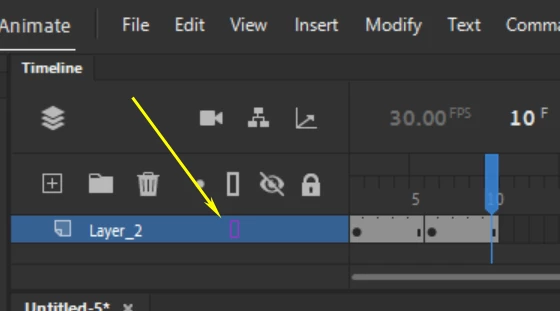
Your layer is in outline mode, mate.


Click on the little purple rectangle to go back to normal.

2 replies

Participant
March 19, 2020

Thank you! I must have pressed that while trying to see what everything does.

n. tilcheff
n. tilcheffCorrect answer
Legend
March 19, 2020

Your layer is in outline mode, mate.


Click on the little purple rectangle to go back to normal.

Nick - Character Designer and Animator, Flash user since 1998 | Member of the Flanimate Power Tools team - extensions for character animation
Participant
February 17, 2024

hello, I had the same problem but it did not work for me, Im also trying out anything but I dont know what i clicked

Participant
February 17, 2024
17081866996271948242156274492727.jpg