
Question
Windows: Pen tool - bezier handles persisting
Good afternoon,
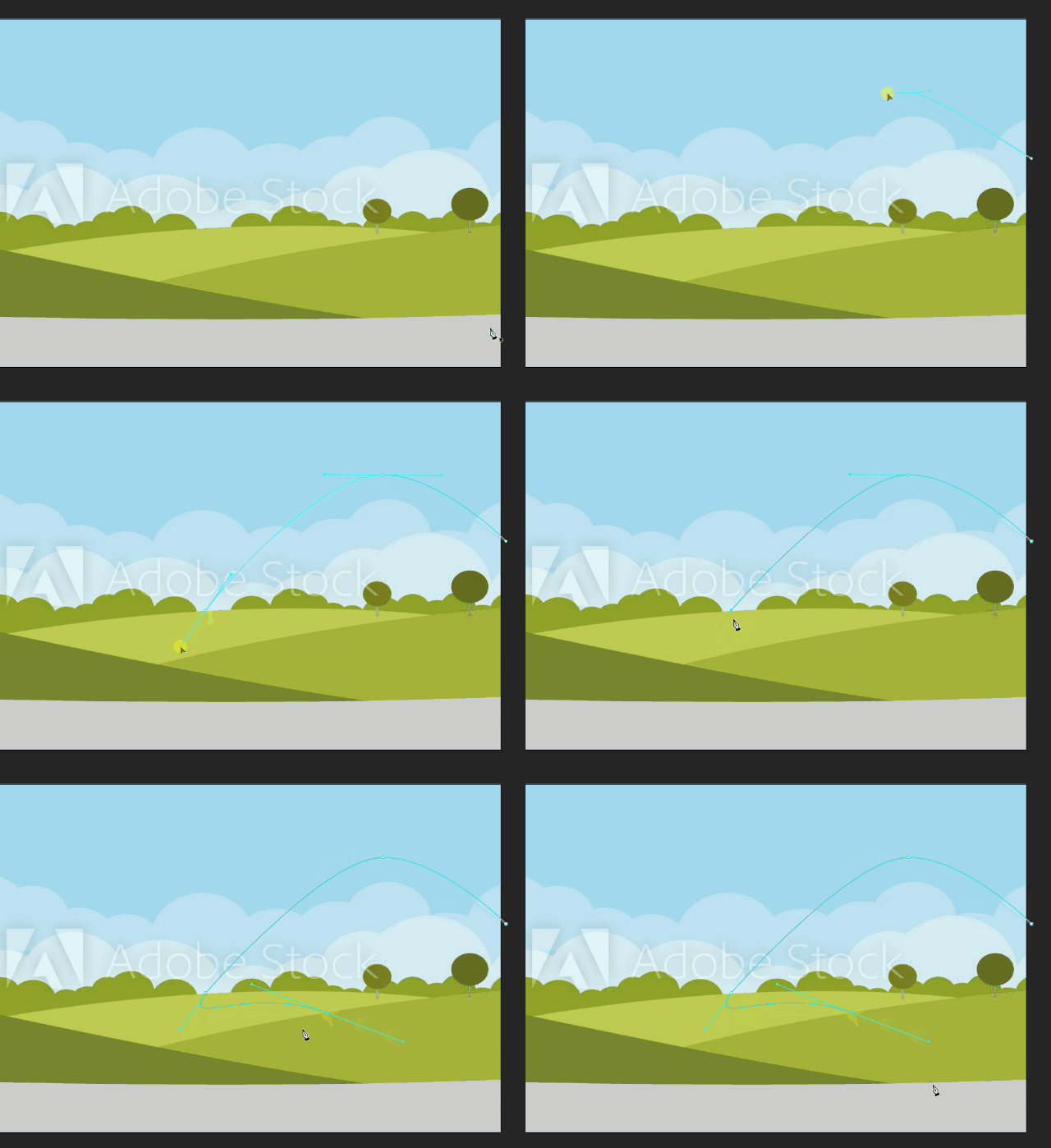
Please help, I found a behaviour I can't understand. I want to draw a shape using the pen tool. I am new to Animate, but in Photoshop, I always hold Alt and click on an anchor point, which then makes one of the bezier handles disappear which in turn allows me to continue the path by drawing a straight line from that anchor point. In Animate it's slightly different, because both bezier handles disappear instead of one, affecting the curved line which led from the previous anchor point. In addition, the handles re-appear the moment I place the next anchor point. If pen tool is indeed different than the one in Photoshop, please would you be able to recommend me a tutorial so I can learn how to use it correctly?
 AdChoices