
Participant
November 22, 2019
Answered

Xp-pen tablet acting weird on adobe animate

  • November 22, 2019
  • 3 replies
  • 7435 views

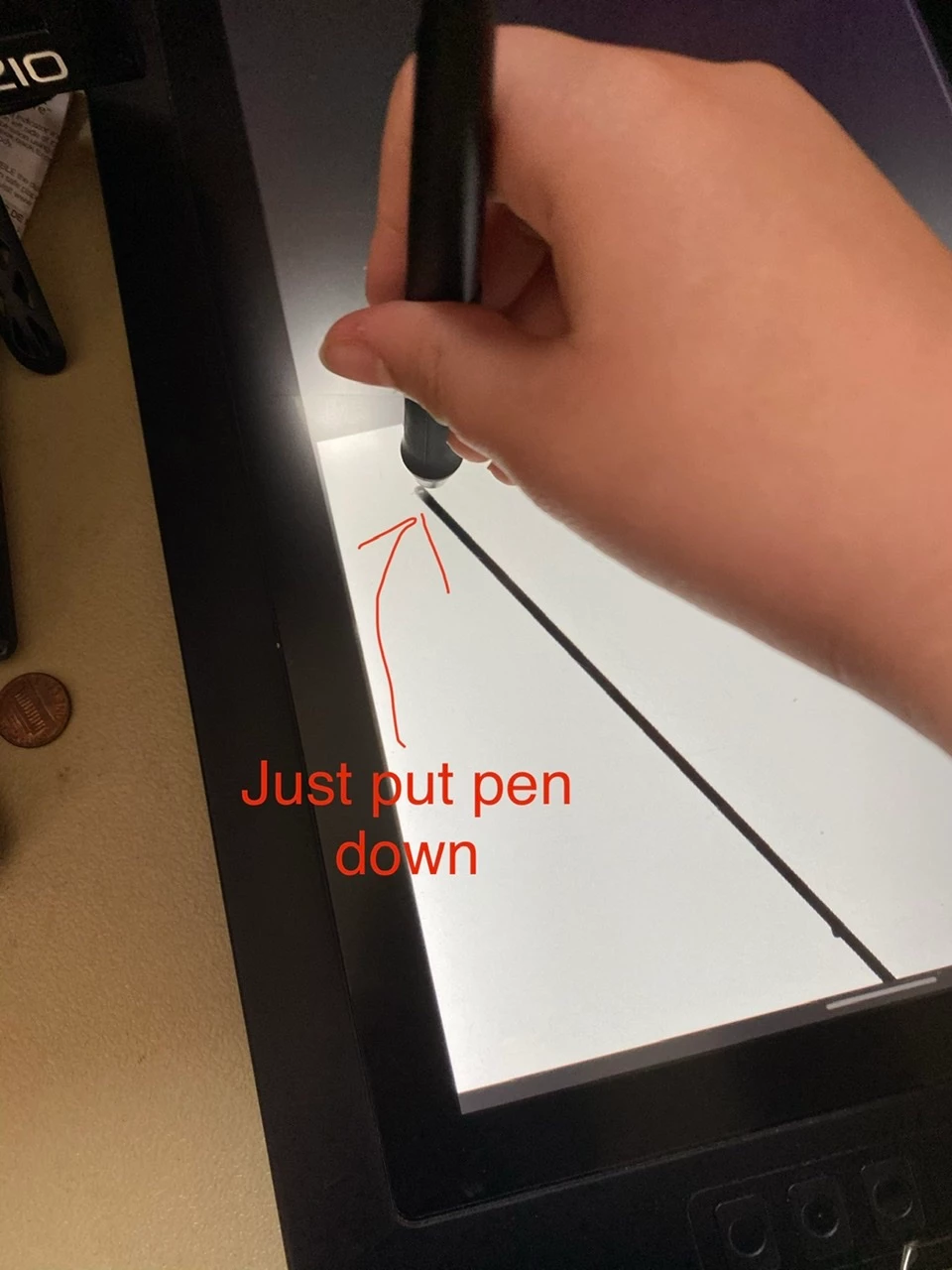
I've had Adobe animate for a while and just fired it up to see how it worked.I have the XP pen 15.6 inch tablet, and adobe animate doesn't seem to like it. For some reason, whenever I put the pen down it draws a huge line and then starts drawing very far down, nowhere near where I originally put down the pan. Can someone tell me what I did wrong, or how to fix it?
 

This topic has been closed for replies.
Correct answer thomasp97947471

Hey, so I finally figured it out. I just needed to switch my main display to my drawing tablet. It's not ideal, but it worked.

3 replies

Participating Frequently
January 23, 2022

There's already a correct answer in the reply section that works for drawing tablets with a monitor. For the ones without a monitor, setting the "Display Scale" on 100% in Windows settings can fix it.


I thought it would help some people who have drawing tablets without a monitor like me. 

Participating Frequently
August 22, 2020

Hi

I have the same problem with XP-pen Deco Pro Small and I have no idea how to fix it. Can you please help me?

Participant
October 15, 2020

I have the same problem in mi recently bought xp-pen deco mini 7, I cannot work with Animate. Is it problem of Adobe of Xp-pen?

Participant
October 17, 2020

Hi,


I fixed my problem of lines in Adobe Animate. In xp-pen config tool, I had selected the Relative mode (because it is easy for me). Then, I changed to Absolute mode and it works now!

I hope that this solution help you.

Inspiring
November 22, 2019

I think I have seen this issue mentioned before. Is your tablet the same resolution as your main monitor?


There is a Twitter thread here which sounds similar: https://twitter.com/stephenonguk/status/1194942811965132800?s=20

Participant
November 25, 2019

Hey, sorry but  im not that tech smart. Do you know how to do that?


If so, thanks.

thomasp97947471AuthorCorrect answer
Participant
November 25, 2019

Hey, so I finally figured it out. I just needed to switch my main display to my drawing tablet. It's not ideal, but it worked.