UPDATE 4 (06/06/2022): here is a new link: https://bit.ly/3mfYFWz.
UPDATE 3: If anyone is interested, here is an updated version of this map (http://bit.ly/2NBV82b ) with bounds checking and other improvements. Please change the 'this.map' property at the top of the code to change the behavior of the app.
UPDATE 2 (2/12/19):
- The Map instance is set to be cached as a bitmap in the Properties Panel. Please make sure to test your app with and without caching as bitmap for performance improvements or if you need to place buttons and animated Movie Clips inside of the map;
- And if you're using a 2019 version, exporting the document as a texture (Publish Settings > Image Settings > Export document as texture) may give you even more performance.
UPDATE 3 (2/18/19):
- The drag area was being incorrectly calculated. The correct is to get the canvas size and divide by the stage scale;
- The methods getBounds and getTransformedBounds will sometimes return null. So I replaced the last one by the nominalBounds property that Animate CC creates and then I multiplied the width and the height by the scaleX and scaleY of the map;
- Did some other tweaks.
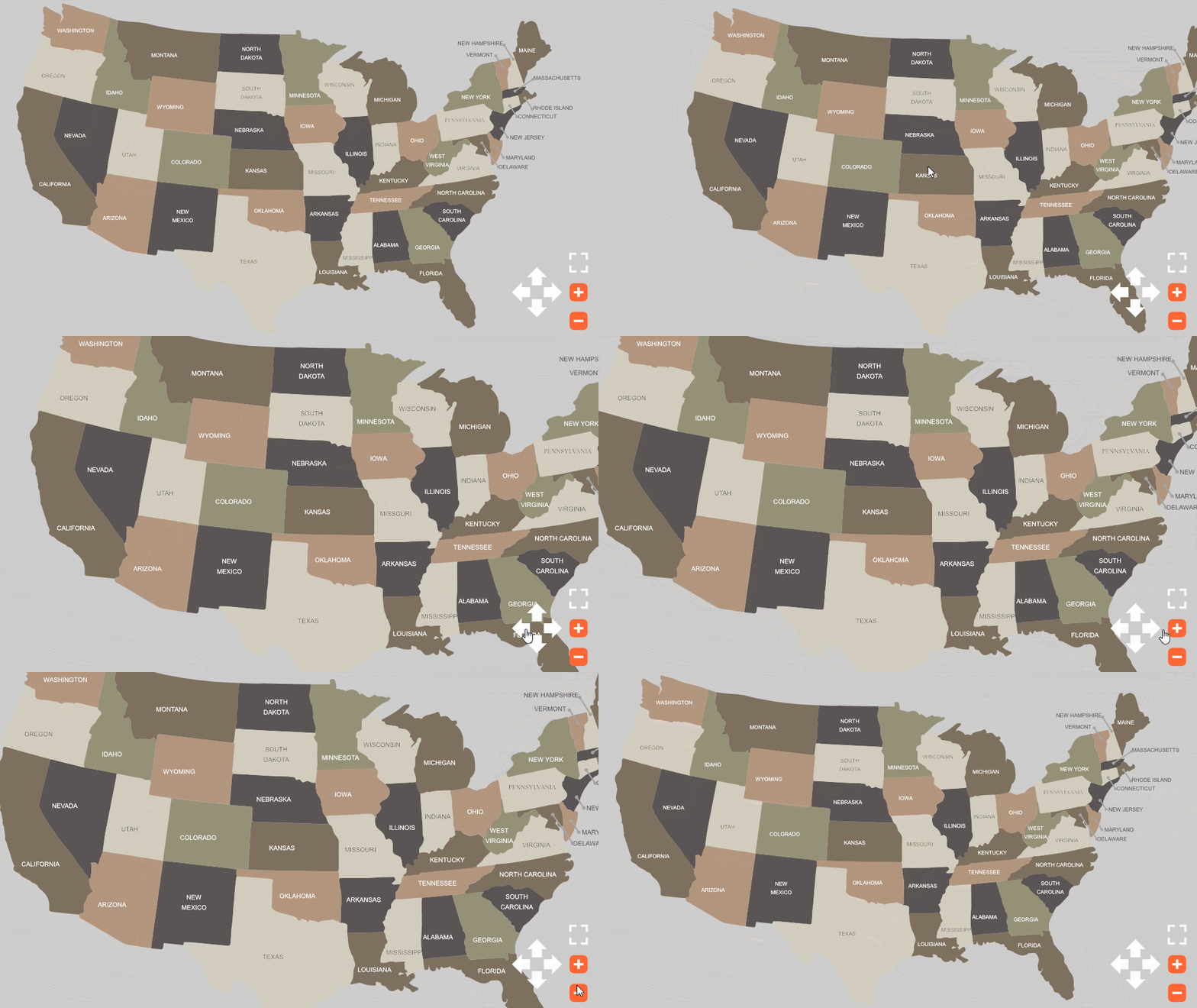
Made this very simple demonstration. I hope it can help you. Notice you can drag the map and change the zoom with the mouse wheel.
Download: animate_cc_html5_map_pan_and_zoom
Code:
var that = this;
var clickedX;
var clickedY;
var isDragging = false;
var friction = 0.85;
var speedX = 0;
var speedY = 0;
var mapOriginalX = this.map.x;
var mapOriginalY = this.map.y;
var mapNudge = 5;
var minScale = 0.25;
var maxScale = 3;
function onMouseWheel(e)
{
var zoomFactor = e.detail / 30;
scaleMap(zoomFactor);
}
function mouseDown(e)
{
clickedX = stage.mouseX;
clickedY = stage.mouseY;
isDragging = true;
}
function stageMouseUp(e)
{
isDragging = false;
}
function update(e)
{
if (isDragging)
{
speedX = stage.mouseX - clickedX;
speedY = stage.mouseY - clickedY;
}
speedX *= friction;
speedY *= friction;
that.map.x += speedX;
that.map.y += speedY;
clickedX = stage.mouseX;
clickedY = stage.mouseY;
}
function resetMap()
{
that.map.x = mapOriginalX;
that.map.y = mapOriginalY;
that.map.scaleX = that.map.scaleY = 1;
}
function zoomMap(e)
{
if (e.currentTarget == that.plusButton)
scaleMap(-0.1);
if (e.currentTarget == that.minusButton)
scaleMap(0.1);
}
function moveMap(e)
{
if (e.currentTarget == that.upButton)
speedY -= mapNudge;
else if (e.currentTarget == that.rightButton)
speedX += mapNudge;
else if (e.currentTarget == that.downButton)
speedY += mapNudge;
else if (e.currentTarget == that.leftButton)
speedX -= mapNudge;
}
function scaleMap(amount)
{
var map = that.map;
map.scaleX -= amount;
map.scaleY = map.scaleX;
if (map.scaleX < minScale)
map.scaleX = map.scaleY = minScale;
else if (map.scaleX > maxScale)
map.scaleX = map.scaleY = maxScale;
}
// listeners
this.map.on("mousedown", mouseDown.bind(this));
this.resetButton.on("click", resetMap.bind(this));
this.plusButton.on("click", zoomMap.bind(this));
this.minusButton.on("click", zoomMap.bind(this));
this.upButton.on("click", moveMap.bind(this));
this.rightButton.on("click", moveMap.bind(this));
this.downButton.on("click", moveMap.bind(this));
this.leftButton.on("click", moveMap.bind(this));
stage.on("stagemouseup", stageMouseUp.bind(this));
document.getElementById('canvas').addEventListener('mousewheel', onMouseWheel.bind(this));
document.getElementById('canvas').addEventListener('DOMMouseScroll', onMouseWheel.bind(this));
createjs.Ticker.addEventListener("tick", update.bind(this));
resetMap();
Preview:
Regards,
JC



 AdChoices