



Bojan Živković11378569
Community Expert
Community Expert
June 20, 2020
Question

12.3 Freezing when using Crop Tool

  • June 20, 2020
  • 6 replies
  • 625 views

Latest ACR 12.3 on Win machine is freezing when trying to move crop area while Crop Tool is active. It does not allows me to click inside and reposition selected area. It works only sometimes, random times with problems. I have feeling that I am moving huge stone.
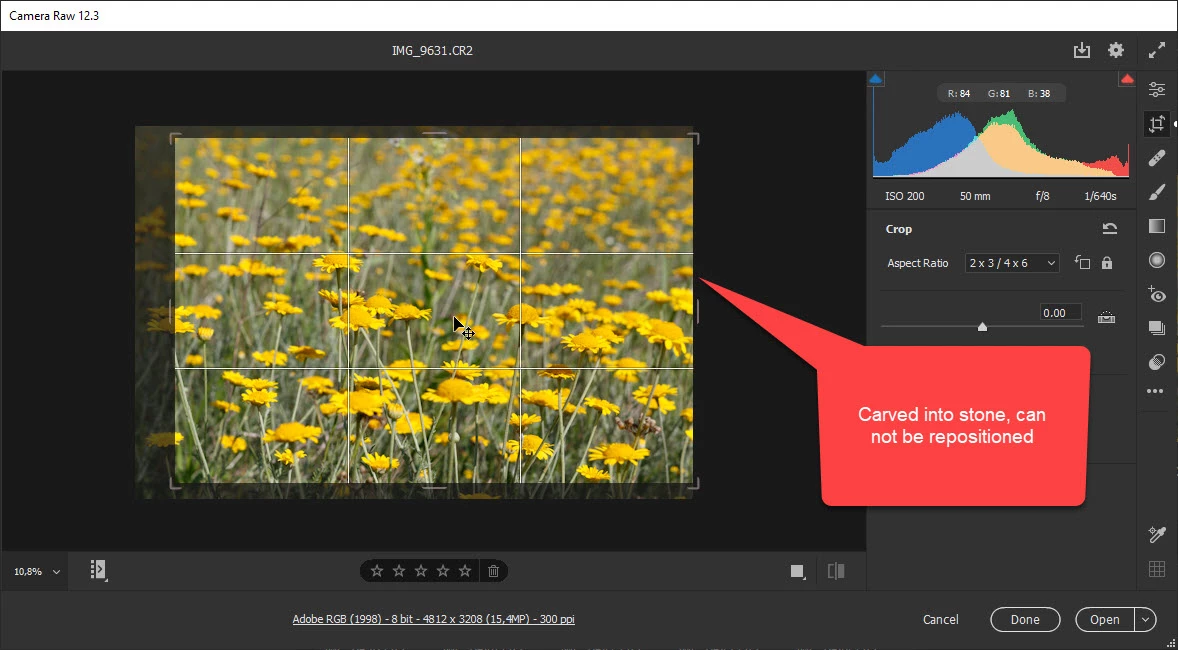
This topic has been closed for replies.

6 replies

Participant
March 5, 2021

Same problem. Disapointed that is not solved yet


TheDigitalDog
Inspiring
March 5, 2021

@Llibert5C8A wrote:

Same problem. Disapointed that is not solved yet


What problem, crashing/freezing as the OP indicated OR you don't like the new behavior? 

Author “Color Management for Photographers" & "Photoshop CC Color Management/pluralsight"
DarkWarriorUK
Inspiring
June 23, 2020

You can revert to the previous version of Camera Raw 12.2.1: https://helpx.adobe.com/camera-raw/kb/camera-raw-plug-in-installer.html#12_x

Also downgrade Bridge to 10.0.4 and the madness that is biased towards lightroom users has gone and harmony is restored

Participant
June 20, 2020

I just noticed, that it will work a bit faster, if you make a cropping first, before any other editing (colors, contrast, shadows etc).
But still its a very annoying comparing to older version.

Jeff Arola
Community Expert
Community Expert
June 20, 2020

Same here with acr 12.3 on windows 10 2004 and photoshop 21.2


Doesn't actually freeze, but very slow and jerky.

Participant
June 20, 2020

Same problem here with Mac OS High Sierra. Crop tool and straightening tool works very slowly.

Participating Frequently
June 20, 2020

I use the new ACR (12.3) on a macOS High Sierra and have the same problem. Its impossible to use the crop tool.