Participating Frequently
January 14, 2019
Answered

ACR decode nikon D750 raw have problem, Colour faults appear in the sky

  • January 14, 2019
  • 2 replies
  • 2360 views

Test Envirment:

CC2018+ACR11

NikonCaptureNX-D1.5

First:

1.I Use Nikon Raw not compress format

2.Ps open use Cameraw,workspace select Protophoto RGB,16 bit channel

3.ps select work in Protophoto RGB

4.Save as jpg,Srgb,select as bellow select high quality!

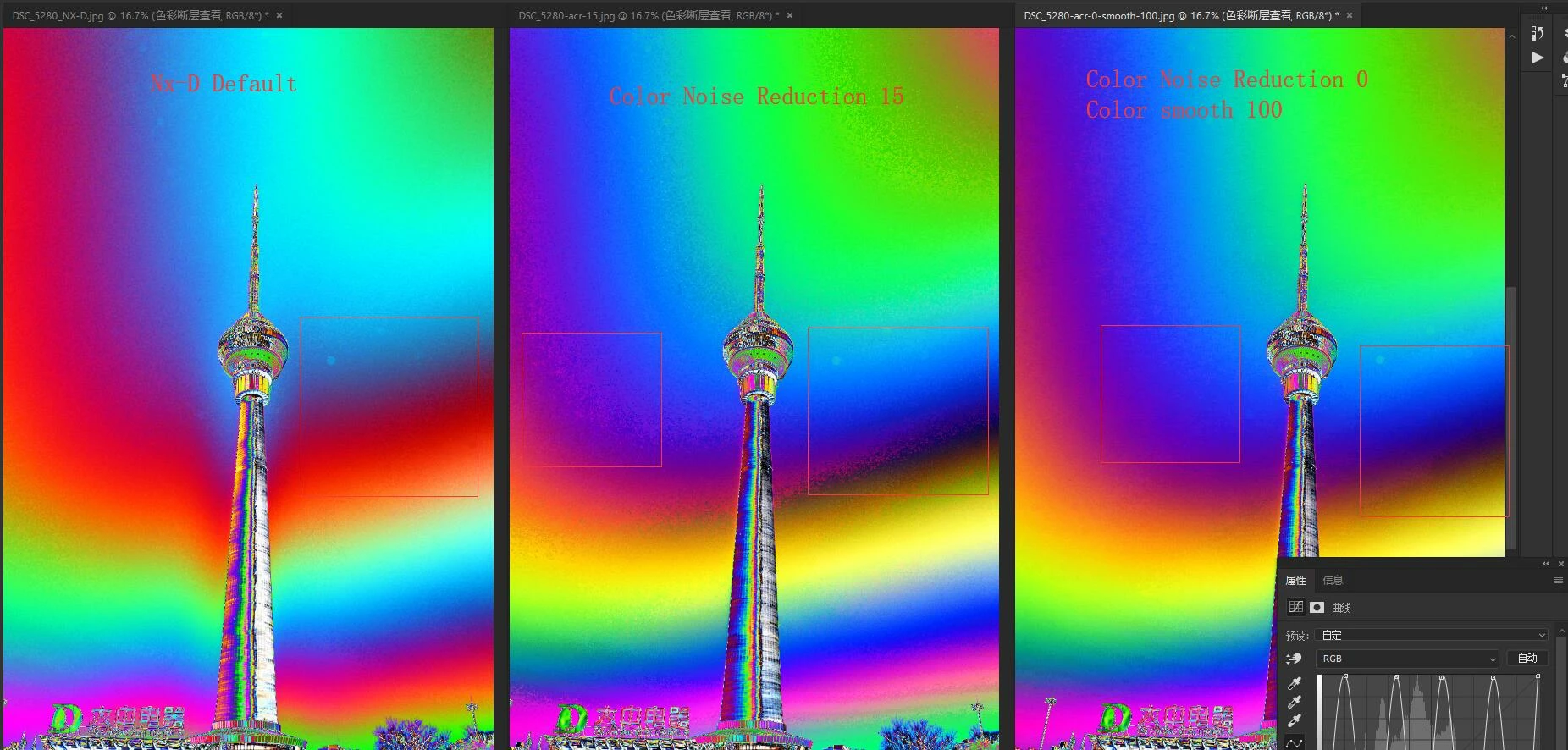
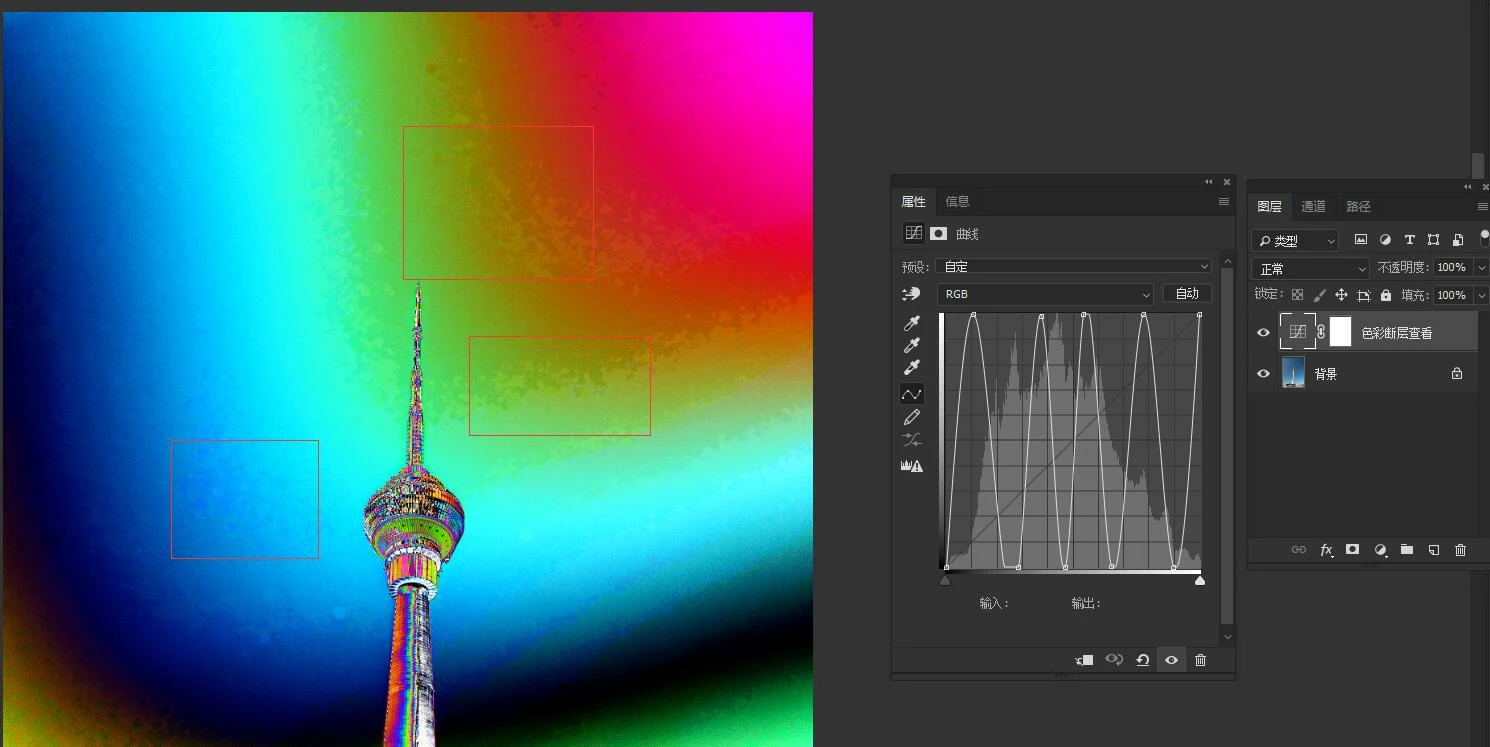
I comapre acr +ps  jpg and nx-d jpg in ps,I add a curve adjustment layer above the photo to monitor, as you can see below is ps jpg

Follow is acr+ps jpg ,Acr is default set
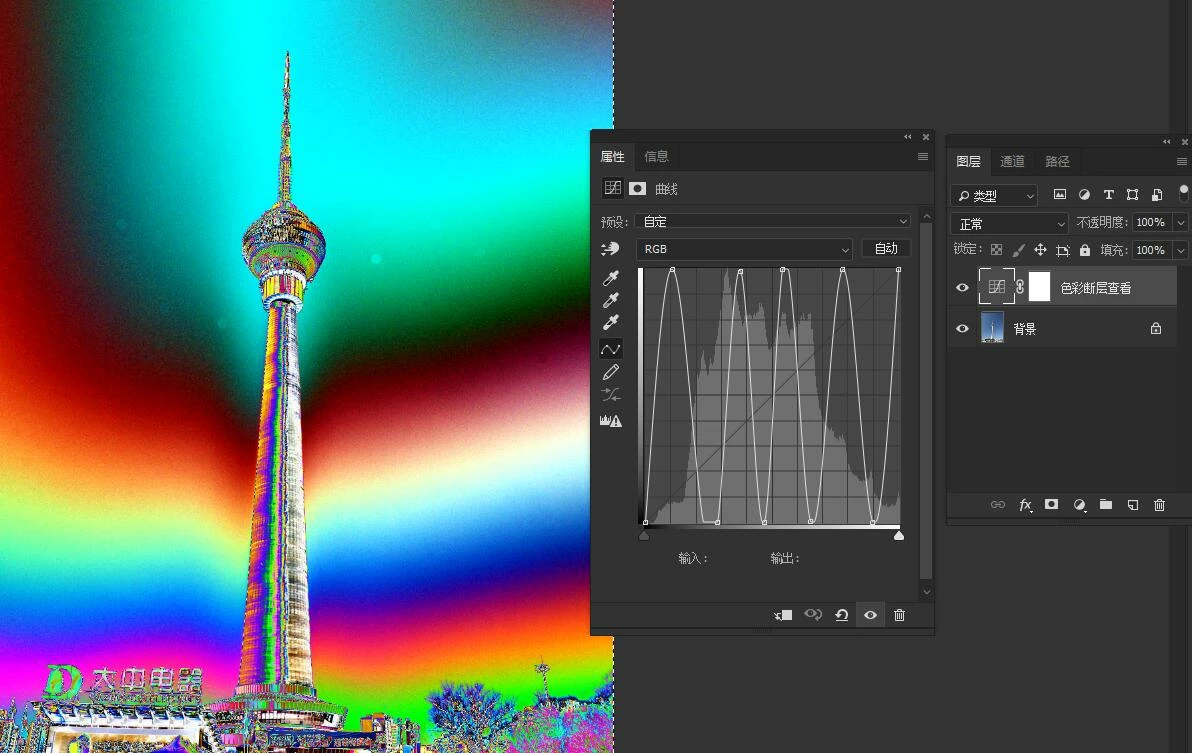
following is nx-d default set ,export jpg,that so smooth,no urgly
Just found out by my own test

I use following method:PS and nx-d all first export TIF(16),then save as jpg test.

1.With Nikon NX-D   D750RAW- > TIF (16bit) - - > Ps save jpg, there is no problem in saving jpg.

2.With ACR (16bit)D750RAW - PS --TIF (16bit)--->PS save Jpg, that is problematic

CONCLUSION:

The problem is in Cameraw decode for d750 Raw file.

ALL source raw and jpg file in my baidu cloudy  you can download,

https://pan.baidu.com/s/1zKUixpIeCmGZcIyFe043Lg

I hope Cameraw team can resolve this problem.

This topic has been closed for replies.
Correct answer ssprengel

thank you ssprengel

I use your method to set the Color Noise Reduction, from a default of 25 to maybe 15 and even to 0,and color smooth from 50 to 100,that be much better then before,but compare with NX-D Jpg still have a gap.

I hope acr can imporve or fix this problem when load d750 raw file.

Adobe Camera RawAmy_WongWoojin​ !


The NX-D images have more noise grain and this breaks up the color transition along a smooth gradient such as the sky in your photo.

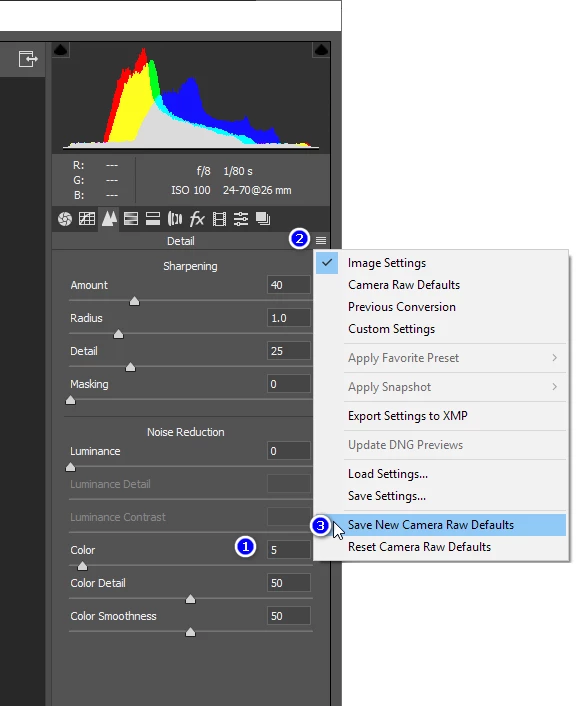
Adobe isn't going to change anything.  You can set your own ACR defaults with NR at much lower settings if you want, although zero is too low if you are using ACR for normal, non-rainbow-gradient images:

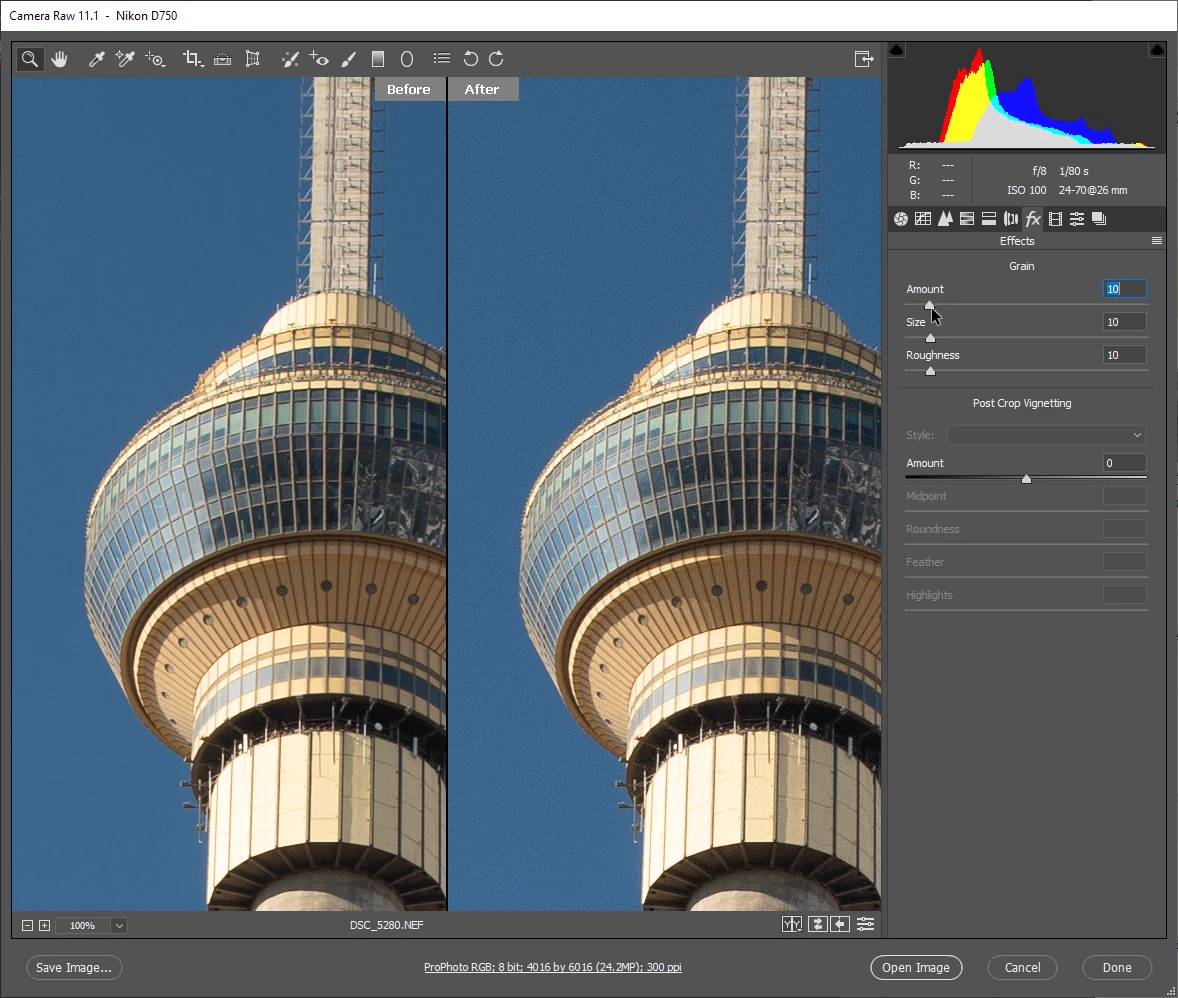
Besides turning down NR so you have excessive noise grain, you can also just add noise using the Effects panel in ACR:

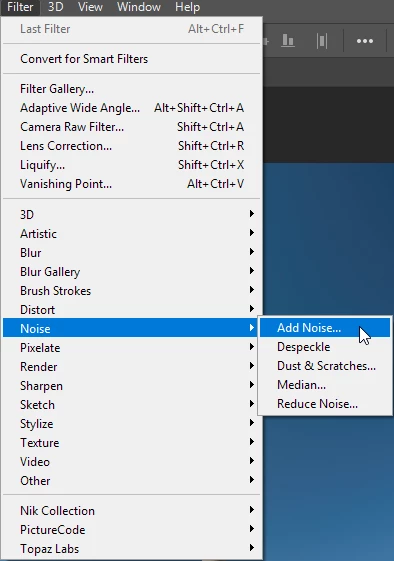
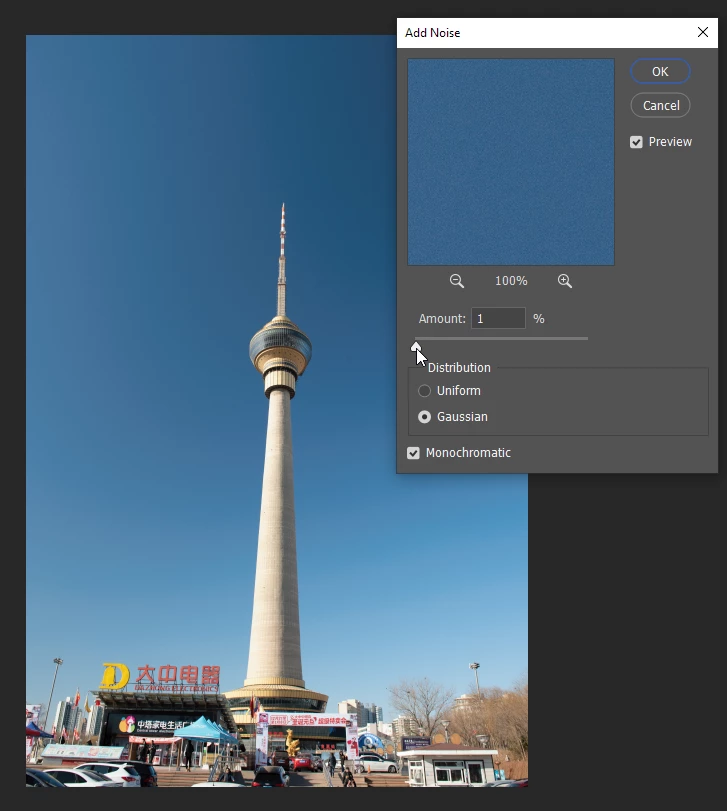
Or use Filter / Noise / Add Noise in Photoshop, itself:

2 replies

ssprengel
Inspiring
January 15, 2019

Unless you get the color grandient bands across the same areas of the image it's not quite a fair comparison, but from what you do show, I'd say the noise-reduction of ACR results in larger areas of sameness than the noise-reduction of NX-D.

Attempting to download the files shows a popup in Chinese with a QR code (to download a phone app? no thank you) and/or requires filling out a form in Chinese.  If you can upload your files to use a website like dropbox or googledrive or onedrive that allows downloading without signing up or using an app, ok, but otherwise your files remain off limits to those of us who don't read Chinese or trust whatever service you are using.

qushuiAuthor
Participating Frequently
January 17, 2019

1.I compare is same size .

2.you can see below and NX-D and ACR are all use default paramers and no any change export tif 16bit ,then use ps save them  to jpg.

So NX-D is Fine,ACR is ugly,so reason is Acr have problem!

YOU can get source file from my google driver:

NikonD750-Color-Break - Google Drive

ssprengel
Inspiring
January 17, 2019

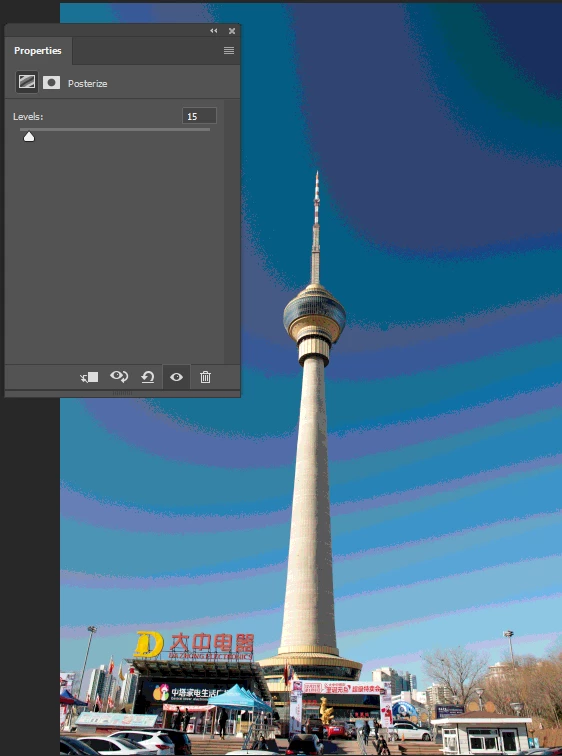
Turn down the Color Noise Reduction, from a default of 25 to maybe 5 for this image and the sky gradient will have smaller blotches:

Here I'm using a Posterize Adjustment Layer to create bands of different colors to examine the size of the color grain:

D Fosse
Community Expert
Community Expert
January 15, 2019

A jpeg has natively only 8 bit depth, with lossy compression on top, and banding is just the nature of jpeg - unless some very clever tricks are applied to conceal and disguise it. Yes, it looks impressive out of NX, but it's probably some kind of post process dithering.

IOW, the ACR example here is how I'd expect a jpeg to behave natively, regardless of software.

I'd be more impressed if you could show the same difference on a 16 bit TIFF - ?

qushuiAuthor
Participating Frequently
January 17, 2019

As I write before,NX-D and ACR all use default parameters.

1.With Nikon NX-D   D750RAW- > TIF (16bit) - - > Ps save jpg, there is no problem in saving jpg.

2.With ACR (16bit)D750RAW - PS --TIF (16bit)--->PS save Jpg, that is problematic

Compare NX-TIF,PS-TIF look as same,but they all chang to srgb and save as jpg look so different

Following is TIF Compare

look  and check more similar

Following is JPG Compare

Have more different,NX-D is Fine,ACR is ugly,so reason is Acr have problem!

YOU can get source file from my google driver:

NikonD750-Color-Break - Google Drive