


Known Participant
November 11, 2016
Question

ACR does not show color labels - just white

  • November 11, 2016
  • 2 replies
  • 2429 views

Hi,

I am running Photoshop CC (v 2017.0.0. 20161012.r.53 x64) and ACR 9.7.0.668 on Windows 10 Pro v1607. When I open pictures that have a color label ACR just shows a white label. Anyone else experiencing this problem? Any ideas how to solve it?
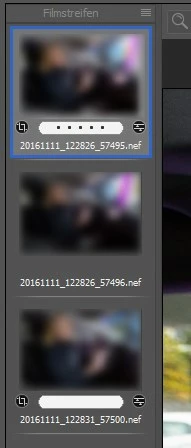
Thanks in advance

Oliver

    This topic has been closed for replies.

    2 replies

    olidieAuthor
    Known Participant
    November 13, 2016

    As suggested I tried everything on a fresh raw image but no success. I then went the language path. My bridge and photoshop is set to german so the label had german names too. Even when changing the programm language to english the labels would still be in german. I then changed them to the original english names, set labels on some fresh raws but still ACR is only showing white. It's frustrating.

    Thank you for your support, Richard. Much appreciated!

    Oliver

    Edit: Yes, the 'xmp:Label="Second' is present in my XMP files. It's also transfered to the generated jpg since they are correctly labeled when the raw are being processed.

    olidieAuthor
    Known Participant
    November 13, 2016

    I guess I found the problem. Setting the color label directly in ACR and then looking at the xmp file shows that ACR stores labels with different names. Namely Red, Blue, Yellow etc. Don't know why it's not corresponding to the Bridge label names but I think I now know how to solve it by changing the names of the labels in Bridge.

    EDIT: Yes, changing the label names to Red, Yellow, Green, Blue and Purple did the trick.

    Inspiring
    November 13, 2016

    Sounds like you're on it.  I did a forum search of "label color", and found some similar entries, but they seemed to be mostly Lightroom, having to do with a language change after an upgrade that caused the same issue.

    Richard Southworth

    Inspiring
    November 11, 2016

    This drives me nuts too as I assign a cyan label for raw panorama stitches and magenta for HDR and when in the processing window they all appear white.

    Mac OS X 10.10.x

    Peter

    olidieAuthor
    Known Participant
    November 11, 2016

    I just updated my laptop to the CC 2017 and it's showing color labels correctly but it's an old Win 7 machine. I did a complete deinstall, cleaning and reinstall of all Adobe products on the Win 10 desktop and the defunct color labels are still there.

    Inspiring
    November 11, 2016

    First thing to try is go to CR preferences and un-check "Use Graphics Processor".  This has become a panacea lately for similar problems.

    Richard Southworth