D800Ted
Participant
December 4, 2017
Answered

ACR Popups Remain on the Screen

  • December 4, 2017
  • 1 reply
  • 605 views

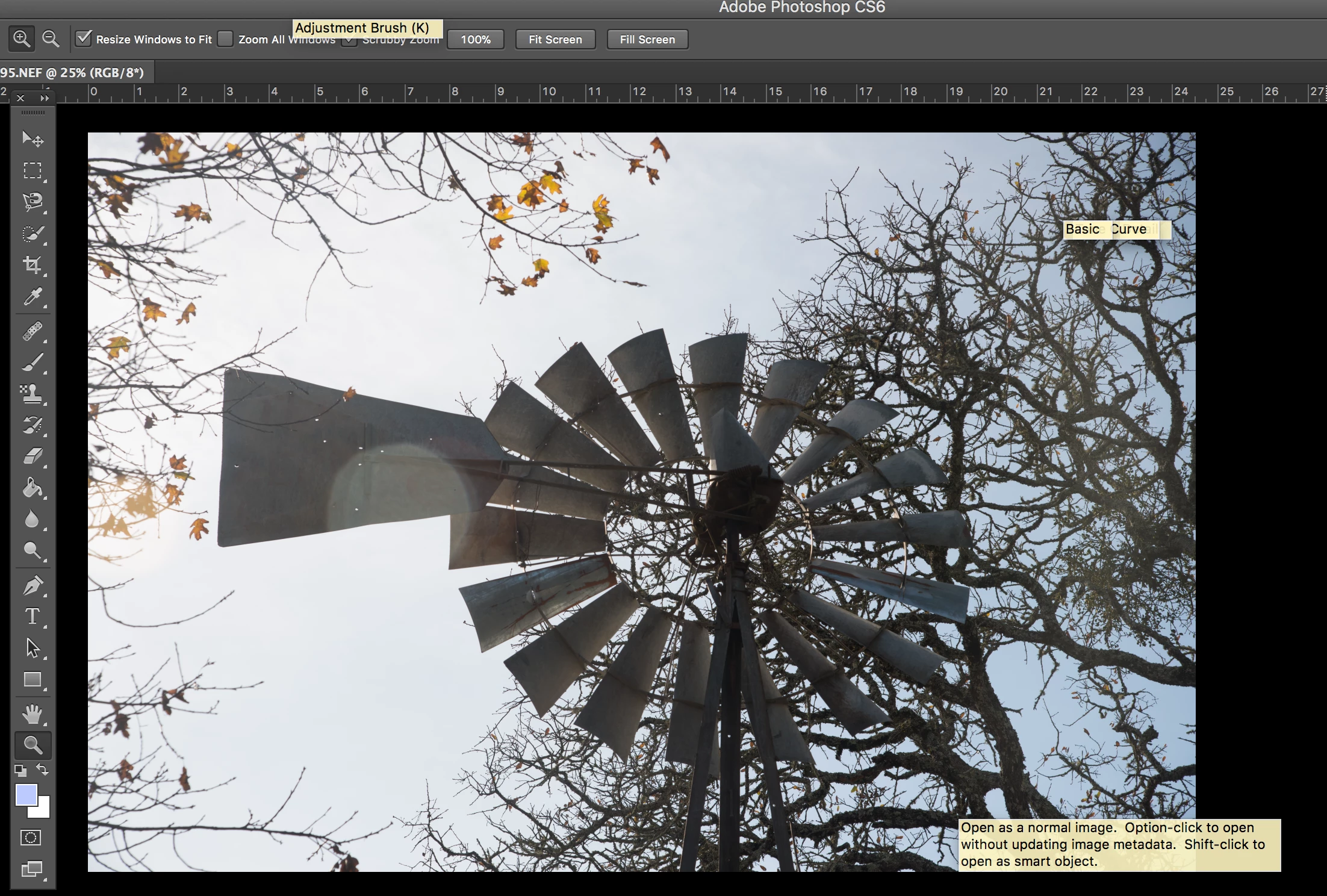
I open a RAW or JPG file using PS or Bridge and when making my adjustments in ACR the popup prompts will stay on the screen after the file is opened in PS. In other words there are a bunch of ACR "yellow" prompts in PS which cover the screen after the file has been opened in PS. Closing out PS will clear out the prompts.

A screenshot is shown.

I am running PS/ACR on a MacPro with Retna although this has been an issue with previous releases of the OS.

Thanks,

Ted

    This topic has been closed for replies.
    Correct answer Jeff Arola

    I never saw this until i upgraded to maxOS High Sierra.

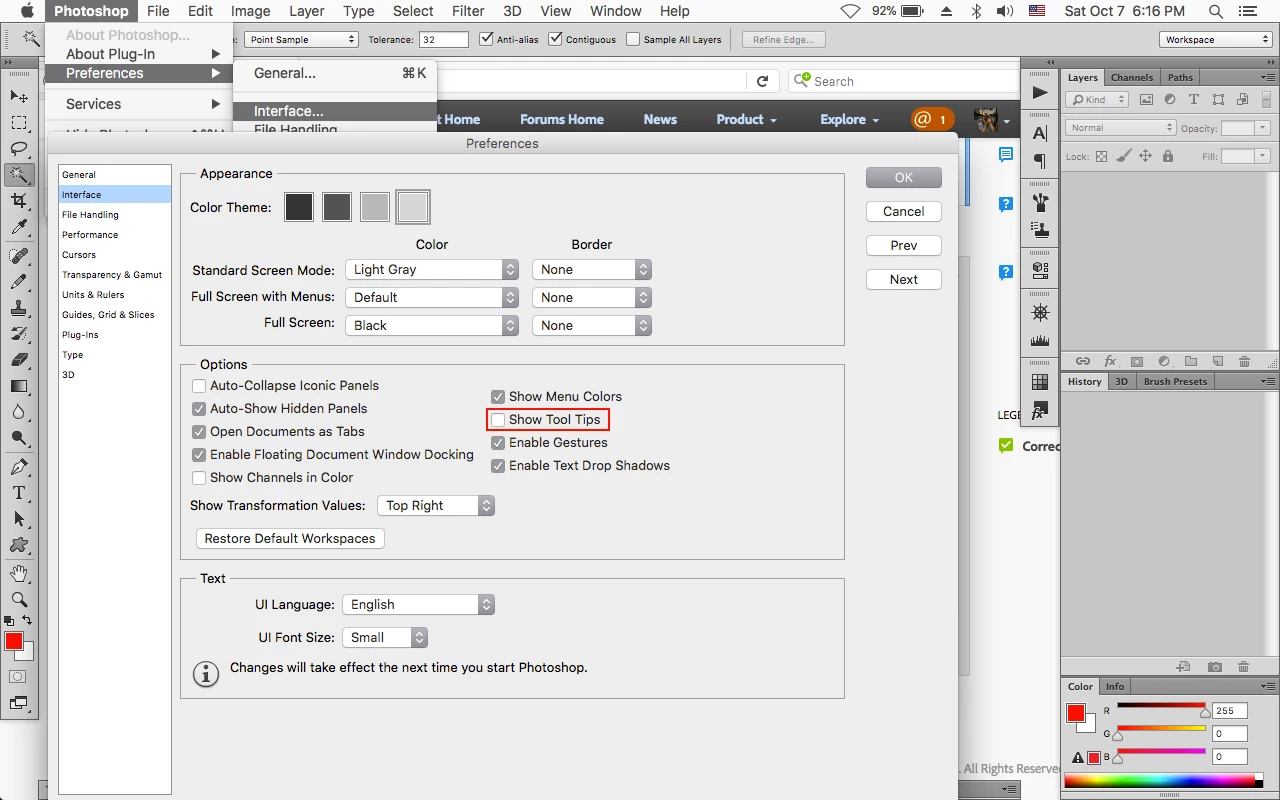
    Anyway, you can go to Photoshop>Preferences>Interface, uncheck Show Tool Tips and then restart photoshop.

    That should stop the tool tips in camera raw as well when used from within photoshop cs6.

    1 reply

    Jeff Arola
    Community Expert
    Jeff ArolaCommunity ExpertCorrect answer
    Community Expert
    December 5, 2017

    I never saw this until i upgraded to maxOS High Sierra.

    Anyway, you can go to Photoshop>Preferences>Interface, uncheck Show Tool Tips and then restart photoshop.

    That should stop the tool tips in camera raw as well when used from within photoshop cs6.

    D800Ted
    D800TedAuthor
    Participant
    December 5, 2017

    Thanks, Jeff. Not the answer that I was looking for but a good work around. I would hope that the development team would fix this one as whatever is causing it in High Sierra may be causing other issues waiting to be discovered. The calm before the storm.

    Ted