


Question
ACR preferences RAW defaults
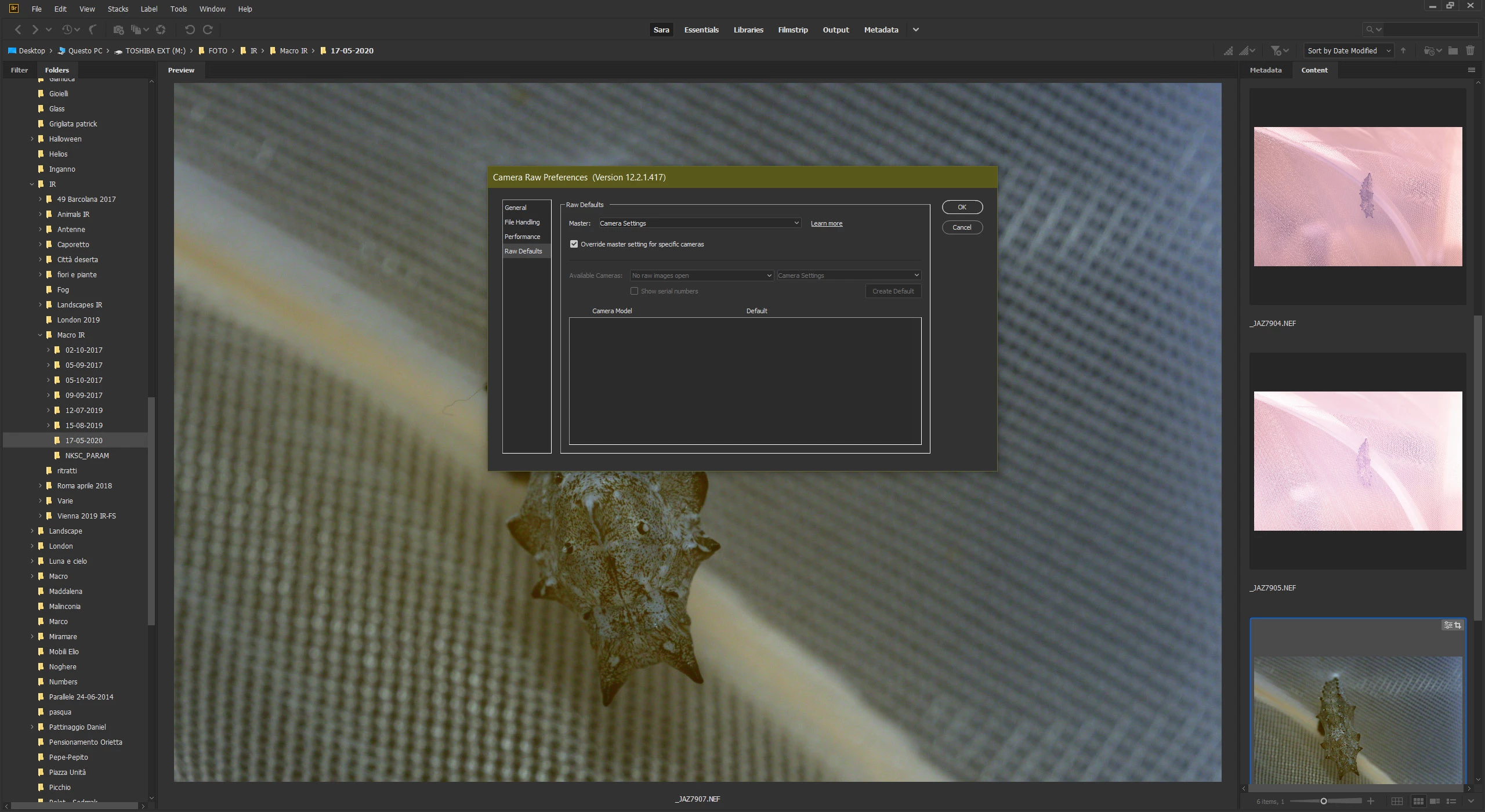
Hi, I created a camera profile to apply to all my infrared images taken with my Nikon D600. I used to be able to apply this profile to all images taken with that camera automatically. Before uninstalling and installing again (due to an issue with creative cloud) I achieved this through the camera raw settings. Now I go to the ACR settings and to RAW defaults and all the lower part where you should be able to select a camera model is grey. Even if I check "override master setting for specific cameras" everything is unselectable. I run Windows 10, latest update for all Adobe apps
Thanks!
 AdChoices